

AI Features
Generate, review, and interrogate your test case library with QA Sphere's built-in AI
QA Sphere has AI built into the test case workflow rather than bolted on beside it. This page covers what the AI can do, how to steer it with rules, and how usage is metered.
Everything here works on your project's own data. No separate API key or model subscription is needed — AI usage is included in your plan and metered as AI credits.
Generating Test Cases in Bulk
The fastest way to populate a library. From the Test Cases tab, choose Create → Bulk Test Cases with AI, describe what you want covered (or attach a spec, requirements document, or spreadsheet), and review the generated cases before saving.
Two behaviors worth knowing:
- Duplicate detection runs during generation. Generated cases that duplicate something already in the project are highlighted so you can drop them before adding. This keeps repeated generation runs from silently inflating the library.
- Navigating away is guarded. A confirmation dialog appears if you leave the bulk generation page with work in progress, so a stray click does not discard a batch.
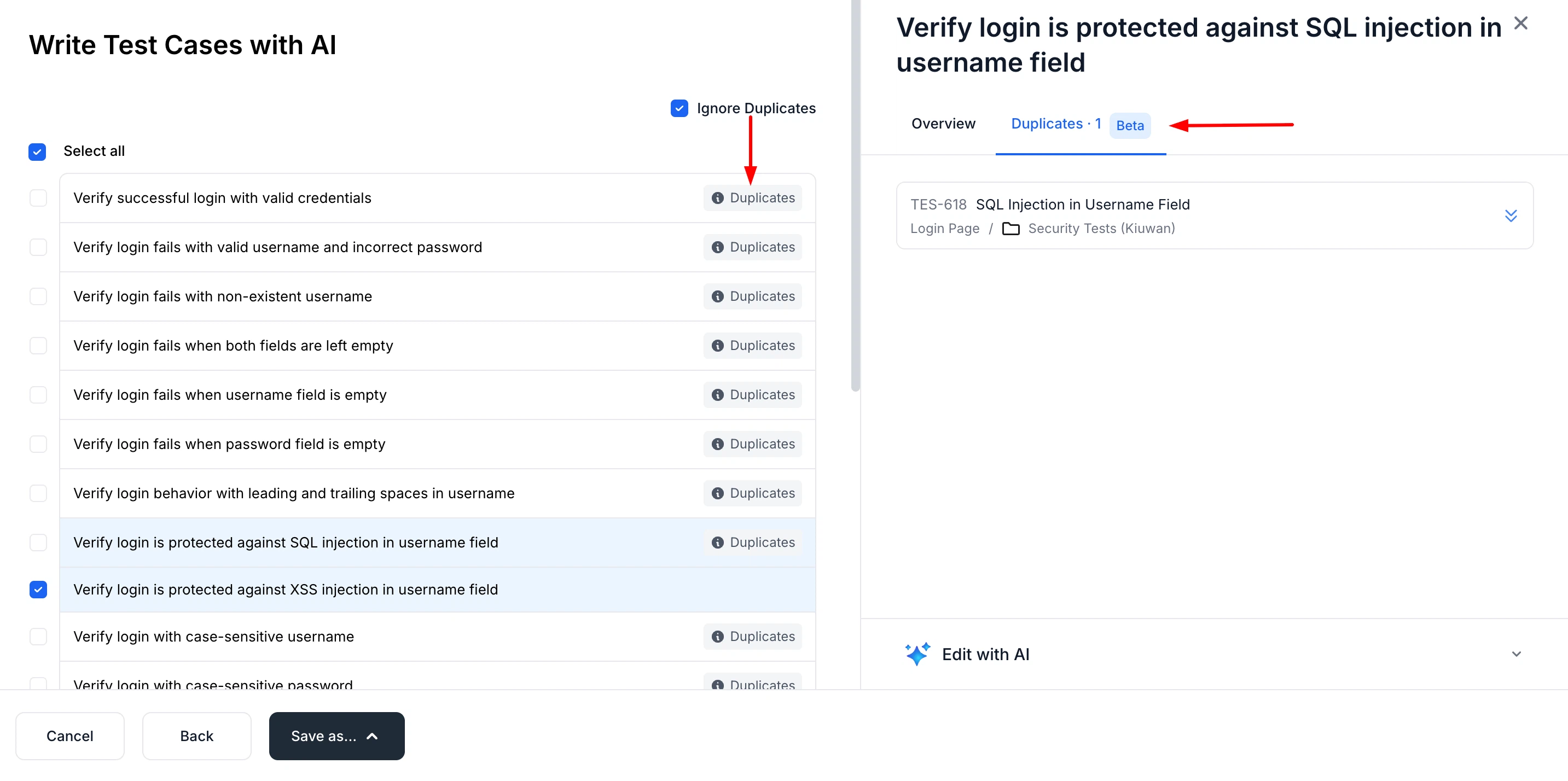
Bulk generation is also the path for importing unstructured content such as notes or requirement documents. For structured exports from another tool, use AI Assisted Import instead, which restructures the data without rewriting it — see Import with AI.
The AI Test Case Assistant
The assistant is a conversational panel on the Test Cases page. Instead of building a filter, you ask:
- "Which test cases cover checkout with an expired card?"
- "Summarize what this folder tests."
- "Do we have coverage for the password reset flow?"
- "Show me high-priority cases that are still drafts."
It can search, filter, summarize, and answer questions about the test cases in the project.
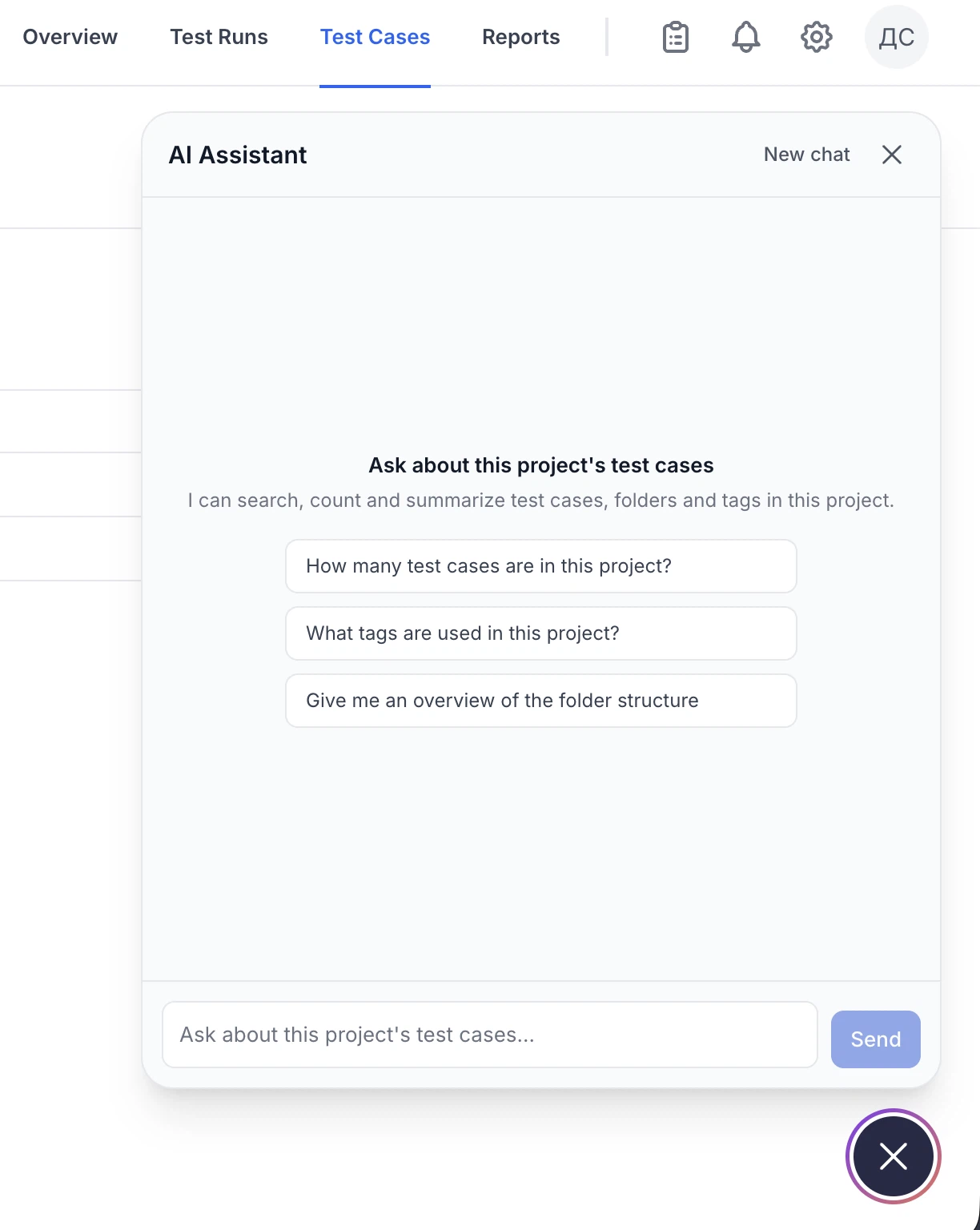
The assistant reads your library; it does not silently change it. Use it to find and understand cases, then act on them yourself.
Duplicate Detection and Merge
Beyond the check that runs during generation, QA Sphere can sweep an entire project for duplicates. It surfaces groups of similar test cases so you can review them and merge each group into a single case, which is the practical way to clean up a library that has grown through copy-paste.
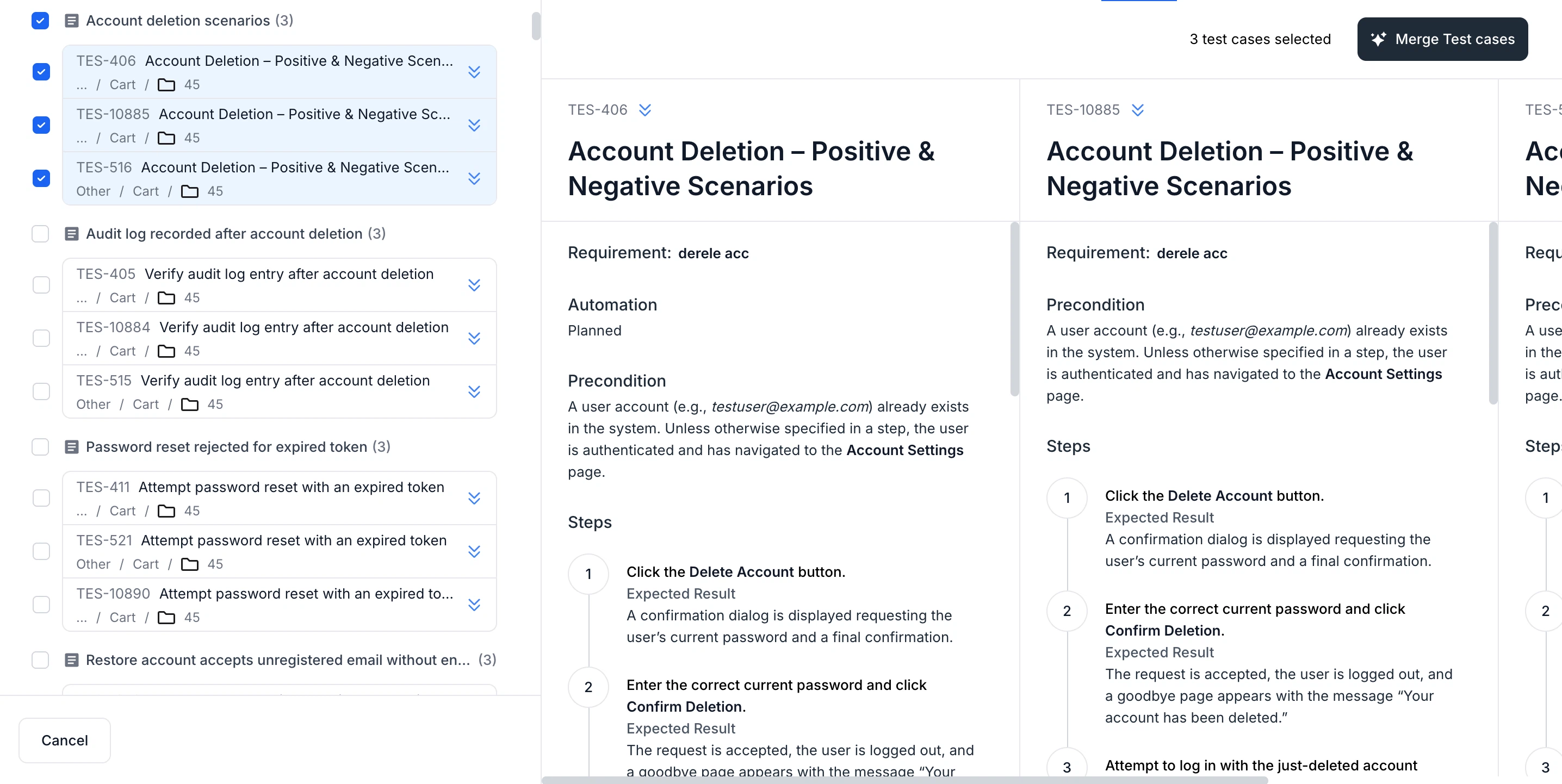
Detection also recognizes cases and folders that were copied rather than rewritten, so near-identical clones are grouped correctly.
Project-wide duplicate detection is currently limited to projects with 500 or fewer test cases. Larger projects can still rely on the duplicate check that runs during bulk generation.
Global AI Rules
AI rules are standing instructions that shape every generation in scope: house style for step wording, a required precondition, terminology to use or avoid, the level of detail you expect.
Define them once in Workspace Settings and apply them to selected projects or to all projects. A rule applied at the workspace level means a new project inherits your conventions on day one instead of after the first review cycle.
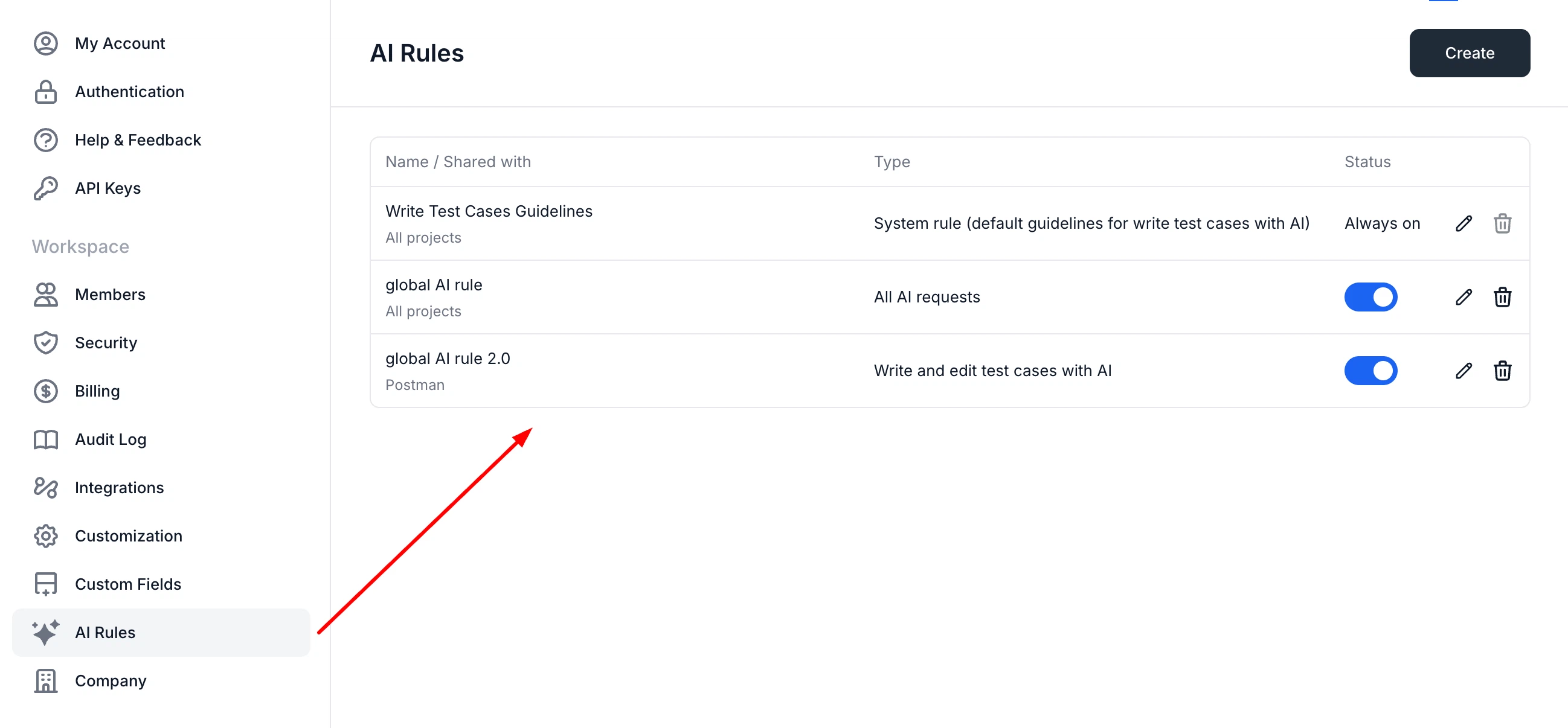
Good rules are specific and testable. "Write clearly" changes nothing; "Every step must state the expected result in a separate Expected field" and "Refer to the product as Acme Cloud, never the app" both do.
AI Elsewhere in QA Sphere
| Where | What AI does |
|---|---|
| Jira integration | Drafts the summary and description of a bug from the test case and the tester's result comments |
| Import with AI | Transforms exports from other tools into QA Sphere's format without rewriting the content |
AI Credits and Usage
AI usage is metered as credits and included in your plan: the Free plan has limited credits, paid plans more, and the Business plan extended credits. See Billing for the per-plan picture.
Current usage is shown as a percentage of your limit, together with when the limit resets, so you can see what is left before starting a large generation run.
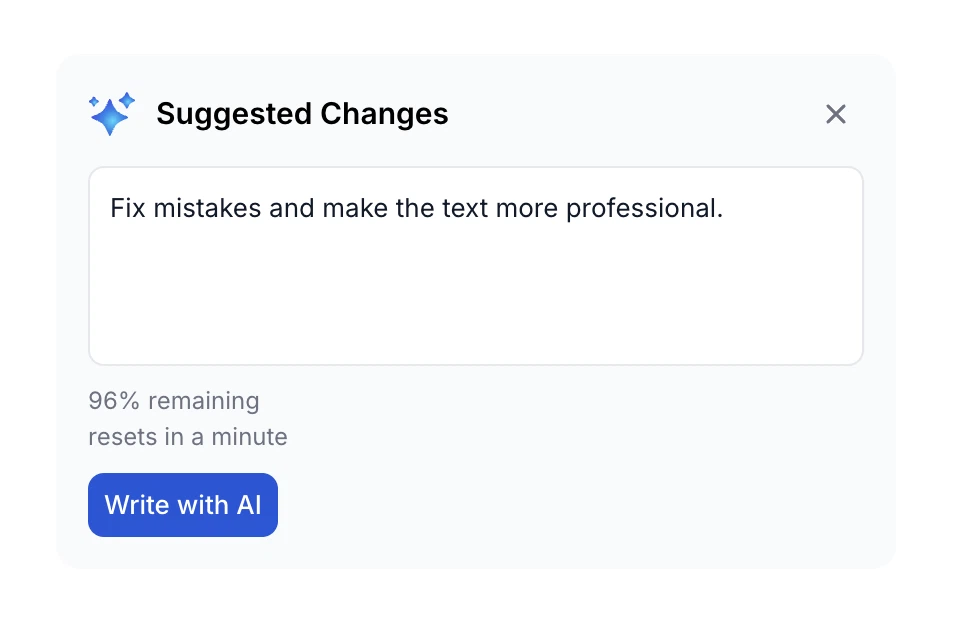
Bulk generation over a long document is the most credit-intensive operation; asking the assistant a question is among the cheapest.
Working Well with AI
Review before saving. Generated cases are a first draft. The generation step is the cheap part; a library full of unreviewed cases is expensive for years.
Give it real context. AI issue generation in Jira, for instance, can fail outright when the test case and result comments do not contain enough to identify what went wrong. Thin input produces thin output, or none.
Encode conventions as rules, not as repeated prompts. If you find yourself typing the same instruction into every prompt, it belongs in a global AI rule.
Let duplicate detection run before a cleanup sprint. It is far quicker to review AI-proposed duplicate groups than to eyeball a few thousand titles.
AI issue generation is not available when batch-adding results for multiple test cases at once. Add the result individually when you want AI to draft the bug report.