AI Test Management Tools in 2026: 8 Tools Compared

In this article
Full disclosure: I work on QA Sphere, one of the eight tools below. Every competitor detail comes from that vendor's own documentation, linked at the end. Where a vendor doesn't publish something, the table says so. Updated November 2026.
In 2026, "AI-powered" is on every test management homepage. It tells you almost nothing. Behind the label, one tool gives you a button that rewrites a test step. Another runs a chat agent that builds whole test cycles. A third lets your developers' AI coding assistant read and write test cases directly. For the bigger picture of where AI helps QA, see our guide to AI in software testing.
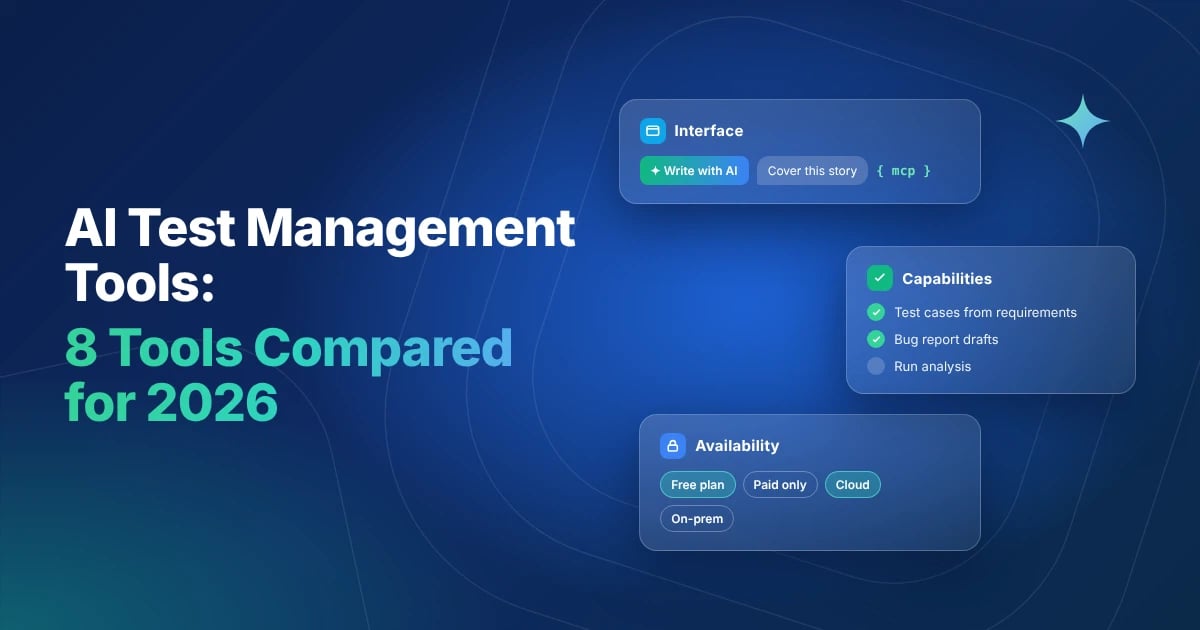
So instead of asking which tool has AI, I asked three narrower questions:
- Interface: where does the AI sit, and how do you actually use it?
- Capabilities: which testing jobs does it take off your plate?
- Availability: which plans include it, is it metered, does it work on-premise, and what happens to your data?
I compared eight AI test management tools: QA Sphere, TestRail, Qase, Xray, Zephyr, PractiTest, BrowserStack Test Management and testomat.io. All facts were checked against vendor docs in November 2026. AI features ship monthly, so treat this as a snapshot.
The Quick Answer
All eight tools now generate test cases with AI. They differ in three ways:
- Interface: QA Sphere, TestRail, Qase, Xray, PractiTest and testomat.io put AI in buttons next to your work, and QA Sphere, PractiTest and testomat.io add a chat panel too. Zephyr and BrowserStack lead with chat agents. Seven of the eight also offer an MCP server for AI coding tools such as Claude and Cursor, but plan limits differ: QA Sphere's hosted server works on every plan, including Free.
- Capabilities: only QA Sphere and testomat.io draft bug reports from a failed step. Only TestRail writes automation code in Java or Python; BrowserStack turns cases into low-code automation instead. testomat.io and BrowserStack go deepest on run analysis.
- Availability: vendors document AI for their cloud editions only. TestRail includes all its AI on every plan, and Zephyr and Xray include it at no extra cost on Jira Cloud. Qase meters it with monthly credits.
AI test management tools at a glance
The tools split into three approaches: AI as buttons in your workflow, AI as a chat agent, and AI that reaches into your IDE.
| Tool | AI approach | Strongest AI area | Best fit |
|---|---|---|---|
| QA Sphere | Contextual buttons + hosted MCP server | Full manual-testing loop: case writing, screenshots, bug reports, IDE access | Teams that want AI in daily testing and in developers' AI tools |
| TestRail | Inline in existing views, branded Sembi IQ | Automation script generation, regression prioritization | Large teams adding AI to an established TestRail setup |
| Qase | Test Designer + natural-language search | Case generation from Jira/GitHub issues | Teams fine with metered AI credits |
| Xray | Guided generation inside Jira | Case generation in Manual or Cucumber format | Jira Cloud teams wanting simple, opt-in AI |
| Zephyr | Chat agent in Jira's Rovo | Coverage gaps, release risk, case writing | Jira Cloud teams already using Rovo |
| PractiTest | Step Generator, field-level text help + Project Assistant chat | Duplicate detection, execution prioritization | Enterprises wanting cautious, audited AI |
| BrowserStack Test Management | Floating "Ask AI" chat routing to agents | Breadth: generation, data, dedupe, failure analysis | Teams already on BrowserStack |
| testomat.io | Many small buttons + "Chat with Tests" | Automated-run analysis, choice of AI provider | Automation-heavy teams |
1. Interface: where the AI lives
Where AI sits decides who uses it. A button next to a test case gets used by testers every day. A chat panel suits bigger asks like "cover this epic". An MCP server puts test cases inside the AI coding tools developers already use.
| Tool | Buttons in context | Chat agent | AI coding tools (MCP) |
|---|---|---|---|
| QA Sphere | Yes: "Write Test Cases With AI" in folder menus, bulk generation page, AI issue drafts from a test run | AI Test Case Assistant: searches and summarizes cases, read-only | Yes: hosted server for Claude, Codex, Cursor and more; reads and writes cases |
| TestRail | Yes: inside project, run and case views | AI chat to refine generated scripts | Beta, read-only by default |
| Qase | Yes: Test Designer in the repository; plain-language search writes QQL | No | Yes: hosted server on paid plans, self-run on any plan; reads and writes |
| Xray | Yes: select requirements in Jira, review suggestions, generate | No | Not documented |
| Zephyr | No | Yes: Zephyr Agent in Jira's Rovo panel | Yes: SmartBear MCP server on Standard and Advanced; reads and writes |
| PractiTest | Yes: "Step Generator" on the Steps tab, "Enhance with AI" on text fields | Yes: Project Assistant answers project questions in plain English | Yes: Corporate plan only; reads and writes |
| BrowserStack | No | Yes: floating "Ask AI" on every page picks the right agent | Yes: BrowserStack MCP server covers cases, runs, plans and reports |
| testomat.io | Yes: AI options in ⋯ menus on suites, tests and runs | Yes: "Chat with Tests" | Yes: official server for Claude, ChatGPT, Cursor |
What stands out
- Review before save is the norm, not a rule. Most tools show AI output as a suggestion first. Zephyr's Rovo agent can create cases directly and previews them only when you ask, though it labels every case it creates as AI_generated. TestRail also labels AI-made items, which helps audits.
- Chat agents can act, not just answer. Zephyr's agent creates test cases and links them to Jira work items. BrowserStack's routes your request to one of seven agents.
- MCP is now common; plan limits are the difference. Seven of the eight offer an MCP server, and only Xray doesn't document one. QA Sphere's hosted server reads and writes on every plan, including Free. Qase's hosted server needs a paid plan (self-run works on any plan), PractiTest's is Corporate-only, Zephyr's needs Standard or Advanced, and TestRail's is in beta and read-only by default. For teams where developers write tests with AI help, this matters more than any in-app button. If that's your team, see also how to test AI-generated code.
2. Capabilities: what the AI actually does
Here is everything each vendor documents its AI doing today, from writing cases to analyzing results. If a job isn't listed for a tool, the vendor doesn't document it. For a deeper look at the first job on every list, read our guide to AI test case generation.
| Tool | What the AI does (documented) |
|---|---|
| QA Sphere | Generates cases from a requirement, one at a time or in bulk, and from screenshots. Edits and regenerates cases. Flags duplicates during bulk generation and merges duplicates across a project. Drafts the bug report when a step fails. Answers questions about your cases in the AI Test Case Assistant and through MCP clients. |
| TestRail | Generates cases from requirements and updates their steps from your edits. Finds duplicate and dead cases. Prioritizes regression runs. Writes automation code in Java or Python with Selenium or Playwright, plus Cucumber and Behave scenarios. |
| Qase | Generates cases from requirements and from Jira or GitHub issues. Turns plain-language search into QQL queries. |
| Xray | Generates cases from requirements in Manual or Cucumber format. Generates test models for coverage (Enterprise only). |
| Zephyr | Generates step-by-step and BDD cases. Finds coverage gaps. Summarizes executions and analyzes release risk. Answers questions through Rovo. |
| PractiTest | Generates steps from a test title. Refines, shortens or elaborates text. Detects duplicates (Duplication Guardian). Prioritizes executions (Execution Strategist). Answers project questions in Project Assistant. |
| BrowserStack | Generates cases from Jira, Confluence and Figma frames. Maintains existing cases. Removes duplicates. Generates test data. Analyzes failures and selects tests to run. Turns cases into low-code automation. Answers questions through Ask AI. |
| testomat.io | Generates cases from requirements and from screenshots. Suggests better descriptions and writes them from test code. Finds duplicates. Suggests test data. Drafts bug reports. Clusters errors, explains failures and summarizes runs. Answers questions in Chat with Tests. |
What stands out
- Writing test cases is table stakes. All eight do it. The real differences are in the steps around it.
- Bug reporting is the most overlooked gap. Only QA Sphere and testomat.io draft a defect report from a failed step. For manual testers, that's often the most tedious part of a run.
- Automation-first teams have different winners. TestRail is the only tool that writes framework code, in Java or Python for Selenium or Playwright. BrowserStack automates cases too, but as low-code tests on its own platform. testomat.io and BrowserStack go deepest on failure analysis.
- Qase narrowed its AI. Its AIDEN automation features retired on November 6, 2026. Test Designer and natural-language search remain.
3. Availability: who actually gets the AI
A feature on the website isn't a feature in your workspace. AI is often limited to certain plans, to cloud deployments, or to a monthly allowance.
| Tool | Plans with AI | Pricing model | Cloud / on-prem | Admin control | Trains on your data? |
|---|---|---|---|---|---|
| QA Sphere | All plans, including Free | AI credits included in every plan; limited on Free, more on paid plans | Cloud only | Workspace AI rules; MCP access follows user roles | No, and neither do its AI providers (OpenAI, Amazon Bedrock) |
| TestRail | All plans | Included in every plan | AI on Cloud only | AI Hub: per instance, project and role; can be turned off on every plan | No |
| Qase | Paid plans only | Credits: 2,000/mo (Teams), 4,000/mo (Enterprise), then $0.40 each | Cloud | On by default; one toggle plus per-role control | No |
| Xray | Case generation in all editions; test models Enterprise only | Not published | Cloud only | Off until a Jira admin enables it, per user group | No, and not stored |
| Zephyr | Standard and Advanced, no extra cost | Included | Cloud only; Rovo must be enabled | Through Rovo and Jira permissions | Not published |
| PractiTest | Not published; SmartFox is in beta | Not published | Cloud; US, EU and AU data centers | Account owner opts in | No (never trains external models) |
| BrowserStack | Conflicting: free plan page lists AI; docs say generation needs Team Ultimate | Not published | Cloud | Owner or Admin opts in or out for the whole account | No |
| testomat.io | Professional and Enterprise; custom AI provider on Enterprise | Not published | Cloud; self-hosted on Enterprise, AI support there not stated | Off by default; admin turns it on and, on Enterprise, picks the AI provider | Default provider (Groq) doesn't train |
What stands out
- On-premise teams are left out. No vendor here documents AI for Jira Data Center, TestRail Server or other self-hosted editions. testomat.io sells a self-hosted Enterprise edition but doesn't say whether its AI works there, so ask.
- Only Qase publishes its credit numbers. QA Sphere also meters AI in credits but doesn't publish exact allowances. Qase credits reset monthly, don't roll over, and overage stays off until you enable it. A team generating cases daily should model the overage.
- TestRail, Zephyr and Xray include AI at no extra cost. TestRail puts every AI feature in every plan. Zephyr and Xray include it only on Jira Cloud, and Zephyr also needs Rovo turned on.
- Privacy promises are converging. QA Sphere, TestRail, Qase, Xray, PractiTest and BrowserStack all state they don't train on customer data. testomat.io goes furthest on control: on Enterprise, you can route AI through your own Amazon Bedrock, OpenAI or Azure setup.
- Ask sales the plan question in writing. Most vendors don't publish which tier includes which AI feature.
Tool-by-tool verdicts
QA Sphere: AI across the manual testing loop
Generates cases from a description, in bulk, or from a screenshot, and flags duplicates as it goes. Drafts the bug report when a step fails. A hosted MCP server lets Claude, Codex or Cursor read and update your test cases.
Watch for: cloud only; no AI for automation code or run analysis yet; smaller community than the incumbents.
TestRail: AI for scale and automation
Sembi IQ generates cases from requirements, writes automation scripts in Java or Python, and ranks regression suites by risk. Every plan includes all of it. The AI evaluation template is useful for teams testing their own AI features.
Watch for: AI is Cloud only; MCP still in beta and read-only by default. If you're weighing a move, read our TestRail alternatives guide.
See QA Sphere vs TestRail →Qase: focused, metered AI
Test Designer turns requirements and Jira or GitHub issues into cases, and you can search in plain language. An official MCP server reads and writes, hosted on paid plans.
Watch for: credits run out mid-month with no rollover, and AIDEN's automation features were retired in November 2026.
See QA Sphere vs Qase →Xray: simple, opt-in AI in Jira
Pick requirements, review the suggested tests, generate them as Manual or Cucumber. Test model generation for coverage is Enterprise-only.
Watch for: Jira Cloud only; AI covers case writing and little else.
See QA Sphere vs Xray →Zephyr: an agent, not a button
The Rovo agent writes tests, spots coverage gaps, summarizes executions and analyzes release risk, at no extra cost on Standard and Advanced. The same editions include SmartBear's MCP server for Claude Code, GitHub Copilot and Cursor.
Watch for: requires Jira Cloud with Rovo enabled; no Data Center support; the agent creates cases without a preview unless you ask for one.
See QA Sphere vs Zephyr →PractiTest: careful, enterprise-grade AI
SmartFox generates and refines steps, flags duplicates and prioritizes executions, with AI interactions logged for audit. Project Assistant answers project questions in plain English, and Corporate plans get an MCP server.
Watch for: still in beta and opt-in; plan details unpublished.
See QA Sphere vs PractiTest →BrowserStack Test Management: the broadest agent lineup
Seven agents behind one Ask AI chat, from Figma-based case generation to failure analysis, plus an MCP server for test cases, runs and reports.
Watch for: unclear which plan includes generation; strongest if you already use BrowserStack for execution.
See QA Sphere vs BrowserStack →testomat.io: most AI touchpoints, most control
Over 15 AI actions across tests and runs, strong on automated-run analysis, an official MCP server, and a choice of AI provider on Enterprise.
Watch for: off by default; AI starts on the Professional plan; many small features rather than one guided flow.
How to test AI during a free trial
Demos use perfect inputs. Use your own.
- Paste a real, messy user story. Count how many generated cases you'd keep without edits.
- Fail a step on purpose. Is there an AI bug report, and could you send it to Jira as-is?
- Run AI ten times in one day. Check whether it's metered and what the overage would cost your team.
- Ask which plan includes each AI feature, in writing. Most vendors don't publish it.
- Ask where your data goes. Which AI provider processes it, is it stored, and does it train any model?
- Try it from your developers' tools. If your team uses Claude, Cursor or Copilot, check for a working MCP server.
FAQ
Which test management tool has the best AI in 2026?
It depends on the job. For the manual testing loop (case writing, screenshots, bug reports, IDE access), QA Sphere covers the most steps. For automation code, TestRail. For automated-run analysis, testomat.io or BrowserStack. Inside Jira Cloud, Zephyr's Rovo agent does the most.
Is AI included or extra?
TestRail includes all its AI features on every plan. Zephyr includes its agent in Standard and Advanced at no extra cost, and Xray includes case generation in all editions. QA Sphere includes AI credits on every plan, including Free. Qase meters AI with monthly credits, then charges $0.40 per credit. Most others don't publish it.
Can I use AI test generation on-premise?
None of these eight vendors documents AI for self-hosted or Data Center editions. testomat.io offers a self-hosted Enterprise edition, so ask whether its AI works there.
Will AI replace writing test cases by hand?
Not yet. Most tools ask a human to review AI output before it's saved, and you should review it even where that step is optional. Expect a faster first draft, not a finished suite.
Conclusion
AI test case generation is now standard, so don't choose on it alone. Choose on the step around it that costs your team the most time:
- Manual testers buried in bug reports and case writing: QA Sphere.
- Automation engineers who want framework code: TestRail.
- Jira Cloud teams who want an agent: Zephyr with Rovo.
- Teams that need strict control over the AI provider: testomat.io.
- Teams with tight AI budgets: check Qase's credit math before you commit.
Want to see AI case generation, bug drafts and MCP on your own requirements? Try QA Sphere free for 30 days.
Sources
Vendor pages, checked November 18 and 19, 2026:
- QA Sphere: AI features, AI test case creation, release 26W14, MCP server, Terms of Use (AI features), billing and plans
- TestRail: AI test management, TestRail 10.5, Sembi IQ, AI test prioritization, pricing
- Qase: AI in Qase, AI credits pricing, MCP server
- Xray: AI test case generation
- Zephyr: Zephyr Agent for Rovo, Create Test Cases skill, SmartBear MCP for Zephyr
- PractiTest: SmartFox help, AI-powered test management, Project Assistant, MCP
- BrowserStack: AI agents docs, free plan, AI preferences, MCP server
- testomat.io: AI-powered features, MCP server, pricing, plan comparison

Written by
Olena HrasovskaOlena Hrasovska writes about QA Sphere product updates and the everyday workflows behind collaborative test execution, from planning a run to reporting on it.