10 Best Test Management Tools in 2026. Pros, Cons, Pricing

Your test management tool is the operating system of your QA team. It's where test cases live, where execution happens, where results are tracked, and where release decisions get made. Pick the wrong one and your team wastes hours on workarounds. Pick the right one and testing becomes a competitive advantage.
But the market has changed dramatically. In 2026, the best test management tools don't just store test cases - they generate them with AI, integrate deeply with your development stack, and give you real-time quality visibility that actually informs release decisions.
We evaluated dozens of tools across six dimensions to build this guide:
- Test case management: creation, organization, versioning, and reuse
- Test execution: run management, assignment, status tracking
- Reporting and analytics: dashboards, metrics, export capabilities
- AI capabilities: test generation, smart suggestions, maintenance assistance
- Integrations: Jira, GitHub, CI/CD, and the rest of your toolchain
- Pricing and value: cost per user, free tiers, and what you actually get
Here are the 10 best test management tools available right now, plus a bonus pick, with honest pros, cons, and pricing for each.
Quick Comparison: 10 Best Test Management Tools at a Glance
| Tool | Best For | Starting Price | Free Tier | AI Features |
|---|---|---|---|---|
| QA Sphere | Best overall | $12/user/mo | Yes (3 users) | Strong |
| TestRail | Structured testing at scale | $37/user/mo | No | Limited (Sembi IQ) |
| Zephyr Scale | Jira-native teams | ~$10/user/mo | No | Limited |
| Xray for Jira | Budget Jira option | ~$1/user/mo | Trial only | New (2026) |
| Qase | Best user experience | $24/user/mo | Yes (3 users) | Yes (AIDEN) |
| PractiTest | Enterprise ALM | ~$49/user/mo | Trial only | Yes (SmartFox) |
| BrowserStack Test Management | Teams already on BrowserStack | $99/mo for 5 users | Yes | Yes (AI agents, Team Ultimate) |
| Testmo | Unified manual + exploratory | ~$10/user/mo | No | Limited |
| qTest | Large enterprise | ~$83/user/mo | No | Yes (Copilot) |
| Allure TestOps | Automation-first DevOps | $39/user/mo | Trial only | Auto-updating cases |
| Tuskr (bonus) | Best free option | $9/user/mo | Yes | Yes |
How to Choose the Right Test Management Tool
With 10 strong options, the "best" tool depends entirely on your team's situation. Here's a decision framework that cuts through the noise:
Start with Your Team Size and Budget
For teams under 5 testers, QA Sphere (free for 3 users) or Tuskr (generous free plan) let you start without any financial commitment. For mid-size teams of 5–20, the per-user cost becomes the key differentiator: QA Sphere at $12/user is nearly 70% cheaper than TestRail at ~$37/user, with more features.
Consider Your Existing Toolchain
If your team lives in Jira and won't leave, Zephyr Scale or Xray keep everything in one interface - but you'll pay for all Jira users, not just testers. If you use a mix of tools (Jira + GitHub + CI/CD), a standalone platform like QA Sphere or Qase offers more flexible integration. If your automated tests already run on BrowserStack, BrowserStack Test Management keeps manual test cases next to those results.
Evaluate AI Capabilities
AI-powered test generation is the biggest differentiator in 2026. QA Sphere's AI generates test cases from requirements and connects to developer IDEs via MCP. Qase and PractiTest also offer AI features, but through credit-based systems. BrowserStack Test Management offers a set of AI agents, from test case generation to failure analysis, on its Team Ultimate plan. Zephyr Scale and Testmo have no AI features at all, while TestRail's Sembi IQ remains limited.
Think About Scale
For enterprise-scale operations (50+ testers, compliance requirements, multiple methodologies), PractiTest or qTest provide the depth needed. For growing teams that want to avoid ripping out their tool in 18 months, QA Sphere and Qase both scale cleanly from 3 to 100+ users.
Match Your Testing Approach
- Mostly manual/scripted testing: QA Sphere, TestRail, or Qase
- Mix of manual + exploratory: Testmo
- Mostly automated: Allure TestOps
- Automation already running on BrowserStack: BrowserStack Test Management
- Full lifecycle (requirements to testing to release): PractiTest or qTest
- Checklist-style / lightweight: Tuskr
1. QA Sphere - Best Overall Test Management Tool
QA Sphere is an AI-powered test management platform that launched in 2024 and has quickly become the go-to choice for teams that want modern test management without the complexity or cost of legacy tools.
What sets QA Sphere apart is its AI-first approach. Instead of treating AI as an add-on, it's woven into the core workflow: generating test cases from requirements, assisting with bug reports, and connecting to developer IDEs through its MCP server integration.
Key Features
- AI test case generation. Describe a feature, and QA Sphere produces comprehensive test cases covering happy paths, edge cases, and negative scenarios. Teams report saving 3–5 hours per sprint on test authoring alone.
- MCP server integration. Connects directly to AI-powered IDEs (Claude, Cursor, Windsurf), bringing test management into the developer's workflow.
- Parameterized testing. Run the same test case with multiple data sets without duplicating it.
- Bulk operations. Create, edit, and organize large numbers of test cases efficiently.
- AI-assisted issue reporting. Generate structured, clear bug reports directly from failed test executions.
- Integrations. Jira, GitHub, Monday.com, Asana, Trello, ClickUp, Azure DevOps, and custom integrations via API.
- Unlimited viewer seats on the Standard plan: developers and stakeholders can access results without inflating your bill.
Pricing
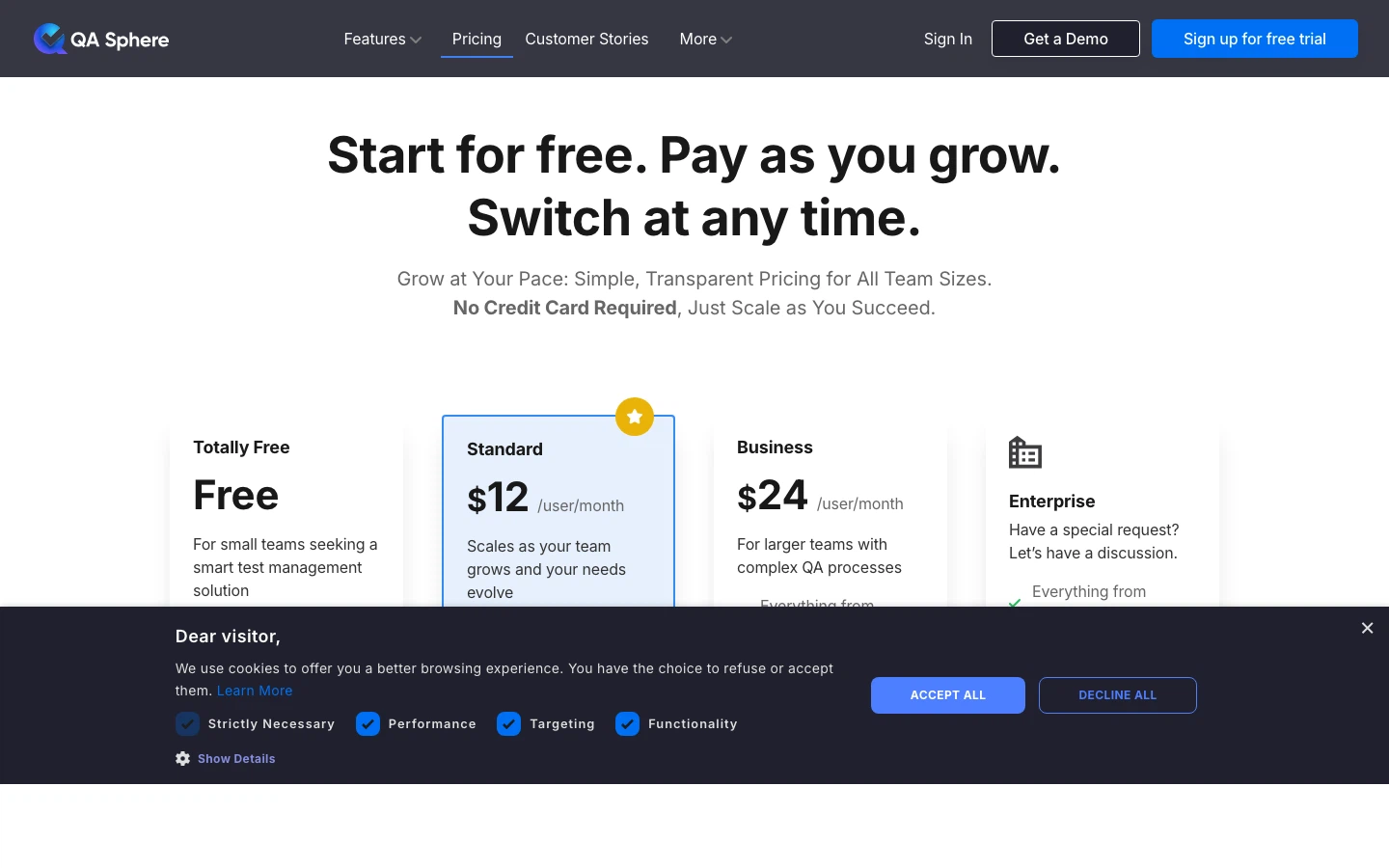
| Plan | Price | Users | Storage |
|---|---|---|---|
| Free | $0 | Up to 3 | 1 GB |
| Standard | $12/user/month | Unlimited viewers | 200 GB |
| Business | $24/user/month | Unlimited | 1 TB+ |
| Enterprise | Custom | Unlimited | Custom |
Pros
- Strongest AI capabilities in the market (test generation + MCP + bug reporting)
- Nearly 70% cheaper than TestRail per user
- Generous free tier - no credit card required
- Modern, fast interface that teams adopt quickly
- Unlimited viewer seats keep costs predictable
Cons
- Newer product with a smaller community than decade-old tools
- No on-premise deployment option (cloud only)
Bottom line: QA Sphere is the best choice for teams that want AI-powered test management, modern UX, and aggressive pricing. It's particularly strong if your team already uses AI-powered development tools - the MCP integration is unique in the market.
2. TestRail - Best for Structured Testing at Scale
TestRail (by Gurock/Idera) has been the industry standard for over a decade. It built the category and remains a solid choice for large teams with deeply structured, scripted testing workflows.
Key Features
- Comprehensive test case management with customizable fields and templates
- 70+ built-in reports and metrics
- Milestone-based planning and tracking
- REST API and CI/CD integrations
- Cloud and Server deployment options
Pricing
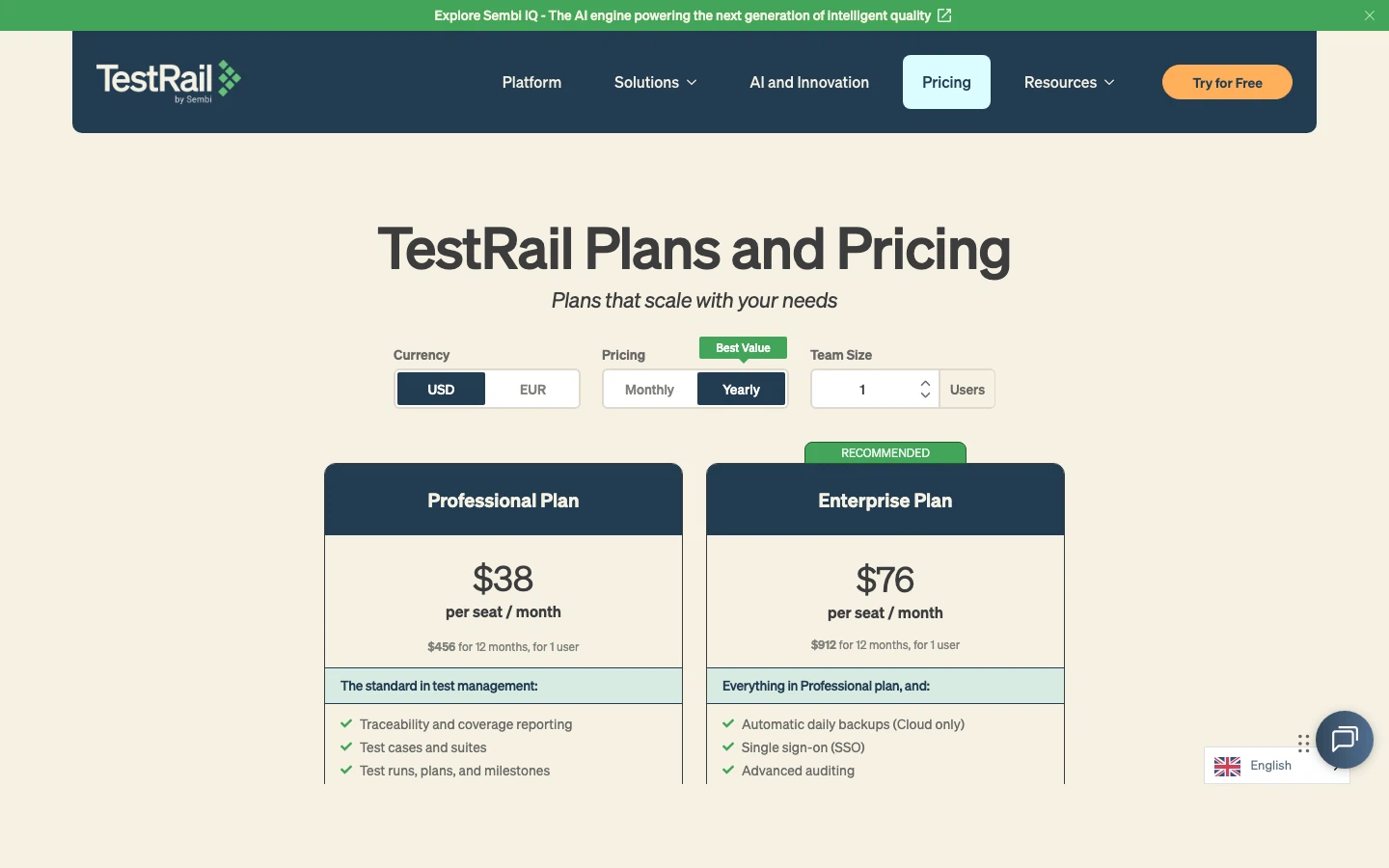
Professional Cloud: ~$37/user/month. Enterprise Cloud: ~$74/user/month. Enterprise Server: $16,500/year for up to 20 users. No free tier.
Pros
- Mature and feature-complete for scripted testing
- Extensive reporting capabilities (70+ built-in reports)
- On-premise option for regulated industries
- Large user community and extensive documentation
Cons
- Limited AI features (Sembi IQ) - still behind competitors on test generation
- Dated UI with no meaningful redesign in years
- Expensive - ~$37/user minimum with no free tier or viewer seats
- Reported slow customer support and occasional stability issues
Bottom line: TestRail remains a capable tool for large, established QA teams with structured workflows. But the limited AI capabilities, dated interface, and premium pricing make it increasingly hard to justify for teams evaluating fresh options.
3. Zephyr Scale - Best for Jira-Native Teams
Zephyr Scale (by SmartBear) is the leading test management add-on for Jira. If your team's entire workflow lives inside Atlassian, Zephyr eliminates context-switching by embedding test management directly in Jira.
Key Features
- Native Jira integration: test cases are Jira-native objects
- 70+ out-of-the-box reports
- Reusable test case libraries and parallel execution
- Full traceability to Jira stories and requirements
Pricing
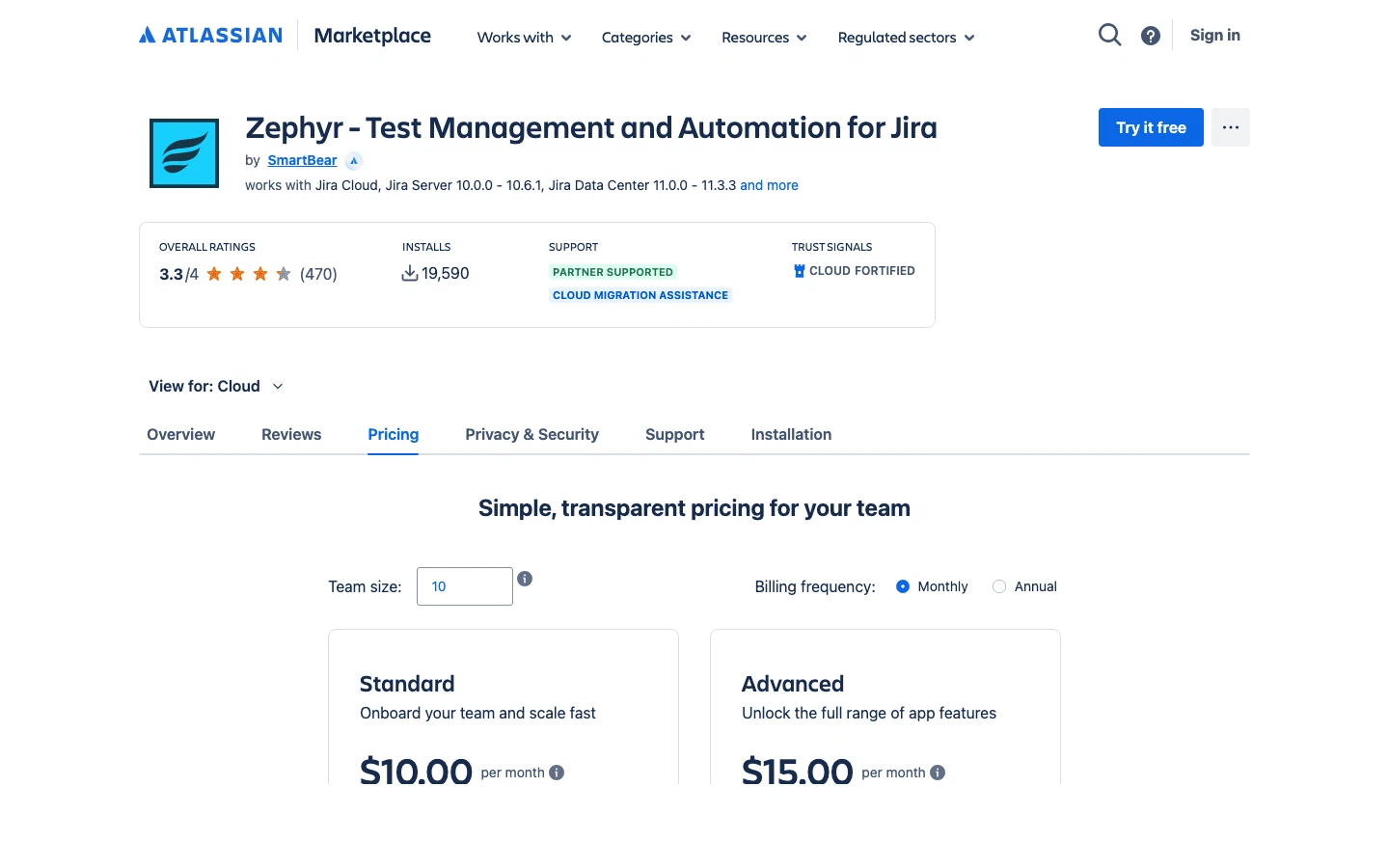
Starts at ~$10/user/month via Atlassian Marketplace. Note: pricing applies to all Jira users, not just testers.
Pros
- Seamless Jira experience with zero context-switching
- Strong reporting and requirement traceability
- Well-established in the Atlassian ecosystem
Cons
- Charges per Jira user, not per tester - costs multiply quickly
- No standalone option - requires Jira
- Performance issues reported on large projects
- Limited AI capabilities
Bottom line: The best Jira-native option for teams that refuse to leave the Atlassian ecosystem. Just do the math on costs - paying for every Jira seat adds up fast.
4. Xray for Jira - Most Affordable Jira Option
Xray is a Jira-native test management tool that treats test cases as Jira issue types. It's typically more affordable than Zephyr Scale and includes strong support for BDD and automation frameworks.
Key Features
- Test cases as Jira issues with full workflow customization
- Manual, automated, and exploratory testing support
- BDD/Cucumber integration
- Integrations with Selenium, JUnit, Robot Framework
- New AI test script generation (2026, Advanced/Enterprise plans)
Pricing
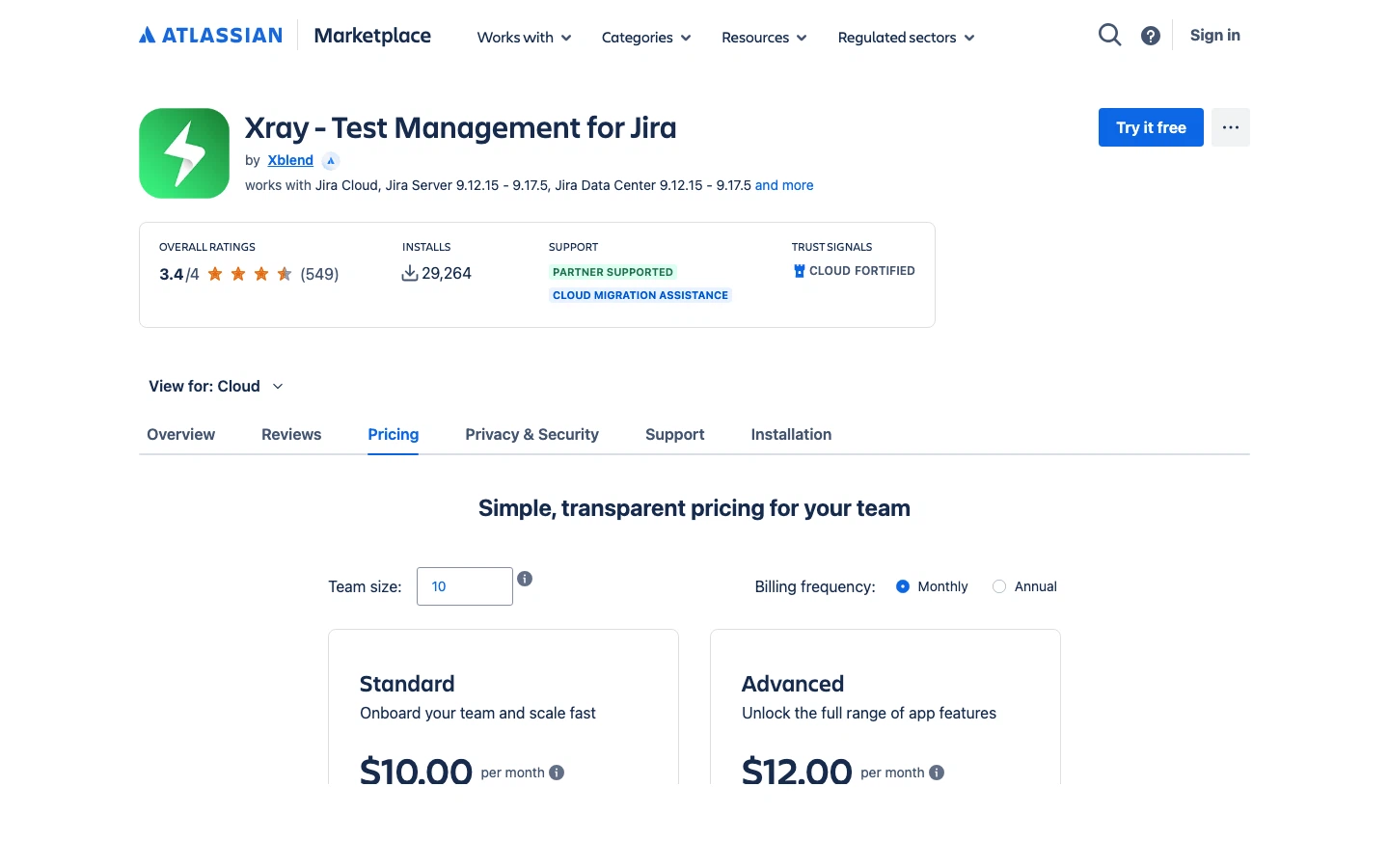
Starts at $100/year for up to 10 users ($1/user/month). From 11 users, pricing jumps to ~$6.33/user/month on the Standard plan and ~$7.60/user/month on the Advanced plan. Like Zephyr Scale, pricing applies to all Jira users.
Pros
- Extremely affordable entry point
- Deep Jira integration with customizable workflows
- BDD support for development-oriented teams
- Broad automation framework compatibility
Cons
- Entirely dependent on Jira - no standalone option
- UI can feel cluttered inside Jira's interface
- Complexity increases significantly at scale
- Pricing still scales with total Jira users
Bottom line: The most affordable way to add test management to Jira. Ideal for development teams that already work in Jira and want BDD support without a big price increase.
5. Qase - Best User Experience
Qase is a standalone test management platform that consistently wins praise for its clean, intuitive interface. If you've been frustrated by clunky legacy tools, Qase feels like a breath of fresh air.
Key Features
- Modern, polished UI with minimal learning curve
- AI-powered features via AIDEN credits (test generation and optimization)
- 35+ integrations including Jira, GitHub, Redmine, Trello
- Requirements management and traceability
- REST API and webhooks
- Affordable read-only seats ($2–5/month)
Pricing

Free: $0 (3 users, 2 projects). Startup: $24/user/month. Business: $30/user/month. Enterprise: custom.
Pros
- One of the best UIs in the test management category
- AI features via AIDEN credits
- Responsive customer support
- Good API and webhook ecosystem
Cons
- Free tier very limited (2 projects only)
- Mid-to-high pricing ($24–30/user/month)
- AI credits are consumed per action and limited by plan
- History retention limited on lower tiers
Bottom line: If user experience is your #1 priority and you want a standalone tool with AI capabilities, Qase is a strong pick. The pricing is higher than QA Sphere, but the polish is undeniable.
6. PractiTest - Best for Enterprise ALM
PractiTest is more than a test management tool - it's a full application lifecycle management (ALM) platform. If your organization needs requirements management, test management, and issue tracking unified under one roof, PractiTest is purpose-built for that.
Key Features
- Five integrated modules: requirements, test library, test sets/runs, issues, reports
- SmartFox AI for test generation, duplicate detection, and execution strategy
- Multi-bug-tracker support (Jira + ClickUp + Azure DevOps simultaneously)
- Automated report generation with external sharing
- Full end-to-end traceability and compliance support
Pricing
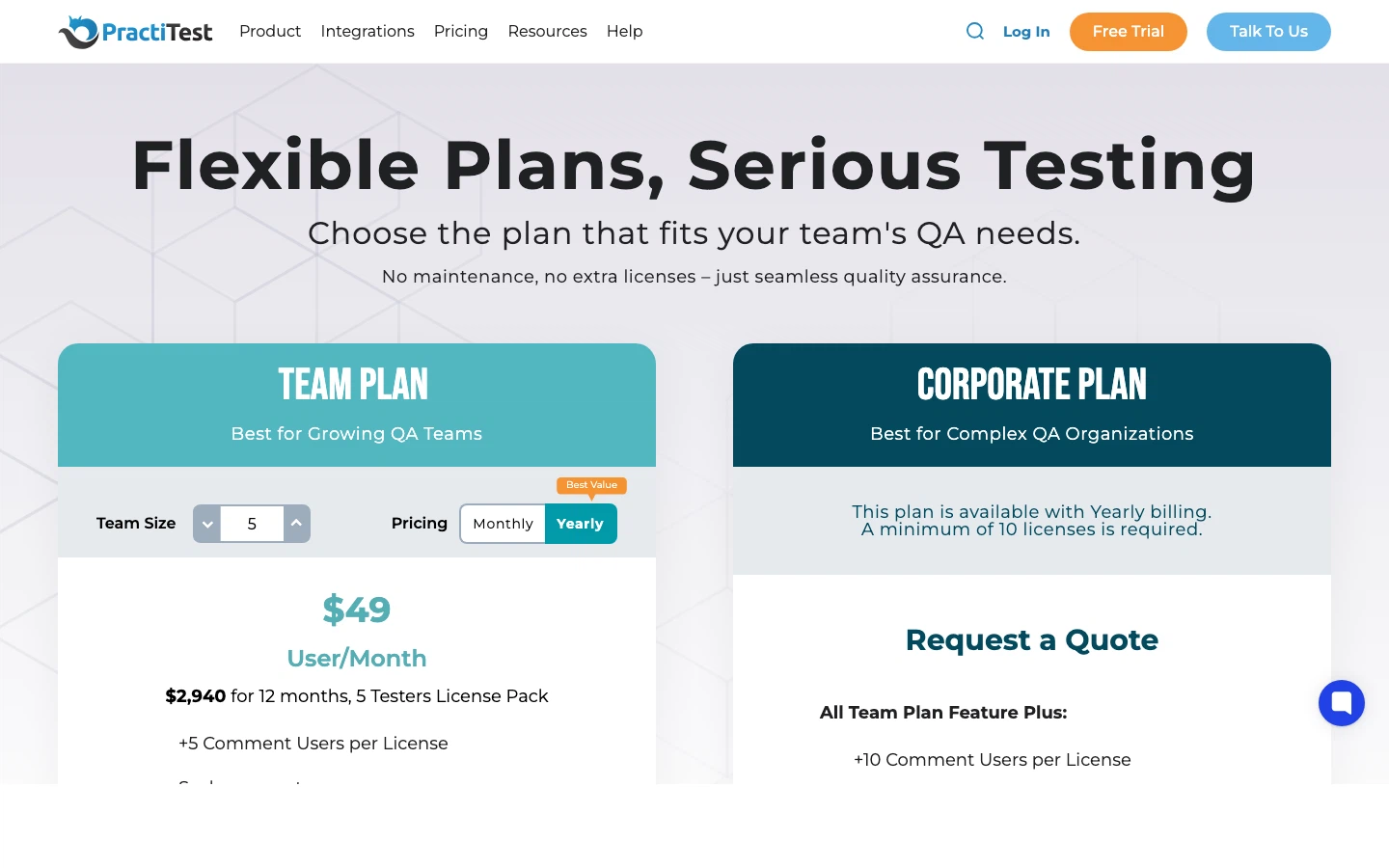
Team: ~$49/user/month. Corporate: custom. Free trial available.
Pros
- Comprehensive ALM: requirements through deployment
- Strong AI features via SmartFox
- Connects to multiple bug trackers simultaneously
- Excellent for compliance-heavy industries
Cons
- Expensive at ~$49/user/month
- Steeper learning curve - complexity comes with coverage
- Can feel heavyweight for smaller teams
Bottom line: The right choice for mid-to-large enterprises that need full lifecycle management, not just test cases. Particularly strong in regulated industries where traceability is mandatory.
7. BrowserStack Test Management - Best for Teams Already on BrowserStack
BrowserStack Test Management is the test management product from BrowserStack, the company best known for its real-device and browser testing cloud. It brings manual test cases, automated test results, and Jira traceability together in one place, which makes it a natural choice for teams whose automation already runs on BrowserStack.
AI is the centerpiece of its positioning. BrowserStack lists a set of AI agents that cover test case generation, test data generation, failure analysis, deduplication, and test case maintenance.
Key Features
- AI agents. The Test Case Generator drafts test cases from prompts, requirement files, Jira issues, Confluence links, and Figma frames. Other agents generate test data, analyze automated test failures, and flag duplicate test cases.
- Jira integration with two-way sync. Works with Jira Cloud and self-hosted Jira. A dedicated Jira app lets you create test cases and test runs, and record results, from inside a Jira issue.
- Manual and automated results together. Upload JUnit-XML or BDD-JSON reports from CI, or send results through the BrowserStack SDK and Test Reporting & Analytics.
- Quick Import. Built-in import from TestRail, Zephyr Scale, Zephyr Squad, Xray, and CSV, available on every plan including Free.
- Broad tracker support. Jira, Azure DevOps, GitHub, GitLab, Linear, Asana, ClickUp, Trello, and DevRev, plus custom trackers.
- BDD and data-driven testing. Gherkin-format test cases (Team Pro and above) and test datasets.
- Free unlimited viewers on paid plans.
Pricing
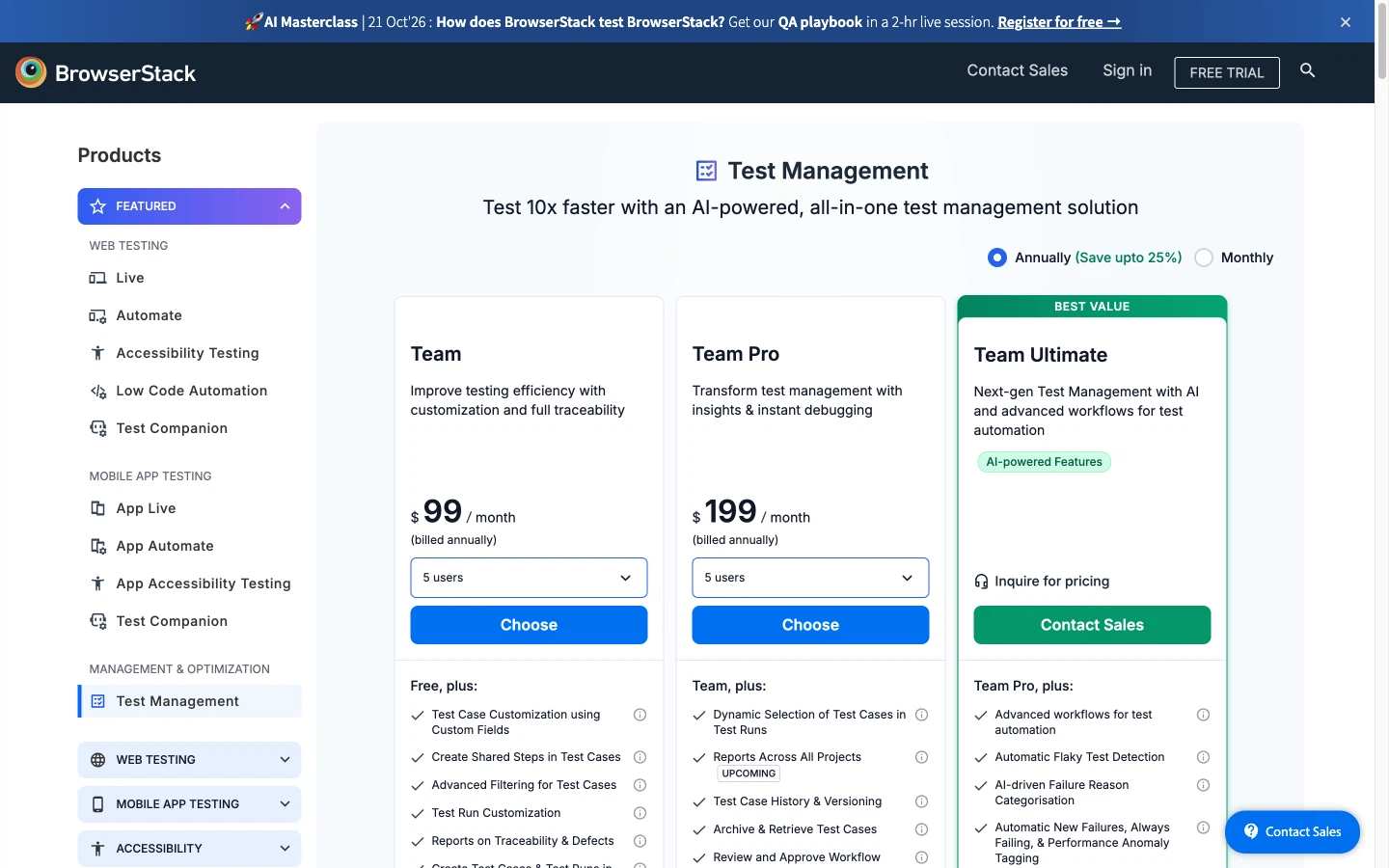
Free: up to 5 users, with unlimited projects, test cases, and manual test runs and 10 GB of attachments. Paid plans are sold in user packs: Team is $99/month and Team Pro is $199/month for 5 users, billed annually ($149 and $249 billed monthly). The 10- and 25-user packs are $199 and $499/month on Team, or $399 and $999/month on Team Pro; teams above 25 go through sales. Team Ultimate, which includes the AI agents, and Enterprise are quote-based.
Pros
- Wide range of AI agents, from test generation to failure analysis
- Fits naturally with the rest of BrowserStack's testing cloud
- Two-way Jira sync and a Jira app for working inside issues
- Built-in importers for TestRail, Zephyr, and Xray make switching easier
- Free plan with unlimited test cases and runs, plus free viewers on paid plans
Cons
- The AI agents require Team Ultimate, which has no published price
- Seats are sold in packs, so a sixth user means moving to the 10-user pack
- Cloud only, with SSO and regional data residency reserved for Enterprise
- Some features on the pricing page are still marked "Upcoming", including audit logs and a requirements module
Bottom line: If your team already tests on BrowserStack, its Test Management product is the shortest path to keeping manual cases, automated results, and Jira traceability in one place. Budget carefully: the AI agents that headline the product sit in the quote-only Team Ultimate plan, and pack-based seats make head-count changes lumpy.
8. Testmo - Best for Unified Manual + Exploratory Testing
Testmo takes a unified approach: manual testing, exploratory testing, and automated testing all live in one platform. Its session-based exploratory testing feature is one of the best implementations in the market.
Key Features
- Unified manual, exploratory, and automated testing
- Session-based exploratory testing with structured capture
- Very fast, responsive UI
- Integrations with Jira, GitHub, GitLab, CI/CD tools
- Customizable workflows, folders, tags, and custom fields
Pricing
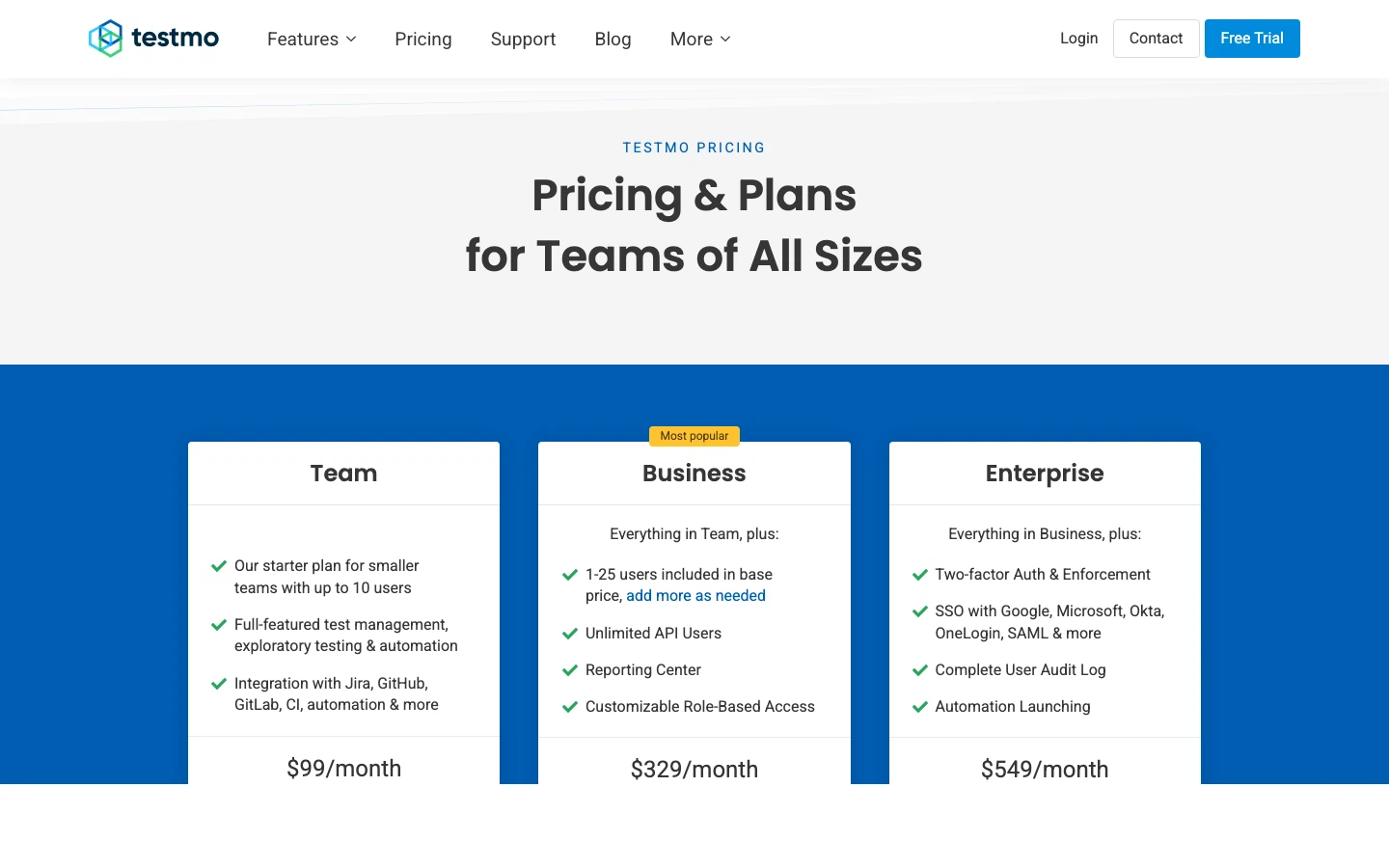
Team: $99/month (10 users). Business: $329/month (25 users). Enterprise: $549/month (25 users + SSO).
Pros
- Best-in-class exploratory testing support
- Lightning-fast UI
- Good per-user value at the Team tier (~$9.90/user)
- Clean, unified approach to all testing types
Cons
- No free tier
- No on-premise option
- Limited AI capabilities compared to newer tools
- Smaller ecosystem and community
Bottom line: If your team does a significant amount of exploratory testing alongside scripted tests, Testmo's unified approach saves time and prevents tool sprawl.
9. qTest (Tricentis) - Best for Large Enterprise
qTest is the enterprise heavyweight in this list. Part of the Tricentis ecosystem, it's designed for organizations with hundreds of testers, complex compliance requirements, and testing operations that span multiple teams and methodologies.
Key Features
- Modular architecture: qTest Manager, Insights, Launch, Copilot (AI)
- 60+ metrics with drag-and-drop dashboards
- Agile, waterfall, and hybrid methodology support
- Integrations with Jira, Selenium, Jenkins, and the Tricentis ecosystem
- Cloud and on-premise deployment
Pricing
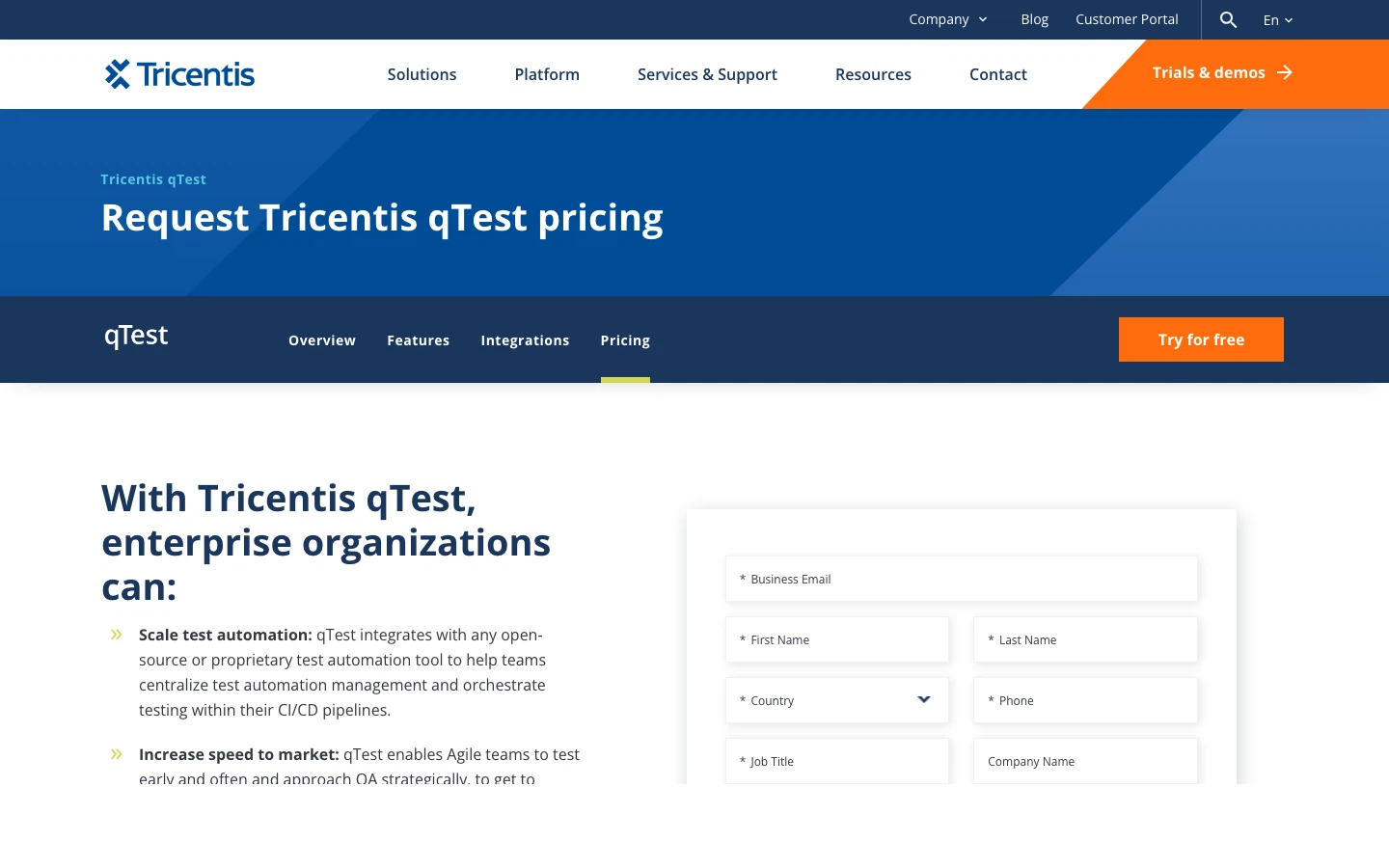
Fully quote-based. Entry: ~$1,000/year. Enterprise: up to ~$82/user/month. Contact Tricentis sales for accurate pricing.
Pros
- Enterprise-grade scalability and security
- Strong analytics and executive reporting
- Methodology-agnostic: works with any approach
- Modular: buy only what you need
Cons
- Expensive and opaque pricing
- Complex setup and administration
- Overkill for teams under 50 testers
- Heavy sales process to even get started
Bottom line: If you're a large enterprise already in the Tricentis ecosystem or need a tool that scales to hundreds of testers across multiple teams, qTest delivers. Everyone else should look at more agile options.
10. Allure TestOps - Best for Automation-First Teams
Allure TestOps (by Qameta Software) is built for teams where automated tests are the backbone of the QA process. If your test suite is 80%+ automated and you need a platform that treats automation results as first-class data, this is it.
Key Features
- Smart test cases that auto-update from automated test run results
- 100+ testing framework integrations
- Run automated tests directly from the platform
- Real-time execution tracking and analytics
- Cloud and self-hosted deployment
- Natural upgrade path from Allure Report (open source)
Pricing
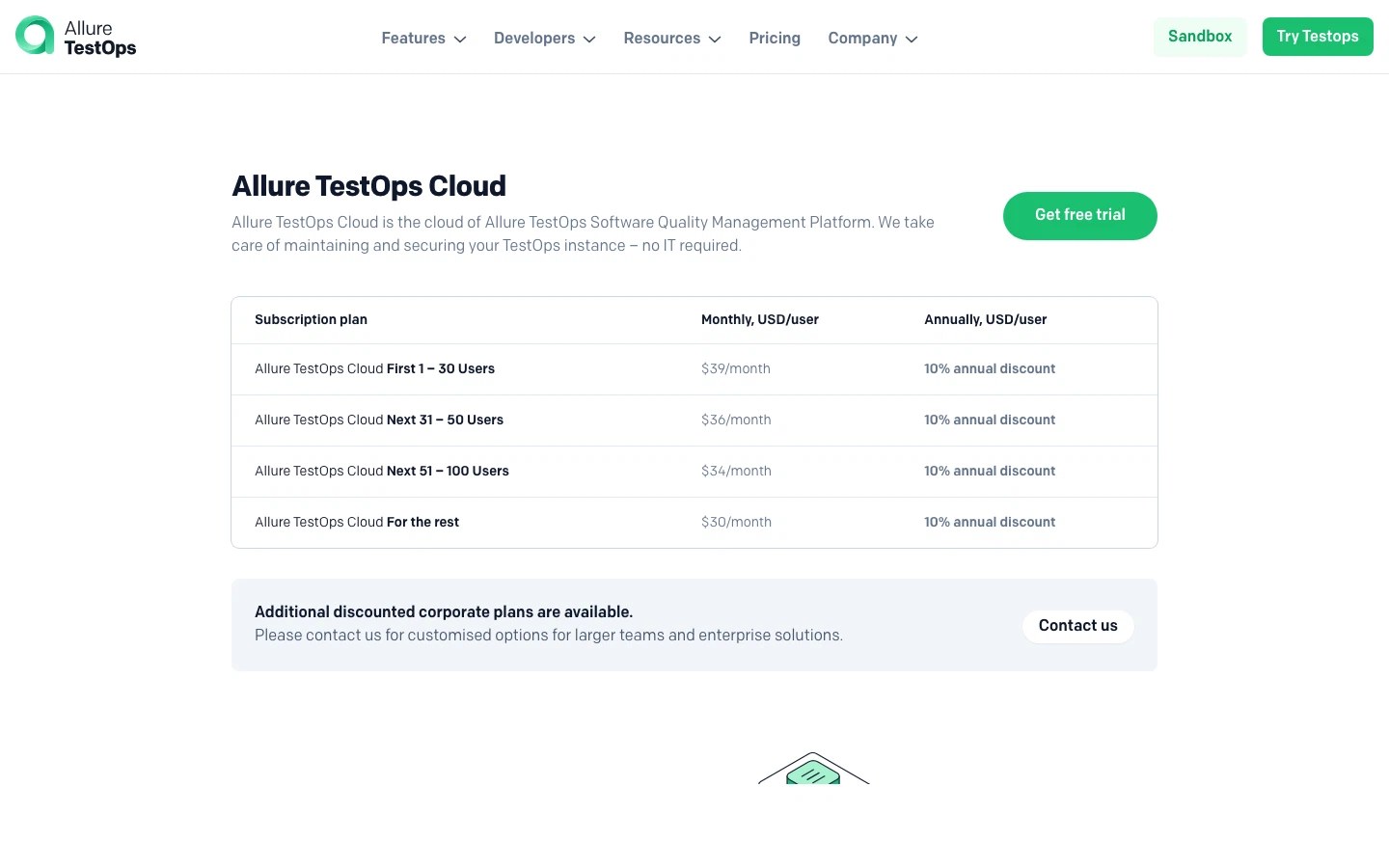
Cloud: $39/user/month (1–30 users), $30/user/month (101+). 10% annual discount. Self-hosted also available. Free trial, no credit card.
Pros
- Best-in-class automation integration (100+ frameworks)
- Smart test cases that stay in sync with your codebase
- Strong CI/CD pipeline alignment
- Seamless upgrade from Allure Report OSS
Cons
- Expensive at small team sizes ($39/user)
- Not designed for manual-testing-focused teams
- Steeper learning curve
- Smaller market awareness
Bottom line: If automated testing is your primary workflow and you want your test management tool to reflect that, Allure TestOps is the most automation-native option available. Teams already using Allure Report will feel right at home.
Bonus: Tuskr - Best Free Option
Tuskr is the best option for teams that need real test management capabilities without spending a dollar. Its free plan is genuinely usable (not a teaser), and its paid tiers are among the most affordable in the market.
Key Features
- Rich test cases with text, tables, and screenshots
- AI-powered test case creation and optimization
- Manual and automated execution (Jenkins, Playwright, Cypress)
- Enterprise security features (audit trail, 2FA, SSO)
- Scales to 250,000 test cases and 250 projects
Pricing
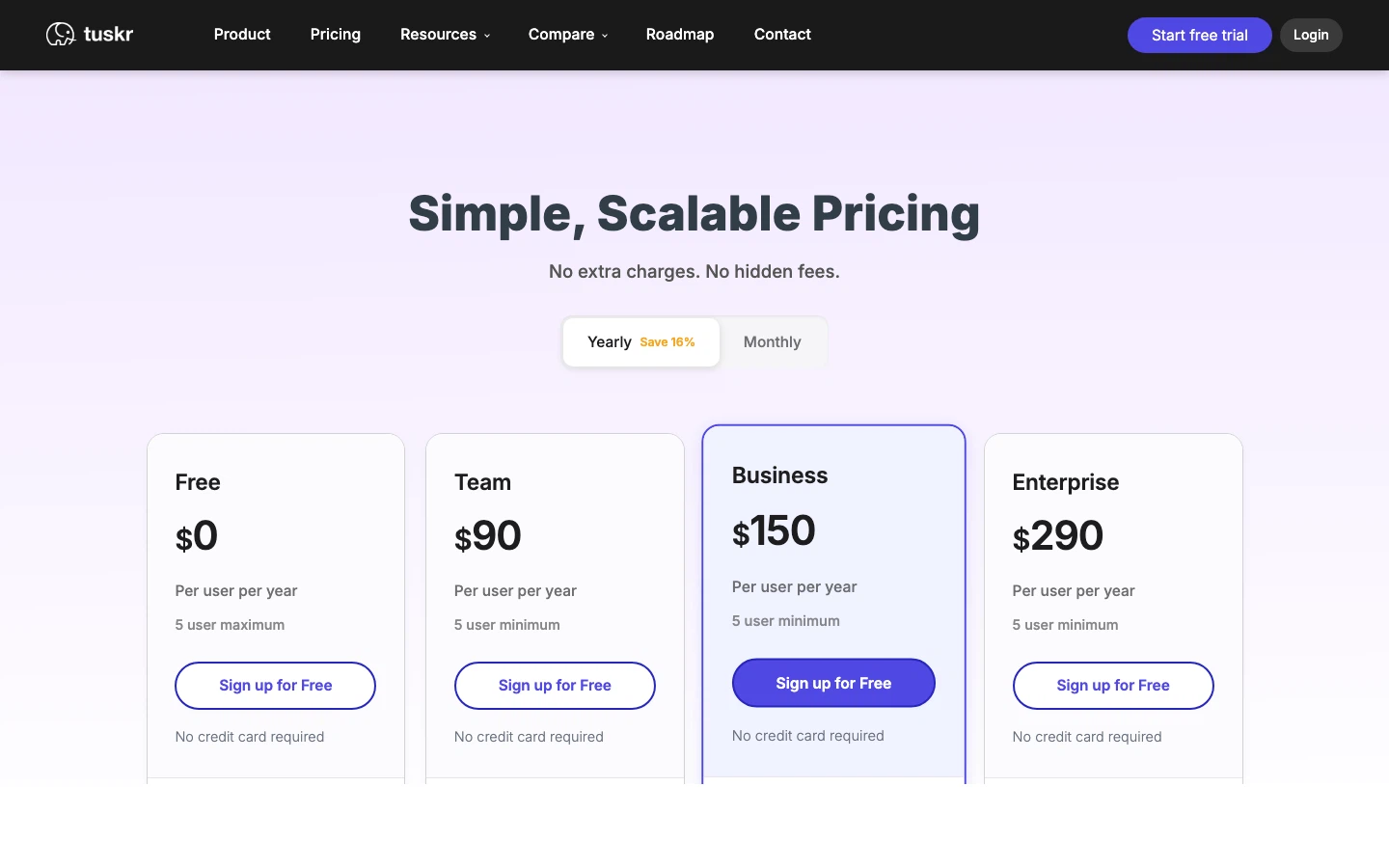
Free plan with generous limits. Paid: $9/user/month to $29/user/month across four tiers. 30-day trial on all plans.
Pros
- Most generous free plan in the category
- AI-powered test case creation
- Very affordable paid tiers
- Clean, intuitive interface
Cons
- Smaller community and ecosystem
- Fewer third-party integrations than established tools
- Less enterprise market presence and recognition
Bottom line: The best starting point for teams with zero budget. Tuskr proves that free doesn't mean feature-poor - you get AI generation, automation support, and solid security even without paying.
What About Spreadsheets?
If you're still managing test cases in Excel or Google Sheets, any tool on this list will be a significant upgrade. But the question isn't whether to switch - it's when.
The tipping point is usually one of these:
- 3+ testers - collaboration in spreadsheets breaks down
- 200+ test cases - search and organization become painful
- Compliance requirements - spreadsheets can't provide audit trails
- Weekly releases - you need instant visibility into what's been tested
Tools like QA Sphere and Tuskr offer free tiers specifically designed for teams making this transition. Start with a free plan, import your spreadsheet via CSV, and see the difference in a single sprint.
Conclusion
The test management market in 2026 is the most competitive it's ever been - which is great news for QA teams. You have more choices, better pricing, and AI capabilities that didn't exist two years ago.
Here's the summary:
- Best overall: QA Sphere - AI-powered, modern UX, $12/user, free tier.
- Best for structured testing: TestRail - mature and feature-complete, but expensive with limited AI.
- Best for Jira teams: Zephyr Scale (richer features) or Xray (cheaper).
- Best user experience: Qase - polished UI with AI features.
- Best for enterprise ALM: PractiTest - full lifecycle management.
- Best for large enterprise: qTest - scalability and analytics.
- Best free option: Tuskr - generous free plan with AI.
- Best for automation teams: Allure TestOps - 100+ framework integrations.
- Best for teams already on BrowserStack: BrowserStack Test Management - AI agents and Jira traceability next to your automation.
The best tool is the one your team actually uses. Start with a free trial, import a subset of your test cases, and evaluate based on real usage over one sprint - not a feature checklist.

Written by
QA Sphere TeamThe QA Sphere team shares insights on software testing, quality assurance best practices, and test management strategies drawn from years of industry experience.