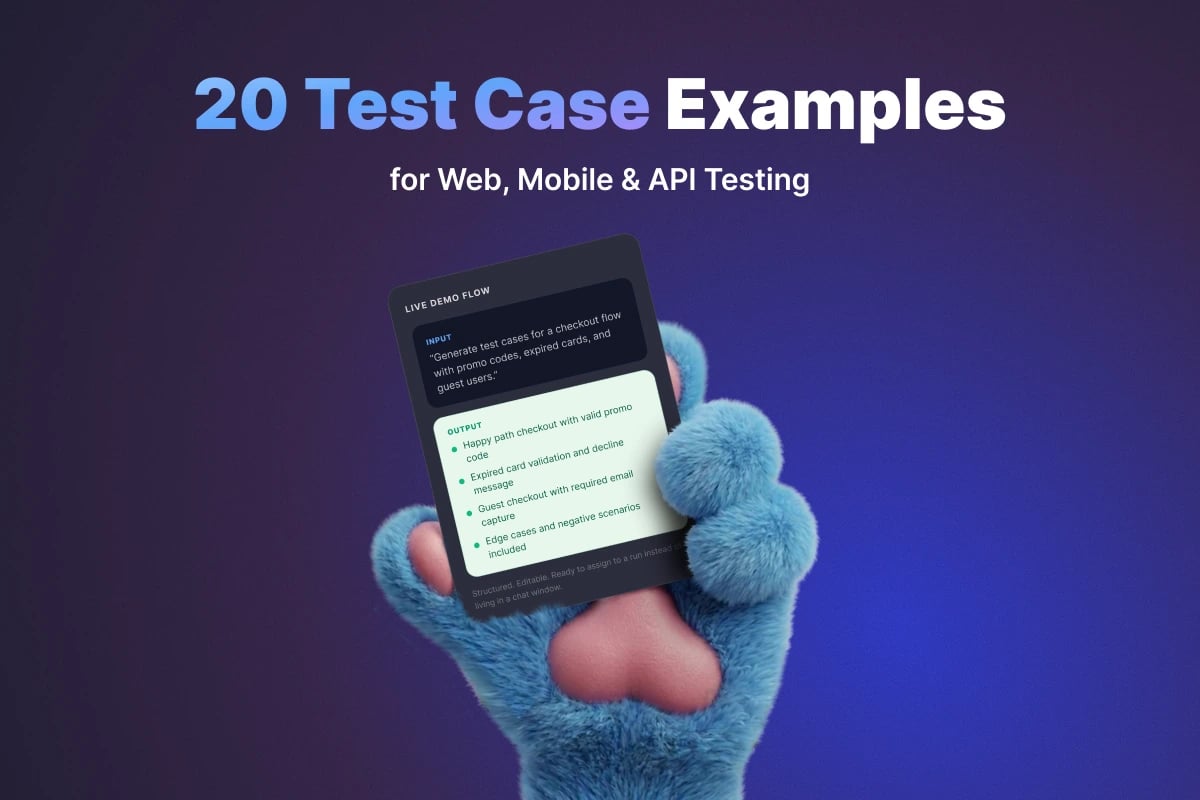
20 Test Case Examples for Web, Mobile & API Testing

Writing test cases from scratch is hard when you are staring at a blank page. Most QA teams do not struggle with the idea of testing; they struggle with turning that idea into clear, reusable, executable test cases that another tester can pick up and run without confusion.
That is why concrete test case examples are so useful. They show what "good" looks like: a clear title, realistic preconditions, actionable steps, and an expected result that leaves no room for interpretation.
In this guide, we will walk through 20 practical test case examples across web, mobile, and API testing. Use them as inspiration, adapt them to your product, and add them to your test case management process. If you need the blank format first, start with our test case template guide; if you are unsure whether you need a case or a scenario, read test case vs test scenario.
What a Good Test Case Looks Like
Before we jump into examples, it helps to align on structure. A useful test case is specific enough to be repeatable, but short enough to stay maintainable when the product changes.
| Field | What to Include | Example |
|---|---|---|
| Title | What scenario is being tested | Verify user can log in with valid credentials |
| Preconditions | Required setup before execution | Registered active user account exists |
| Test Data | Exact inputs the steps use | user@example.com / Passw0rd! |
| Steps | Clear sequence of user or system actions | Open login page, enter email, enter password, click Sign In |
| Expected Result | Observable outcome | User lands on dashboard |
| Priority | How critical the scenario is | Critical |
| Tags | Useful labels for filtering | smoke, auth, regression |
Rule of thumb: If the expected result could be interpreted in two different ways, rewrite it. Ambiguous expected results create flaky manual testing just as surely as brittle selectors create flaky automation.
5 Quick Rules Before You Copy These Examples
- Write for your product, not a textbook. Replace generic names with real screens, endpoints, fields, and business rules.
- Separate one assertion from another. A single test case should validate one main behavior, not an entire workflow universe.
- Always include negative scenarios. Happy paths are not enough.
- Keep test data explicit. If the scenario depends on a specific user role, locale, plan, or payload, say so.
- Store examples in a real tool. Spreadsheets are fine at the beginning, but structured platforms like QA Sphere make reuse, execution, and reporting much easier as the library grows.
A Complete Test Case Example in the Standard Format
Here is one test case with every field filled in. Use it as the reference format for the examples below.
| Field | Value |
|---|---|
| Test Case ID | TC-WEB-001 |
| Title | Verify login with valid email and password |
| Module | Authentication |
| Preconditions | User account qa.user@example.com exists, is active and not locked; browser cookies cleared |
| Test Data | Email: qa.user@example.com, Password: Passw0rd! |
| Steps | 1. Open the login page. 2. Enter the email from the test data. 3. Enter the password from the test data. 4. Click Sign In. |
| Expected Result | User is redirected to /dashboard within 3 seconds; header shows the user's name; no error toast |
| Priority | High |
| Tags | smoke, auth, regression |
| Requirement | REQ-AUTH-01 (link to the user story) |
Two fields make this case executable by anyone on the team. The test data removes guesswork about which account to use, and the expected result is measurable: a tester can say pass or fail without asking the author. In a test case management tool, the priority, tags and requirement link also let you filter the case into the right smoke or regression run.
8 Web Application Test Case Examples
Web applications combine UI flows, business logic, browser behavior, and session state. These are the kinds of examples most teams need first.
1. Login with Valid Credentials
Preconditions: Active user account exists.
Test Data: Email: qa.user@example.com, Password: Passw0rd!
Steps:
- Open the login page.
- Enter a valid email address.
- Enter the correct password.
- Click Sign In.
Expected Result: User is authenticated and redirected to the dashboard.
Priority / Tags: Critical - smoke, auth
2. Login with Invalid Password
Preconditions: Active user account exists.
Test Data: Email: qa.user@example.com, Password: wrong-password-123
Steps:
- Open the login page.
- Enter a valid email address.
- Enter an incorrect password.
- Click Sign In.
Expected Result: Login is blocked and a clear error message is displayed without revealing whether the email exists.
Priority / Tags: High - auth, negative
3. Required Field Validation on Sign-Up Form
Preconditions: User is on the sign-up page.
Steps:
- Leave all required fields empty.
- Click Create Account.
Expected Result: Required field validation messages appear for each mandatory field, and the form is not submitted.
Priority / Tags: Medium - forms, negative
4. Password Reset Flow
Preconditions: User account exists and mailbox is accessible.
Test Data: Registered email: qa.user@example.com; new password: NewPassw0rd!
Steps:
- Open the login page.
- Click Forgot Password.
- Enter the registered email address.
- Submit the request.
- Open the reset email and follow the link.
- Set a new valid password.
Expected Result: Password reset completes successfully and the user can sign in with the new password.
Priority / Tags: High - auth, regression
5. Add Product to Cart
Preconditions: User is on an in-stock product page.
Test Data: In-stock product with variant Size M, unit price 25.00, quantity 1
Steps:
- Select a product variant if applicable.
- Click Add to Cart.
- Open the cart page or mini-cart.
Expected Result: Selected product appears in the cart with the correct quantity, variant, and price.
Priority / Tags: Critical - smoke, cart
6. Checkout with Promo Code
Preconditions: Cart contains eligible item and valid promo code exists.
Test Data: Promo code SAVE10 = 10% off, cart total 50.00 -> expected 45.00
Steps:
- Open the checkout page.
- Enter the valid promo code.
- Apply the code.
Expected Result: Discount is applied correctly and the order total is recalculated in real time.
Priority / Tags: High - checkout, regression
7. Session Timeout After Inactivity
Preconditions: User is logged in.
Steps:
- Stop interacting with the application for the configured inactivity window.
- Attempt to navigate or refresh the page.
Expected Result: Session expires securely and the user is redirected to login with an informative timeout message.
Priority / Tags: Medium - auth, security
8. File Upload with Unsupported Format
Preconditions: User is on a screen that allows file upload.
Test Data: upload.exe, 1 KB
Steps:
- Choose a file with an unsupported extension.
- Submit the upload.
Expected Result: Upload is rejected and the UI explains which formats are allowed.
Priority / Tags: Medium - upload, negative
6 Mobile App Test Case Examples
Mobile testing adds device state, gestures, permissions, interruptions, and network variability. These examples cover the most common risks. For broader coverage, see our mobile app testing checklist.
9. First Launch Onboarding Flow
Preconditions: App is installed fresh on the device.
Steps:
- Launch the app for the first time.
- Swipe through onboarding screens.
- Tap the final CTA.
Expected Result: Onboarding screens display in the correct order and the user lands on the expected next screen.
Priority / Tags: High - mobile, onboarding
10. Push Notification Permission Handling
Preconditions: App prompts for notification permission on first use.
Steps:
- Launch the app.
- When the OS permission prompt appears, tap Don't Allow.
- Continue using the app.
Expected Result: App remains usable, handles the denied permission gracefully, and shows appropriate in-app messaging if notifications are required for a feature.
Priority / Tags: Medium - mobile, permissions
11. Login Persistence After App Restart
Preconditions: User has successfully logged in.
Steps:
- Close the app completely.
- Reopen the app.
Expected Result: User remains logged in if the session is still valid and is returned to the correct screen.
Priority / Tags: High - mobile, auth
12. App Behavior on Poor Network Connection
Preconditions: The device's network can be throttled or switched from good to poor connectivity.
Steps:
- Open a data-heavy screen.
- Reduce the network quality or switch to a weak mobile connection.
- Retry the same action.
Expected Result: App shows loading and retry states correctly, avoids freezing, and communicates connection problems clearly.
Priority / Tags: Medium - mobile, network
13. Screen Rotation During Form Entry
Preconditions: User is entering data into a multi-field form.
Steps:
- Fill several form fields.
- Rotate the device from portrait to landscape or vice versa.
Expected Result: Entered data is preserved and the layout remains usable after orientation change.
Priority / Tags: Low - mobile, ui
14. Deep Link Opens Correct Screen
Preconditions: Valid app deep link is available.
Test Data: Deep link myapp://orders/123 for an order owned by the test user
Steps:
- Open the deep link from an email, browser, or messaging app.
- If prompted, open it in the app.
Expected Result: App opens directly to the intended screen or resource, with authentication handled correctly if login is required.
Priority / Tags: Medium - mobile, navigation
6 API Test Case Examples
API testing is where many teams are either very disciplined or very vague. Good API test cases define request details, expected status codes, response structure, and side effects. When several services depend on the same API, add contract testing on top of these cases.
15. Successful GET Request Returns 200
Preconditions: Valid endpoint exists and authentication token is available if required.
Test Data: GET /api/v1/projects/123, header Authorization: Bearer <valid token>
Steps:
- Send a GET request to the target endpoint with valid headers.
Expected Result: API returns HTTP 200 within 500 ms and the response body validates against the documented JSON schema.
Priority / Tags: Critical - api, smoke
16. POST Request Creates Resource
Preconditions: Valid payload is prepared.
Test Data: POST /api/v1/projects with body {"name": "Checkout regression"}
Steps:
- Send a POST request with all required fields.
- Capture the returned resource identifier.
- Retrieve the created resource with a follow-up GET request.
Expected Result: API returns HTTP 201 Created, stores the new resource correctly, and the resource is retrievable afterward.
Priority / Tags: High - api, regression
17. Missing Required Field Returns Validation Error
Preconditions: Endpoint enforces required request fields.
Test Data: POST /api/v1/users with body {"email": "a@example.com"} and no name
Steps:
- Send a POST or PUT request with one mandatory field omitted.
Expected Result: API rejects the request with HTTP 400 or 422 and returns a body that names the missing field.
Priority / Tags: High - api, negative
18. Unauthorized Request Is Rejected
Preconditions: Endpoint requires authentication.
Steps:
- Send a request without an auth token or with an invalid token.
Expected Result: API returns HTTP 401 or 403 as designed, and no protected data is exposed.
Priority / Tags: Critical - api, security, negative
19. Rate Limit Enforcement
Preconditions: Endpoint has documented rate limits.
Test Data: Limit 100 requests/min; send 101 requests in 60 s
Steps:
- Send repeated requests that exceed the configured threshold within the time window.
Expected Result: API returns HTTP 429 Too Many Requests and, ideally, returns retry information in headers or response body.
Priority / Tags: Medium - api, performance
20. Idempotent Retry Does Not Create Duplicate Data
Preconditions: Endpoint supports idempotency key or documented retry-safe behavior.
Test Data: Header Idempotency-Key: 7f3c2a10 on both requests, same JSON body
Steps:
- Send a create request with a valid idempotency key.
- Retry the same request using the same key.
Expected Result: Only one resource is created and the repeated request does not produce duplicates.
Priority / Tags: High - api, regression
Bonus: 5 Negative and Edge-Case Test Case Examples
These are the cases teams most often forget. When one of them fails, log a bug report with the exact test data and the actual result so the fix can be verified with the same case.
| # | Title | Test data | Expected result |
|---|---|---|---|
| 1 | Special characters in a search field | ' OR 1=1 -- and <script>alert(1)</script> | Input is treated as plain text; no error page, no script runs, no unexpected results |
| 2 | Maximum-length input on a form | 256-character name in a field limited to 255 | Field blocks or trims the extra character, or the form shows a length error; nothing is saved silently truncated |
| 3 | Double-click on Submit | Click Place Order twice quickly | Exactly one order is created and the user sees one confirmation |
| 4 | Expired payment card at checkout | Card with an expiry date in the past | Payment is declined with a clear message; no order is created and the cart is kept |
| 5 | Malformed JSON body | POST request with body {"name": (truncated) | API returns HTTP 400 with a parse error message; no resource is created |
Reusable Test Case Template
If you want your team to create examples consistently, use a standard template like this:
| Field | Template |
|---|---|
| Test Case ID | TC-WEB-001 |
| Title | Verify [user action] results in [expected outcome] |
| Module | Authentication / Checkout / Billing / API / Mobile |
| Preconditions | Required user state, data, permissions, environment |
| Test Data | Exact inputs used in the steps |
| Steps | Numbered execution steps |
| Expected Result | Observable outcome after execution |
| Priority | Critical / High / Medium / Low |
| Tags | smoke, regression, api, mobile, negative |
| Requirement | Linked user story or requirement ID |
Teams using a dedicated test management platform can turn this template into a reusable custom test case format, making it much faster to create high-quality cases at scale. If you want to speed up authoring even further, AI-generated test cases can produce the first draft from a user story or requirement in seconds.
Common Mistakes When Writing Test Cases
- Too much detail in one case. If a case validates login, checkout, email delivery, and reporting all at once, it is too broad.
- Missing preconditions. Testers should not have to guess account state, permissions, or environment setup.
- Weak expected results. "Should work" is not a valid expected result.
- No negative coverage. Teams often over-document happy paths and under-document error handling.
- No maintenance workflow. Examples become stale quickly if nobody owns them.
If your current library feels messy, the fix is not to stop writing cases. The fix is to introduce structure, review, and tooling. Our test management tools comparison can help if you are deciding what to use beyond spreadsheets.
How to Organize These Examples in a Real QA Workflow
The best way to use example test cases is not to keep them in a document forever. Move them into your working QA system and organize them by product area, platform, and release value.
- Group by module: Authentication, Checkout, User Settings, Notifications, Reporting, API.
- Tag by platform: web, mobile, api.
- Tag by execution type: smoke, regression, sanity, negative.
- Assign priorities: run critical flows first for every release.
- Review after feature changes: every product update should trigger test case review.
This is where a platform like QA Sphere helps. Instead of rewriting similar cases over and over, you can create folders, reuse templates, launch test runs, and track results across the whole team.
How to Import These Examples into QA Sphere
QA Sphere imports a CSV file with one row per test case. The required columns are Folder (a path such as Web/Authentication) and Name. Useful optional columns are Preconditions (Markdown), Priority (low, medium or high; the default is medium), Tags (comma-separated) and Requirements (in the format [Title](URL)). Steps follow as column pairs: Step 1, Expected 1, Step 2, Expected 2, and so on.
Here are examples 1, 2 and 15 in that format:
Folder,Name,Preconditions,Priority,Tags,Requirements,Step 1,Expected 1,Step 2,Expected 2,Step 3,Expected 3,Step 4,Expected 4
Web/Authentication,Login with valid credentials,Active user account qa.user@example.com exists,high,"smoke,auth",[REQ-AUTH-01](https://example.com/req/auth-01),Open the login page,Login form is shown,Enter email qa.user@example.com,,Enter password Passw0rd!,,Click Sign In,User is redirected to the dashboard
Web/Authentication,Login with invalid password,Active user account qa.user@example.com exists,high,"auth,negative",,Open the login page,Login form is shown,Enter email qa.user@example.com,,Enter password wrong-password-123,,Click Sign In,Login is blocked with an error that does not reveal whether the email exists
API/Projects,Successful GET request returns 200,Valid API token is available,high,"api,smoke",,Send GET /api/v1/projects/123 with a valid Authorization header,HTTP 200 within 500 ms and the body validates against the JSON schema,,,,,,
The priority scale in this post maps to QA Sphere as follows: Critical and High become high, Medium becomes medium, and Low becomes low.
Repeated cases, such as the same login check for several user roles, can be one template test case with a list of parameter values instead of several copies. If your cases already live in Qase, TestRail, Testomat or Zebrunner, import their export directly. Other spreadsheets can go through AI Assisted Import, which maps your columns to QA Sphere fields without rewriting the content. The full column list, template test cases and a downloadable example CSV are in the import docs, and the AI options are described in import with AI.
FAQ
What is a test case example?
A test case example is a filled-in test case that shows the expected format: a title, preconditions, test data, numbered steps and an expected result. Teams use examples as a reference so every tester writes cases the same way. The 20 examples above cover web, mobile and API testing.
What should every test case include?
At minimum: a clear title, preconditions, test data, steps and an expected result. Add a priority and tags so the case can be filtered into smoke or regression runs, and a requirement link so you can see which user story it covers.
How do you write a test case for a login page?
Start with the happy path (example 1), then add the negative case for a wrong password (example 2) and the password reset flow (example 4). The filled TC-WEB-001 example shows the full format, including test data and a measurable expected result. Add separate cases for locked accounts, expired sessions and each user role you support.
What is a negative test case example?
A negative test case checks that the system rejects invalid input or actions safely. Examples 2, 3, 8, 17 and 18 are negative cases, and the bonus table adds five more edge cases. A good negative case states the exact invalid data and the error the user or client should see.
What is the difference between a test case and a test scenario?
A test scenario is a high-level statement of what to test, such as "user can log in". A test case is the detailed, executable version with data, steps and an expected result. One scenario usually becomes several test cases. Read more in test case vs test scenario.
How many steps should a test case have?
Enough to check one behaviour, and no more. Most of the examples above have two to six steps. If a case grows past roughly 10 steps, it usually tests more than one thing and should be split.
Are these examples suitable for UAT?
Yes, with small changes. For user acceptance testing, write the steps in business language, use realistic data and add a sign-off field for the business owner. See our user acceptance testing guide for the full process.
Where should I store test cases?
A spreadsheet is fine for the first few dozen cases. As the library grows, move to a test case management tool that supports folders, tags, priorities, test runs and history. Our test management tools comparison can help you choose.
Conclusion
Strong test case examples do two things: they save time for the person writing them, and they reduce ambiguity for the person executing them. That is true whether you are testing a web checkout flow, a mobile permission prompt, or an API rate limit.
If you are building a new QA library, start with these 20 examples and adapt them to your product. Then standardize the format, add priorities and tags, and keep everything in a system your team can actually maintain.
Want to create structured test cases faster? Try QA Sphere's AI test case generation to turn requirements into reusable test cases in seconds.

Written by
QA Sphere TeamThe QA Sphere team shares insights on software testing, quality assurance best practices, and test management strategies drawn from years of industry experience.