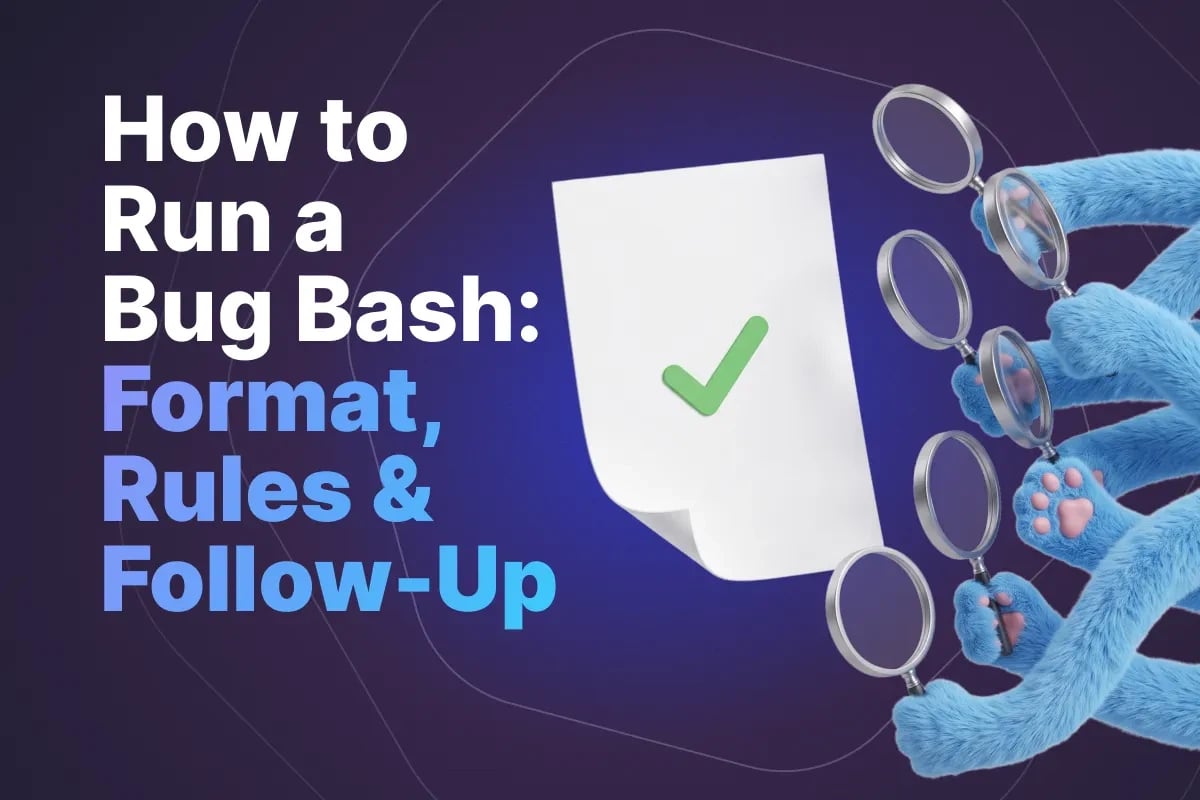
How to Run a Bug Bash: Format, Rules and Follow-Up in 2026

The Quick Answer
A bug bash is a timeboxed session where a mixed group - developers, designers, support, product, QA - tests a feature together, deliberately, at the same time. It is a group form of exploratory testing, and everything that makes it distinct comes from the group part rather than the exploratory part.
What the group buys you: variety of perspective. Twelve people who use software differently, know different parts of the system and have different assumptions will find defects a single tester will not, because most of what they find comes from doing things nobody thought to specify.
What it costs: a room of people for ninety minutes, plus preparation, plus triage. That is a real number, and it is why a bug bash needs a reason rather than a place in the calendar.
This article covers when a bash is worth the cost, how to scope it so twelve people do not all test the login page, how to prepare, how to run the session itself, what to do about scoring, and the follow-up that determines whether any of it mattered.
When a Bug Bash Is Worth Running
A bash is a burst of broad, shallow coverage from unusual angles. That makes it excellent for some situations and a waste in others.
Good reasons to run one:
- A significant feature is close to done - functionally complete, integrated, stable enough to use, but not yet released
- A major refactor or migration has landed and you need broad confirmation that nothing obvious broke
- Before a high-stakes release - a launch, a peak season, a regulated submission
- An area with a history of escapes where the existing suite keeps missing things
- A new integration or third-party dependency whose failure modes nobody has explored
- To spread product knowledge - a legitimate secondary benefit, especially for support and new joiners
Poor reasons:
- The build is unstable. Twelve people all finding the same broken navigation is an expensive way to learn what one smoke test would have told you.
- As a substitute for testing. A bash finds what is visible to a curious user in ninety minutes. It does not cover systematically, it does not repeat, and it proves nothing about regression.
- The day before release. If there is no time to fix what is found, the session generates a backlog and a bad mood.
- On a fixed schedule regardless of need. Monthly bashes become an obligation, attendance drifts, and the yield falls with it.
The honest test is the last one: if you cannot say what specifically you want covered and what you will do with the findings, do not book the room.
Choosing Scope and Charters
The defining failure of an unstructured bash is redundancy. Given a URL and an hour, most people start at the same place, follow the same primary flow, and report overlapping defects while whole areas go untouched.
Charters solve this. A charter is a one-line mission that says what to explore and roughly how, without prescribing steps:
- "Explore the checkout flow on mobile, focusing on interruptions - backgrounding the app, losing connection, incoming calls."
- "Explore bulk import with malformed and adversarial files."
- "Explore permissions as a read-only user attempting write actions by any route you can find."
- "Explore the new report against a very large account and a nearly empty one."
- "Explore the feature entirely by keyboard and with a screen reader."
Write about half as many charters as there are participants - six for a group of twelve - and assign two people to each, working independently. If you have more charters than pairs, pair up on the riskiest ones and give the rest to one person each. Overlap of two is deliberate: two people on the same charter reach different places and the duplicate reports confirm the finding. For how to write a single charter that is narrow enough to finish in one session, see our worked example of an exploratory testing session.
Three rules for scoping the bash overall. Keep the scope narrow - one feature area, not the product. Match charters to people where you can: give the permissions charter to someone with a security instinct, the accessibility charter to whoever cares about it, the messy-data charter to support, who knows what customers actually upload. And state what is out of scope explicitly, including known issues, so nobody spends twenty minutes rediscovering a defect already in the tracker.
Who to Invite
The value comes from difference. A room of QA engineers runs a competent group testing session; a mixed room finds things none of those groups would find alone.
| Who | What they characteristically find |
|---|---|
| Developers from other teams | Edge cases informed by how systems break, without the author's blind spots |
| The feature's own developers | Fewer defects, but the fastest diagnosis when something is found |
| Support and customer success | The scenarios customers actually hit - odd data, unusual sequences, legacy accounts |
| Designers | Interaction, state and flow problems that function correctly and feel wrong |
| Product managers | Gaps between what was built and what was intended |
| Sales and marketing | The demo path, and claims the product cannot yet support |
| New joiners | Everything confusing that everyone else has stopped noticing |
| QA | Depth on the risky charters, plus facilitation and triage |
Eight to fifteen participants is the practical range. Fewer than six and you lose the variety that justifies the format; more than fifteen and triage cannot keep up during the session.
Attendance should be voluntary and the invitation should say what is expected: the timebox, the charter, the tooling, and that finding nothing is a normal outcome. Compulsory bashes produce attendance without engagement, which is the worst return available on the same amount of calendar time.
Preparation: The Day Before
Expect the facilitator to spend about half a day on preparation, most of it the day before. Skipping it is how sessions become unproductive.
- Verify the build. Run a smoke pass on the exact build people will use. Nothing wastes a session faster than a broken main path.
- Prepare the environment. Dedicated, isolated, not shared with anyone else's testing that day, with a known state you can restore.
- Prepare accounts and data. One account per participant, pre-provisioned with correct roles, plus a range of data states - empty, typical, very large, historical, edge-case. Participants creating their own accounts spend the first fifteen minutes not testing.
- Write and assign the charters. Circulate them in advance so people arrive knowing their mission.
- Set up the reporting route. One channel, one form, one place. Decide before, not during.
- Publish known issues. A short list, visible, so duplicates are avoided.
- Brief on the product. Ten minutes of what the feature is for, what changed, what it should do. Not a demo of how to use it - that would prime everyone to follow the same path.
On reporting: keep the barrier low. During a bash you want title, what happened, what you expected, and how you got there - enough to reproduce, nothing more. Formal reports are written afterwards, by whoever triages, from the raw notes. Insisting on complete reports during the session halves the number of findings.
Running the Session
Ninety minutes is the right length. Sixty is too short once you account for setup; two hours exceeds the point at which most people's attention degrades.
Opening - 10 minutes. What the feature does, what is in and out of scope, charters confirmed, how to report, known issues, when you stop. Then stop talking.
Testing - 60 minutes. Everyone works their charter. The facilitator does not test; they watch the incoming reports, answer questions, flag duplicates as they arrive, and reassign a charter if someone exhausts it early. If a defect blocks a whole area, they announce it so others do not pile in.
Triage - 20 minutes, in the room. Walk the list. For each item: real defect or expected behaviour, duplicate or distinct, rough severity, and who owns turning it into a proper report. Doing this while everyone is present is what makes the session efficient - the reporter is there to clarify, and a developer is there to say "that is by design" or "that is a real problem".
Rules worth stating out loud at the start:
- Report it even if you think it is trivial or someone else may have found it. Duplicates are cheap; a suppressed report is lost. The one exception is the published known-issues list - anything already on it does not need a report.
- Do not stop to investigate. Note it, move on. Depth comes afterwards.
- Do not fix anything. Developers in a bash test; the build must stay identical for everyone.
- Say what you expected, not just what happened. Half the value is in the expectation gap.
- Confusion is a finding. "I could not work out how to do this" is a legitimate report.
- Stay on your charter. Wandering recreates the redundancy charters exist to prevent.
Remote sessions work well with two adjustments: a shared channel where reports land visibly so people see what others are finding, and an open call that participants can drop into with a question rather than blocking silently.
Scoring and Prizes
Gamification is the standard advice and it is worth being careful with, because incentives shape what gets reported.
Counting defects rewards volume, which produces a flood of cosmetic reports and drowns the important findings in triage. Rewarding severity is better but invites inflation. Any competitive scoring also discourages the collaboration that makes bashes work - people stop mentioning a lead to a colleague if it costs them a point.
What tends to work better is light recognition after triage, judged rather than counted: the most valuable finding of the session, the most creative approach, the best-written report. Give it a small prize, name it in the follow-up, and keep the tone celebratory rather than competitive.
The strongest motivator is not a prize at all. It is seeing that what you reported got fixed. Teams whose bashes produce visible outcomes do not have an attendance problem; teams whose findings vanish into a backlog cannot fill a room the third time regardless of what they offer.
The Follow-Up That Determines the Value
Everything up to here produces a list. The follow-up is what turns it into value, and it is the step most commonly skipped.
Within 24 hours: convert triaged findings into properly written defects in the tracker - clear reproduction steps, environment, severity - tagged so they are identifiable as bash output. Close the duplicates and the by-design items with a short explanation to the reporter; nothing suppresses future participation faster than a report that disappeared silently.
Within a few days: send a summary to everyone who attended. How many findings, how many were real, the notable ones, what is being fixed and when. It takes fifteen minutes and it is the entire basis for people showing up next time.
Within the release: schedule fixes by priority, not by severity alone - severity says how bad a defect is, priority says how soon it matters, and a cosmetic defect on the demo path can outrank a crash in a screen nobody uses (see our guide to severity vs priority). Tell the participants when their fixes land.
Then the part that compounds. Ask what the bash found that the test suite should have found. Each of those is a gap: a scenario nobody wrote a case for, a data state nobody tests with, an integration nobody exercises. Turning them into permanent test cases is how a one-off session improves the suite rather than just the release. A bash that yields six new regression cases has paid for itself several times over, independent of the defects it found.
Finally, look at the pattern. If bashes keep finding problems in the same area, that area needs attention beyond another bash - and if a bash finds almost nothing twice running, either the feature was well tested already or the format is not adding anything for that kind of work.
Common Mistakes
- No charters. Everyone tests the same happy path; whole areas go untouched.
- An unstable build. The session becomes a queue of reports about one broken thing.
- Unprepared environment or accounts. Twenty per cent of the timebox lost to setup.
- Only QA in the room. Competent, but you have paid group-session cost for single-perspective coverage.
- Heavyweight reporting during the session. Fewer findings, better formatted.
- Developers fixing during the bash. Participants end up testing different builds and reports become irreproducible.
- Triage deferred to next week. Context is gone, duplicates multiply, and the reporter is no longer available to clarify.
- No summary sent. Participation drops each time until the format is quietly abandoned.
- Counting defects competitively. Volume up, signal down, collaboration off.
- Treating it as coverage. A bash is a sample, not a suite, and it proves nothing about anything it did not touch.
Conclusion
A bug bash works because a mixed group brings assumptions a single tester does not have, and because ninety minutes of that variety, pointed at a feature that is nearly done, surfaces things that systematic testing is not designed to find. It is a sampling technique, and it complements a maintained suite rather than substituting for one.
The mechanics that separate a useful bash from an expensive social event are unglamorous: a build that has been smoke tested, environments and accounts prepared in advance, charters that stop twelve people testing the same page, a low-friction reporting route, triage done in the room while everyone is still present, and a summary sent afterwards so people can see what happened to what they found.
And the highest-value output is usually not the defect list. It is the answer to why the suite missed these - because those answers become permanent coverage, and that is what makes the next bash unnecessary in the areas the last one exposed.
Capturing that is where a bash stops being an event and starts compounding. QA Sphere turns bash findings into versioned test cases, groups them into a repeatable test run for the next release, and links the defects to your tracker through issue tracker integration so participants can see exactly what happened to what they reported. See pricing or book a demo.

Written by
QA Sphere TeamThe QA Sphere team shares insights on software testing, quality assurance best practices, and test management strategies drawn from years of industry experience.