Multiplayer Test Runs: Your Whole Team in One Test Run

Several testers can now execute the same test run at once, with participant presence, results that synchronize in real time, and live updates across everything else in the run.
Test execution has always been a team activity that tooling treated as a solo one. A run belonged to whoever opened it. If three people needed to work through the same set of cases, the options were to split the suite into separate runs, or to share one and hope nobody collided.
Both options cost something. Splitting the suite fragments your view of progress: three runs, three summaries, and a manual reconciliation at the end to answer a simple question about whether the cycle is finished. Sharing one run without visibility costs the opposite way: the picture stays whole, but the team has to maintain it by hand, refreshing to see whether a status changed and announcing in chat which case they are picking up next.
Neither cost is dramatic on any given day. Both are the kind of overhead a team stops noticing because it has always been there: a few minutes of planning before a cycle starts, a running commentary in a channel while it is underway, and a tidy-up afterward to work out what actually got covered. Multiplied across every release, it adds up to a meaningful amount of a QA team's time spent on coordination rather than on testing.
Multiplayer test runs remove that choice. Everyone works in the same run, sees each other while they do it, and sees results the moment they are recorded.
Prefer to watch first? This one-minute demo shows multiplayer test runs in action.
Presence, at two levels
Opening a test run now joins you to it as a participant. There is no button for this and nothing to configure: presence is established the moment the run is opened, and released when it is closed.
At the top of the run, participant avatars show everyone currently present. The list is live: colleagues appear as they join and disappear as they leave, without a refresh. Hovering over an avatar identifies the person behind it.
The more useful signal is one level down. When a participant opens a test case, their avatar appears on that row and the row is highlighted. Anyone else looking at the list can see, at a glance, which cases are already being worked on and by whom.
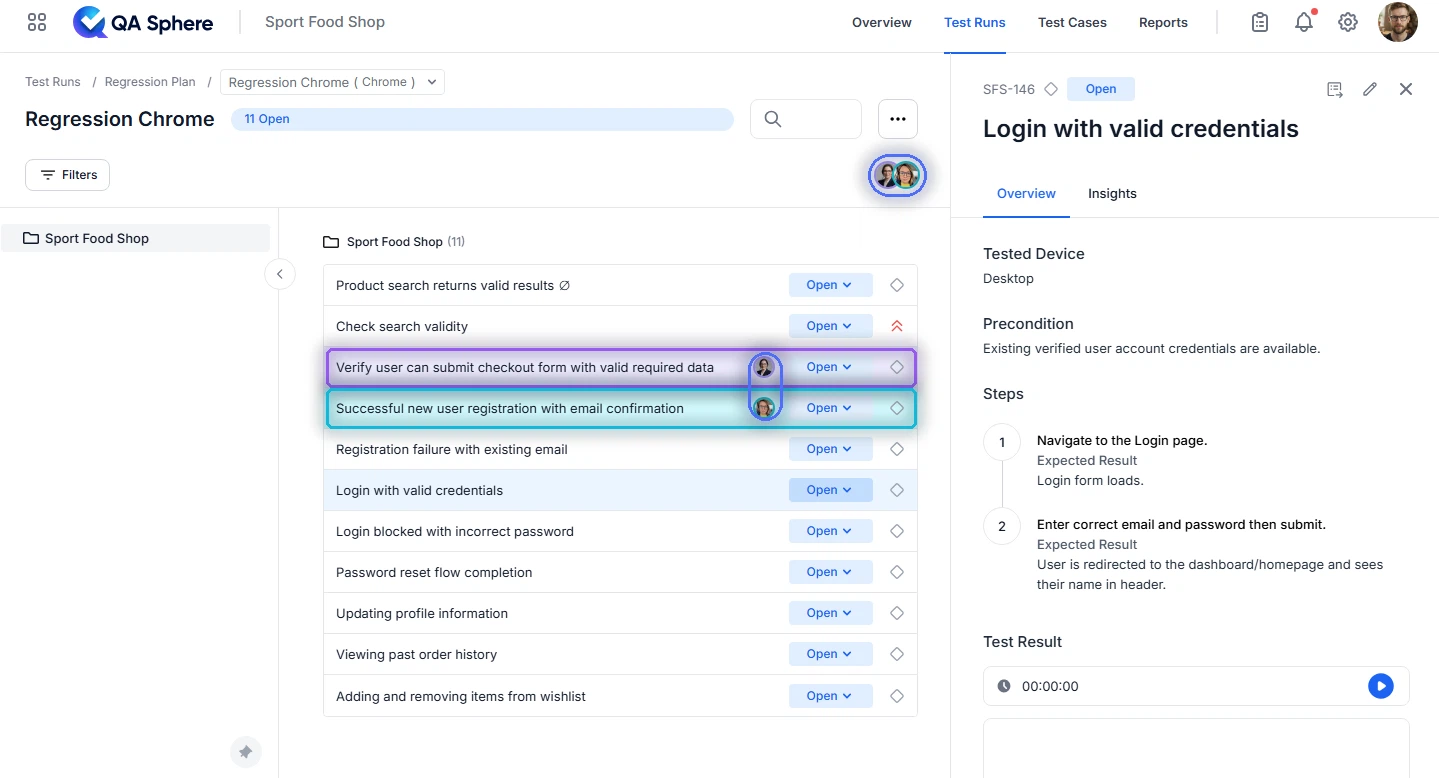
The most common source of wasted effort in shared execution is two testers working the same case without realizing it. Row-level presence removes it.
That single indicator changes how a team approaches a run. Dividing the suite in advance, whether by folder, by tag, or by tester, was never really about organization. It was a collision-avoidance mechanism, and an expensive one, because the division rarely matched how quickly people actually worked. With presence on the row, the team can simply start at the top and work down. Anyone can pick up any unclaimed case, and the run rebalances itself.
Results that sync as they are recorded
When a participant sets a status, everyone else in the run sees it immediately. There is no refresh, no polling interval to wait out, and no risk of one tester's entry overwriting another's.
The run summary keeps pace with it. The counters in the header reflect the combined progress of every participant, so the number a lead is looking at is the team's actual position rather than one person's slice of it. On a release-day call, that matters more than it sounds: the question "Are we done?" now has one answer, visible to everyone at the same moment, instead of three partial answers that have to be added up.
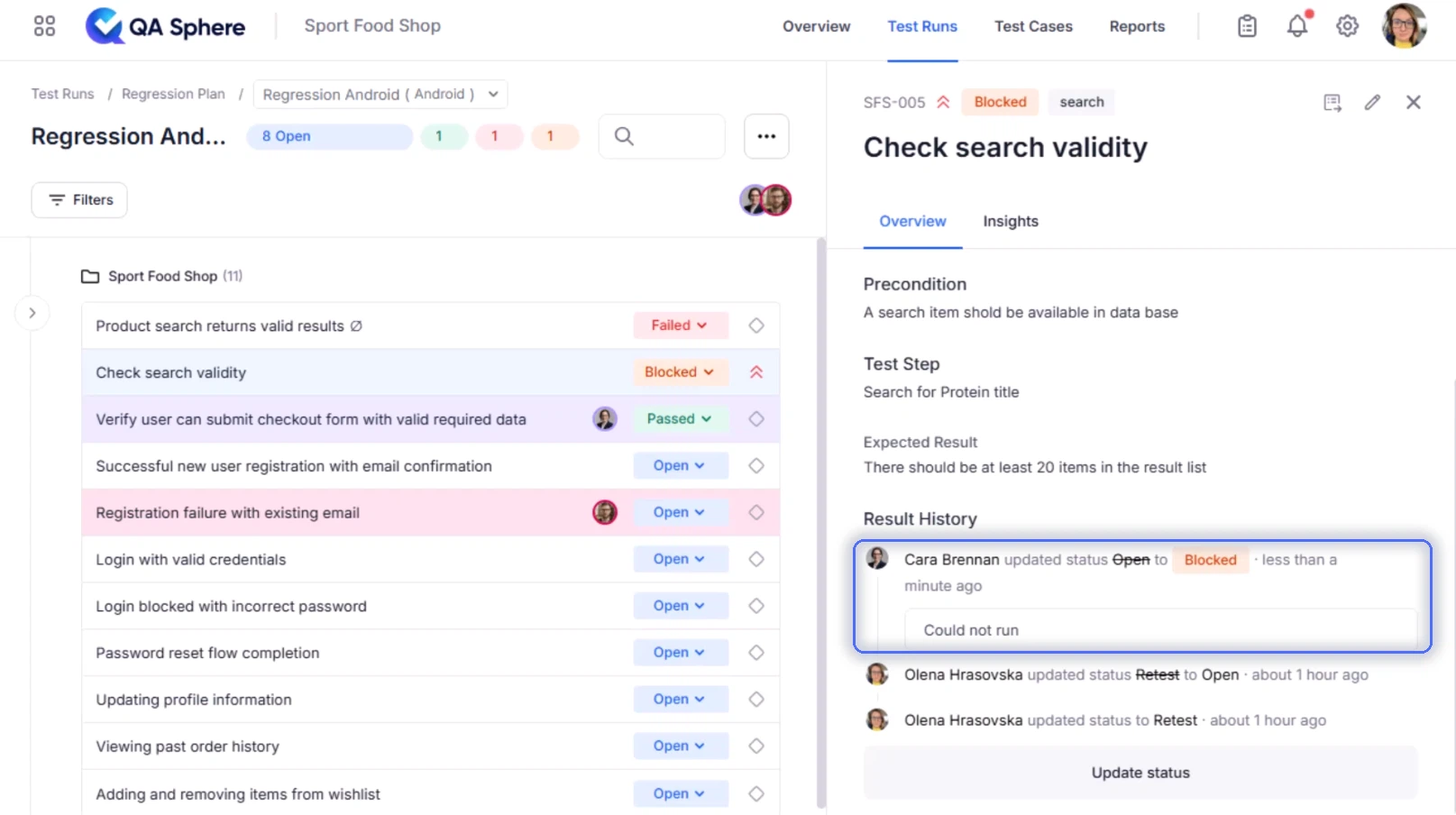
The behavior also holds under load. A team of five moving quickly through a suite generates a constant stream of updates, and the run stays consistent for everyone watching it: the status you see on a row is the status that is stored, not a stale copy waiting for the next page load.
Everything else in the run is live too
Synchronization is not limited to pass and fail. Anything a participant adds to the run appears for everyone else as it lands:
- Comments: the context a tester adds while a failure is still fresh
- Attachments: screenshots, logs, and recordings, available to the rest of the team the moment they finish uploading
- Assignments: a case handed to a specialist shows up on their side without a message
- Linked defects: an issue raised against a failing case is visible to anyone who opens it next
The practical effect is that evidence stops traveling separately from the run. Previously, a tester who found a defect recorded the failure in the test management tool and then explained it somewhere else: a chat thread, a call, a ticket. Nobody else would see the detail until they went looking. With live updates, the run is where the conversation already is.
Automated results arrive the same way
Results uploaded from a CI pipeline behave exactly like results recorded by a person. As the job reports back, the corresponding cases update inside the open run, carrying the automation indicator that distinguishes them from manual entries.
For teams running a mixed cycle, this closes a gap that used to require a deliberate check. Manual and automated results land on the same screen, in the same run, in the same moment, so a tester can watch the automated portion complete and pick up the manual cases that remain, without leaving the run or waiting for a report.
Compatible with everything you already have. Multiplayer test runs do not change the shape of a run, the API, or how results are uploaded. Existing integrations continue to work unchanged: GitHub Actions, GitLab CI/CD, Bitbucket Pipelines, and anything built directly on the QA Sphere API. They now update live for whoever has the run open. See the CI/CD integration guide if you have not connected a pipeline yet.
Nothing to turn on, nothing to learn
There is no separate collaboration mode, no session to start, and no invitation to send. A run is multiplayer because more than one person has it open, and it stops being multiplayer when they close it. Everything else about test runs works as it did: the same structure, the same statuses, the same reports.
That was a deliberate constraint. Collaboration features tend to fail not because the synchronization is difficult but because they ask a team to adopt a new ritual. A feature that requires someone to remember to start a shared session will be used on the days when somebody remembers. A feature that follows automatically from opening a run is used every time.
What this changes for a team
A few working patterns become materially easier.
Working a cycle as a group
A team can open the same run and work down it together, claiming cases as they go. No pre-assignment, no folder-by-tester split, and no reconciliation at the end. The person who finishes early simply takes the next unclaimed case.
Pairing on a difficult area
Two testers can work the same feature area side by side, one executing and one observing, with both seeing the same evidence as it is recorded. The observer no longer has to be shown; they are already looking at it.
Distributed and asynchronous teams
Presence still works when the participants are not in the same room or working the same hours. Someone opening a run in the morning can see which cases a colleague on another continent had open when they finished, and what they left behind in comments and attachments.
Leading a run without interrupting it
A QA lead can keep the run open and watch progress accumulate without asking anyone for a status. The header summary is the report. It is current by definition, and it feeds the same reporting dashboards you already use at the end of a cycle.
Try it: open a run with a colleague
Multiplayer test runs are available now, on every plan, with nothing to enable. Open any test run and invite a teammate to open the same one: presence and synchronization start on their own.
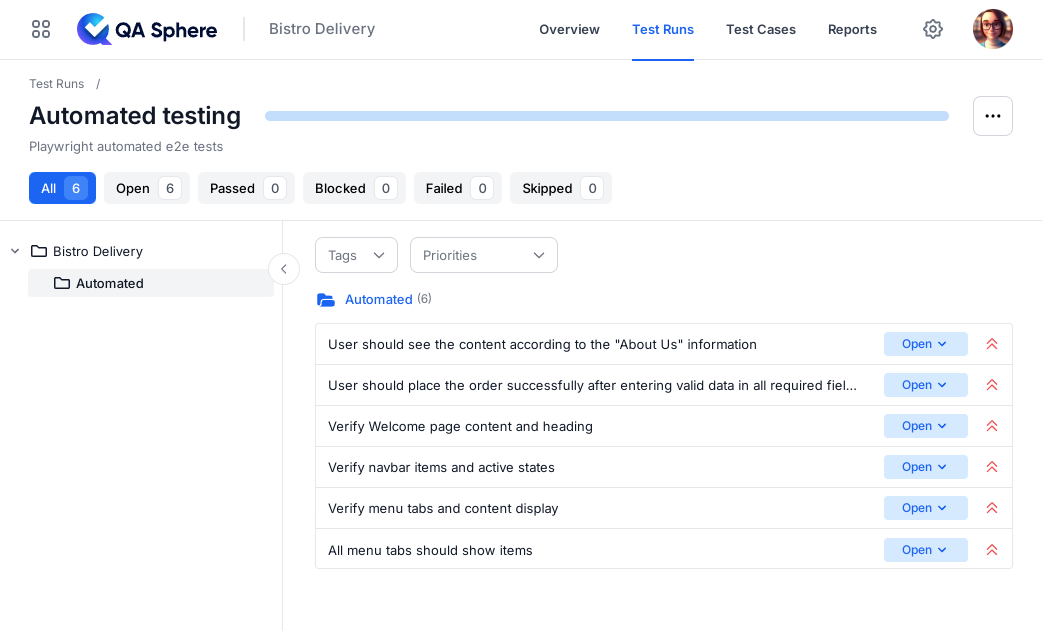
If you would rather try it without touching a live project, both built-in demo projects, Sport Food Shop and Bistro Delivery, work the same way. You can also watch the one-minute demo before you start.
Start with QA Sphere for free, see pricing, or book a demo to see multiplayer test runs with your own suite.

Written by
Olena HrasovskaOlena Hrasovska writes about QA Sphere product updates and the everyday workflows behind collaborative test execution, from planning a run to reporting on it.