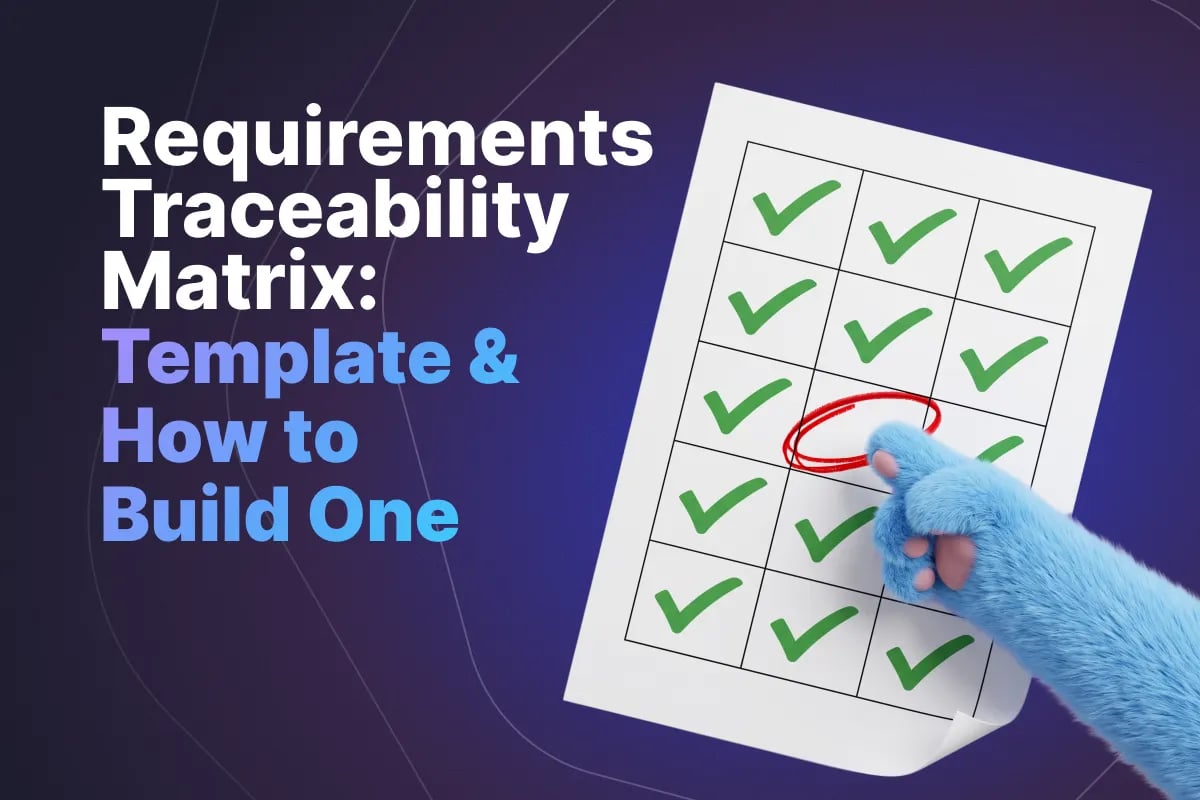
Requirements Traceability Matrix: Template and How to Build One

In this article
The Quick Answer
A requirements traceability matrix (RTM) is a table that links every requirement to the test cases that verify it, and those test cases to the results of running them. It lets anyone pick a requirement and see how it was tested and whether it passed, or pick a test and see why it exists.
What it is for: answering three questions quickly and with evidence. Is every requirement tested? Does every test trace to something we actually agreed to build? And when a requirement changes, which tests have to change with it?
What it is not: a coverage metric. The matrix is the artifact; requirements coverage is a number you can calculate from it. The formula and how to set targets live in our test coverage guide, and this article does not repeat them.
This article covers the directions of traceability, the columns worth having, a copyable template, how to build and maintain one, what auditors look at, and when a small team should not bother.
Forward, Backward and Bidirectional Traceability
Traceability has a direction, and the direction decides which questions the matrix can answer.
Forward traceability runs from requirement to test. Start at REQ-042 and follow it to TC-310 and TC-311, then to their latest results. It answers "have we tested everything we promised?" and it is how you find requirements with nothing linked to them - the gaps that ship untested because nobody noticed they were missing.
Backward traceability runs from test to requirement. Start at TC-311 and ask which requirement it verifies. It answers "why does this test exist?" and it is how you find orphans: tests that trace to nothing. Some orphans are legitimate - exploratory charters, regression checks for an old defect - but a large number usually means scope crept in without a requirement, or requirements were deleted and their tests were not.
Bidirectional traceability is simply both, maintained together. The term is standard in process frameworks such as CMMI, and it is what regulated standards generally expect: every requirement has a verifying test, every test has a reason, and you can walk the chain in either direction without a gap.
| Direction | Starts at | Answers | Finds |
|---|---|---|---|
| Forward | Requirement | Is everything we promised tested? | Untested requirements |
| Backward | Test case | Why does this test exist? | Orphan tests and undocumented scope |
| Bidirectional | Either | Is the whole chain intact? | Both, plus stale links after change |
One row per requirement plus a periodic check for tests not listed anywhere gives you both directions from the same table. The backward check is the one teams skip, and it is the cheaper to run.
The Columns That Matter
Most RTM templates online have fifteen or twenty columns, most never filled in after week one. An empty column is worse than a missing one: it suggests information that is not there.
The core six: these are the columns every useful RTM has, and a matrix with only these is already doing its job.
- Requirement ID - unique, stable, never reused. If your requirement source assigns IDs, use those rather than inventing new ones.
- Requirement summary - one line, enough to recognize it. Not the full text; link to the source for that.
- Priority or risk - so a gap on a critical requirement stands out from a gap on a cosmetic one.
- Test case IDs - every test that verifies this requirement.
- Latest result - pass, fail, blocked, not run, against a named build or release.
- Defect IDs - open defects raised against this requirement's tests.
Worth adding when needed: source (story, specification section or regulation clause), requirement version, component, test type and owner. Regulated teams usually need source and version; product teams rarely do.
Leave out: full requirement text, test steps, and anything that duplicates another system. The RTM should point at the requirement and at the test case, not copy them. The moment it holds copies, the copies drift.
A Copyable RTM Template
Here is a working template with example rows for a password reset feature. Copy the headers into a spreadsheet and replace the rows with your own.
| Req ID | Source | Requirement | Priority | Test cases | Latest result (build 4.2.0) | Defects |
|---|---|---|---|---|---|---|
| REQ-101 | Story PR-12 | User can request a reset link by email | High | TC-501, TC-502 | Pass | - |
| REQ-101.1 | Story PR-12, AC 2 | Unknown email shows the same message as a known one | High | TC-503 | Fail | BUG-877 |
| REQ-102 | Story PR-13 | Reset link expires after 30 minutes | High | TC-504, TC-505 | Pass | - |
| REQ-103 | Security spec 3.4 | Link is single use | Critical | TC-506 | Pass | - |
| REQ-104 | Story PR-14 | New password must meet the password policy | Medium | TC-507, TC-508, TC-509 | Blocked | BUG-880 |
| REQ-105 | Story PR-15 | User is notified by email after a successful reset | Medium | - | Not tested | - |
Read it the way a reviewer would. REQ-105 has no test at all - the forward gap, and the most important thing in the table. REQ-101.1 is tested but not met. REQ-104 is blocked, which is neither a pass nor a fail. And REQ-103, the only critical row, came from a security specification rather than a story - exactly the kind of requirement that goes missing when the matrix is built from the backlog alone.
One rule for the result column: always say which build or release it refers to. "Pass" without a build is a claim about software that may no longer exist.
How to Build One Step by Step
A first RTM takes a day or two for a mid-sized feature set and far longer if you trace the whole product at once. Start with one release or feature area.
1. Collect the requirements from every source. The backlog is the obvious one. The gaps come from the others: security and privacy specifications, contractual obligations, regulatory clauses, non-functional requirements agreed in a meeting and never written down. Record the source of each.
2. Give every requirement a stable ID. A Jira issue key works; a document clause gets a number. Never use row numbers - they change when someone sorts the sheet.
3. Clean up what cannot be tested. "The system should be fast" cannot be traced to a test because no test can pass or fail it. Send it back for a measurable version. This is where an RTM earns its keep early: it forces ambiguity into the open before anyone writes a test against it.
4. Map existing test cases. Link each test to the requirements it verifies. A test can verify several requirements; a requirement can need several tests. Anything that maps to nothing goes on an orphan list for review, not straight into the bin.
5. Decide every gap. An empty test column means write a test, accept the risk explicitly, or record that it is verified another way (a code review, an inspection, a supplier certificate). "Not tested" and "verified by review" are different statements, and an auditor will ask which.
6. Run the tests and record results against a build. From an actual run, not from memory.
7. Get it reviewed. The product owner or business analyst checks the requirements list is complete; QA checks the links. Most errors found here are missing requirements, not wrong links.
Choosing the Right Granularity
The hardest design decision in an RTM is what counts as a row. Trace at too high a level and the matrix says everything is covered when it is not. Trace at too low a level and nobody can maintain it.
Take a story such as "As a user I can reset my password". Traced as one row, a single happy-path test marks it covered - while the expiry, single-use and unknown-email behaviors go unchecked. Traced at the acceptance criteria level, each of those behaviors is its own row, and the gap is visible.
| Level | Rows for a typical feature | Good for | Risk |
|---|---|---|---|
| Epic or feature | 1 | Release overviews for stakeholders | Says "covered" after one test; almost meaningless |
| User story or requirement | 3-8 | Most product teams | Hides untested criteria inside a covered story |
| Acceptance criterion | 10-30 | Regulated work and high-risk features | Maintenance cost; needs tooling past a few hundred rows |
| Test step | Hundreds | Almost nothing | Unmaintainable within a sprint |
The practical answer is mixed granularity driven by risk: critical and regulated requirements at acceptance criterion level, everything else at story level, with child IDs like REQ-101.1 so finer rows roll up to their parent. What you should not do is let the level depend on who filled in the row, because then "covered" means different things in different areas.
Keeping It Alive as Requirements Change
An RTM is accurate on the day it is built and decays from then on. Requirements get reworded, split, descoped; tests get rewritten and retired. Two or three sprints without maintenance and the matrix is a historical document that looks like a current one - more dangerous than no matrix, because people make release decisions from it.
Four habits keep it current:
- Update links in the same change as the work. A refined story gets its tests and its matrix row updated in the same sprint. If it keeps being forgotten, add it to the definition of done.
- Treat a changed requirement as a trigger. Every linked test is now suspect until someone confirms it still verifies the new wording. Mark those rows "needs review" rather than leaving the old pass in place.
- Never delete a requirement row silently. Mark it descoped with a date. Its tests then show up as orphans and get a deliberate decision, rather than lingering in the regression suite testing behavior nobody wants.
- Run the gap and orphan check on a schedule. Once per sprint, or before each release candidate. Ten minutes with a filter on empty columns.
The honest test: pick three rows at random and check them against the requirement source and the latest run. If any is wrong, the matrix is not being maintained, whatever the process document says.
Spreadsheet vs Test Management Tool
A spreadsheet is a perfectly good RTM for a small, stable scope. It is free and easy to hand to an auditor. The problem is that it is a copy: requirements, tests and results live elsewhere, and the sheet is only as fresh as the last manual update.
| Spreadsheet | Test management tool | |
|---|---|---|
| Setup cost | Minutes | Hours to days |
| Results | Typed in by hand after each run | Pulled from the run automatically |
| Requirement changes | Noticed if someone remembers | Linked tests can be flagged |
| History | Whatever version control the file has | Per test and per run, attributable |
| Scales to | A few hundred rows, one or two editors | Thousands of links, many contributors |
The tipping points are fairly predictable. Move off the spreadsheet when more than two people edit it, when results change more than weekly, when you trace at acceptance criterion level across more than one feature, or when you need to show an auditor who changed what and when. At that stage the matrix should be generated from the links in your test case management tool rather than maintained alongside it, so there is no copy to drift.
Whichever you use, the requirement source stays authoritative. The RTM links to requirements; it is not where they are written.
What Auditors Actually Check
Teams preparing for an audit polish the matrix. Auditors care less about how it looks than whether it is true. The regulated industries guide covers the wider evidence package; for the RTM specifically, expect these checks.
- Sampling in both directions. They pick requirements and ask to see the test, the executed result and the evidence. Then they pick tests and ask which requirement they verify. A matrix that only works forwards fails the second half.
- Evidence behind the result. "Pass" in a cell is a claim. They want the execution record: who ran it, when, on which build, with what output or screenshot.
- Version alignment. The requirement version the test was written against should match the version that was released. A pass against last quarter's wording does not verify this quarter's.
- Gaps with a documented disposition. An untested requirement is not automatically a finding. An untested requirement with no recorded reason is.
- Change history. Who changed a link or a result, and why. A sheet clearly rebuilt the week before draws exactly the attention you hoped to avoid.
- Traceability to risk controls. In medical device software, risk control measures are expected to trace to their verification too.
The common theme: auditors test the matrix the same way you should test software - by sampling it and checking that it holds.
When an RTM Is Overkill
Not every team needs a formal matrix, and building one out of habit is a real cost for no return.
You probably do not need one if: you are a small, unregulated agile team shipping continuously, with acceptance criteria on each story and tests linked to those stories in your tracker or test tool. The traceability already exists as links, and a separate matrix is a report nobody reads. What you need is the discipline to link tests to stories and a filter showing sprint stories with no linked test. That is an RTM in all but name, at no extra cost.
You probably do need one if: a regulation or standard requires demonstrable traceability, you deliver against a contract with a formal specification, your requirements change through a formal change process, or several teams deliver against one shared requirement set.
The middle ground is common: a formal RTM for the regulated or contractual part of the product, linked stories everywhere else. Record that decision in your test plan so nobody later asks why half the product has a matrix.
Common Mistakes
- Tracing only from the backlog. Security, regulatory and non-functional requirements live elsewhere and are exactly the ones that go missing.
- Epic-level rows. One linked test marks a whole feature covered; the matrix becomes reassuring and wrong.
- Results without a build. A pass recorded against nothing in particular proves nothing in particular.
- Copying requirement text into the matrix. Two versions of the truth, and within a month they disagree.
- Skipping the backward check. Orphan tests pile up, the suite grows, and nobody knows which tests are safe to retire.
- Building it the week before the audit. It will be visibly reconstructed, and the change history will say so.
- Twenty columns, six maintained. Empty columns mislead. Cut to what someone actually updates.
Conclusion
A requirements traceability matrix is a simple artifact: requirements on one side, the tests that verify them and the results of running those tests on the other, linked in both directions. Its value is in the questions it answers quickly - what is untested, what is tested for no reason, and what has to change when a requirement does.
The difficult parts are not the template. They are collecting requirements from every source, choosing a granularity that reflects risk, recording results against a real build, and keeping the links current as requirements change. For many small teams the right RTM is not a separate document at all, just consistent links between stories and tests. Build the formal version where a regulator, a contract or the scale of the requirement set demands it.
Once the matrix outgrows a spreadsheet, it works best when it is generated from the links rather than kept alongside them. QA Sphere links test cases to the requirements they verify, builds a test run from the requirements in scope for a release, and turns the results into reporting that shows which requirements are verified, failing or not yet tested - with the execution history an auditor will ask for. Its traceability report shows that matrix directly, with no separate sheet to update. See pricing or book a demo.

Written by
QA Sphere TeamThe QA Sphere team shares insights on software testing, quality assurance best practices, and test management strategies drawn from years of industry experience.