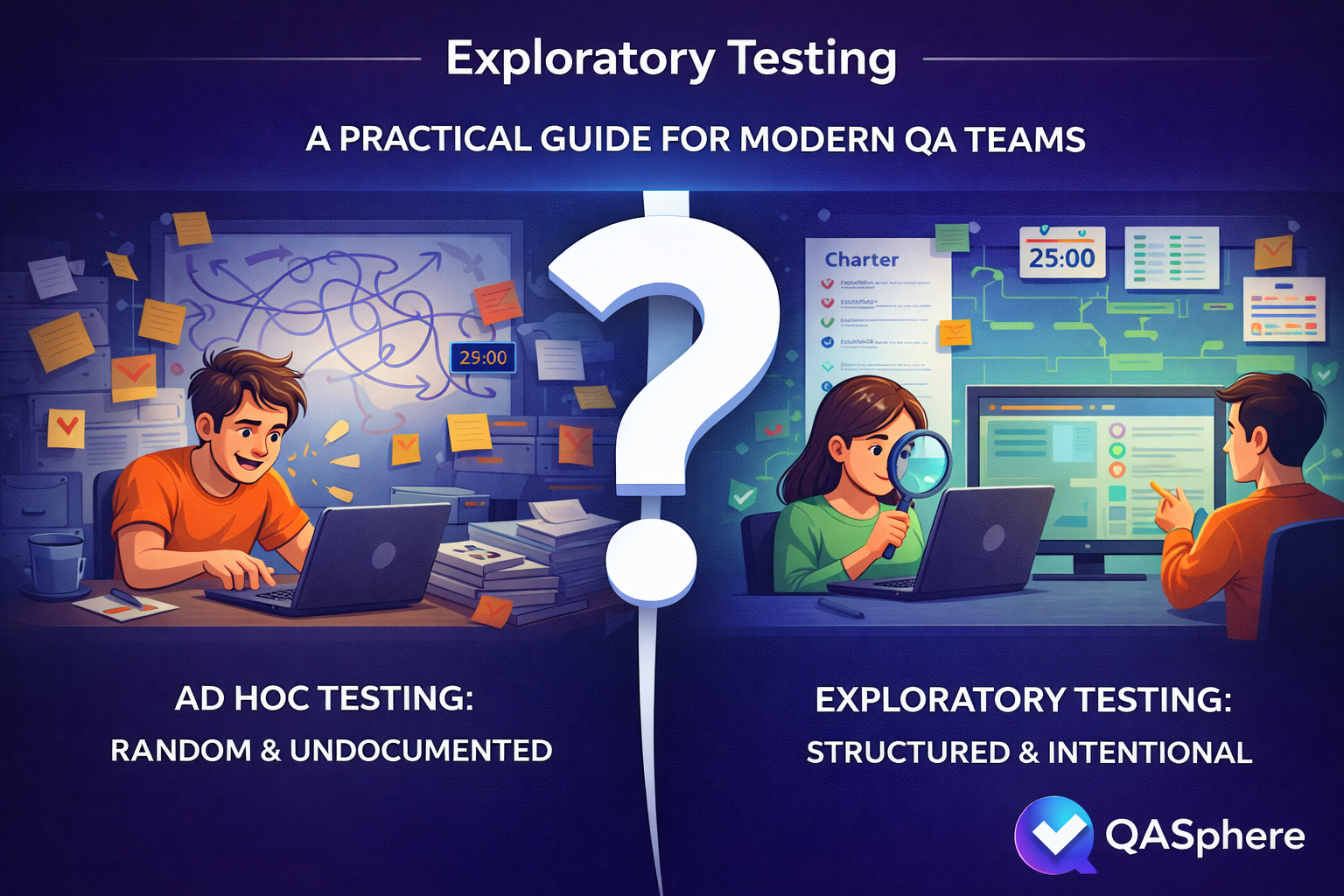
Exploratory Testing: A Practical Guide for Modern QA Teams

How to Run Exploratory Testing Well
The simplest way to make exploratory testing effective is to give it enough structure to stay focused without turning it into a fully scripted test. We will use a running example — password reset on mobile — to show how each step works in practice.
Start with a narrow charter
Your charter is the mission for the session. Keep it specific.
Good charter:
- Explore password reset on mobile after link expiration and interrupted network conditions
Weak charter:
- Test authentication
A practical charter usually answers four questions:
- What area are we exploring?
- What setup or data do we need?
- What risks are we probing?
- What are we trying to learn?
Here is the charter for our example:
Charter: Explore password reset behavior for expired links on mobile
Setup: Staging environment, test inbox, slow network profile, existing user with known credentials
Focus: Error handling, redirect behavior, token expiration, repeated attempts
Goal: Discover broken state transitions, unclear messaging, and recovery gaps
Use a timebox
Exploratory testing works better when sessions are intentionally limited. James and Jonathan Bach formalized this idea with Session-Based Test Management (SBTM), where the core unit of work is a "session" — an uninterrupted block of chartered test effort. A useful session length is typically thirty to ninety minutes: long enough to investigate meaningfully, short enough to stay sharp.
For our password reset charter, we might plan two 45-minute sessions. The first session focuses on expired link handling and error messages. The second session focuses on repeated reset attempts and what happens when the network drops mid-flow.
If a session needs several hours, the scope is probably too broad. Split it into smaller charters.
Take notes while you test
Do not trust memory. As you work through the session, capture:
- What you tried
- What data or environment you used
- What seemed wrong or surprising
- What defect or question was created
- What deserves follow-up coverage later
Here is what notes from the first password reset session might look like:
Session 1 — Expired link handling (45 min)

[0:00] Started on staging, iOS Safari. Requested reset for [email protected].
[0:04] Clicked link immediately — works fine. New password accepted.
[0:08] Requested new link, waited 11 minutes for token to expire.
[0:09] Clicked expired link — got HTTP 200 with the reset form instead of an error.
       Form renders, accepts input, then fails silently on submit. No error shown.
       ** BUG: Expired token serves the form instead of rejecting at the redirect **
[0:18] Tried requesting 5 reset links in quick succession.
       All 5 arrive. Only the last one should be valid, but link #3 also worked.
       ** BUG: Previous tokens not invalidated when a new one is issued **
[0:30] Toggled airplane mode right after tapping submit on new password.
       Spinner runs forever. No timeout, no retry prompt, no offline message.
       ** OBSERVATION: No network error handling on the reset confirmation screen **
[0:40] Attempted reset with mixed-case email. Received "user not found."
       ** QUESTION: Is email matching case-sensitive? Check with dev. **
[0:45] End of session.

Summary: 2 bugs, 1 UX gap, 1 question for the team.
The point is not perfect documentation. The point is preserving the learning so the debrief has something concrete to work with.
End with a debrief
A good session should produce something useful even if it finds no bugs. Debrief the session and decide:
- Did we learn enough, or do we need another session?
- Should any findings become formal test cases?
- Should any path be added to regression coverage?
- Are there requirements or assumptions that need clarification?
For our password reset example, the debrief might produce three outcomes: the expired-token bug gets filed immediately as a high-priority defect, the token-invalidation bug gets linked to the authentication epic, and "test reset flow under poor network conditions" gets added as a permanent regression case because no one had thought to cover it before.
This is where exploratory testing stops being individual intuition and becomes team knowledge.
Common Exploratory Testing Mistakes
Even experienced teams get exploratory testing wrong. Here are the most common mistakes and what they look like in practice.
Making the scope too broad
"Explore checkout" is too wide. A tester spends ninety minutes bouncing between cart, payment, shipping, promo codes, and guest checkout without going deep on anything. The session produces a handful of vague observations but no real findings.
Fix: split large areas into smaller charters based on workflows, risks, user roles, or failure modes. "Explore promo code stacking when cart contains both subscription and one-time items" is a charter you can actually finish.
Confusing freedom with lack of discipline
A team calls their unstructured manual testing "exploratory" because it sounds better. There is no charter, no timebox, no notes. When someone asks what was tested, the answer is "we looked around." The work cannot be reviewed, repeated, or built upon.
Fix: if there is no mission, no evidence, and no follow-up action, it is ad hoc testing. That is fine sometimes, but do not confuse the two.
Measuring success only by bug count
A tester runs a careful exploratory session on a new feature and finds zero bugs. The session is dismissed as unproductive. But the session also confirmed that the hardest workflow path works correctly under three different user roles and two data configurations — information that gives the team real confidence before release.
Fix: bugs are one output. Others include clarified behavior, exposed weak requirements, confirmed stability in risky areas, and new regression candidates. All are useful.
Failing to turn insights into assets
A team runs exploratory sessions every sprint and finds recurring issues with state management after navigation events. Each time, the tester files a bug and moves on. No one creates a standing regression case for navigation state, and no one suggests automation for the pattern.
Fix: if exploratory testing repeatedly exposes the same type of problem, that knowledge should become a stronger test case, regression scenario, or automation candidate. The discovery is only half the value — the other half is making sure it stays discovered.
Keeping Exploratory Work Traceable
The biggest risk with exploratory testing is not the testing itself — it is what happens afterward. Findings scatter across sticky notes, screenshots, Slack threads, and disconnected bug tickets. Within a week, half the context is gone.
A test management system solves this by giving exploratory sessions the same operational structure as scripted testing: charters stored as test cases, sessions organized into runs, findings linked to issues, and results tied back to requirements. If your team uses QA Sphere, the workflow looks like this:
- Write charters as test cases. Use the description for the mission, preconditions for setup, and steps for focus areas. Link the relevant requirement if the charter is tied to a user story. Your exploratory charters live in the same test case library as your scripted cases.
- Create a dedicated test run. Group your charters into a focused run using the test run builder with a title, assignee, and milestone so every session has a clear owner and scope.
- Capture findings during execution. Update status (passed, failed, blocked), log time spent, and save observations as result comments while the context is fresh.
- Link defects without leaving the session. Create or attach Jira, GitHub, or Linear issues directly from the test result through the issue tracker integration. Developers get full context, and QA keeps a clean trail between the test and the bug.
- Review in debrief and promote coverage. After the session, decide what becomes a permanent regression case, what needs a follow-up charter, and which requirement gaps need team discussion. Because results are linked to requirements and issues, stakeholders can later ask which risky areas were explored, which failures are blocking release, and which exploratory findings turned into linked defects.
This is where exploratory testing stops looking informal and starts looking operationally mature. The testing finds the unknowns. The system makes sure they stay found.

Written by
QA Sphere TeamThe QA Sphere team shares insights on software testing, quality assurance best practices, and test management strategies drawn from years of industry experience.