How to Run an Exploratory Testing Session: A Worked Example

Most writing about exploratory testing explains it in the abstract. This post does the opposite: it follows one session from start to finish.
We will take a single charter — password reset on mobile — through all four stages of a session: writing the charter, setting the timebox, taking notes while testing, and debriefing afterward. You will see the actual charter text, the actual session notes, and the actual decisions that came out of the debrief.
If you want the broader picture first — the full range of techniques, the tooling, and the best practices — start with our guide to exploratory testing techniques, tools, and best practices. This post assumes you already know what exploratory testing is and want to watch one being run.
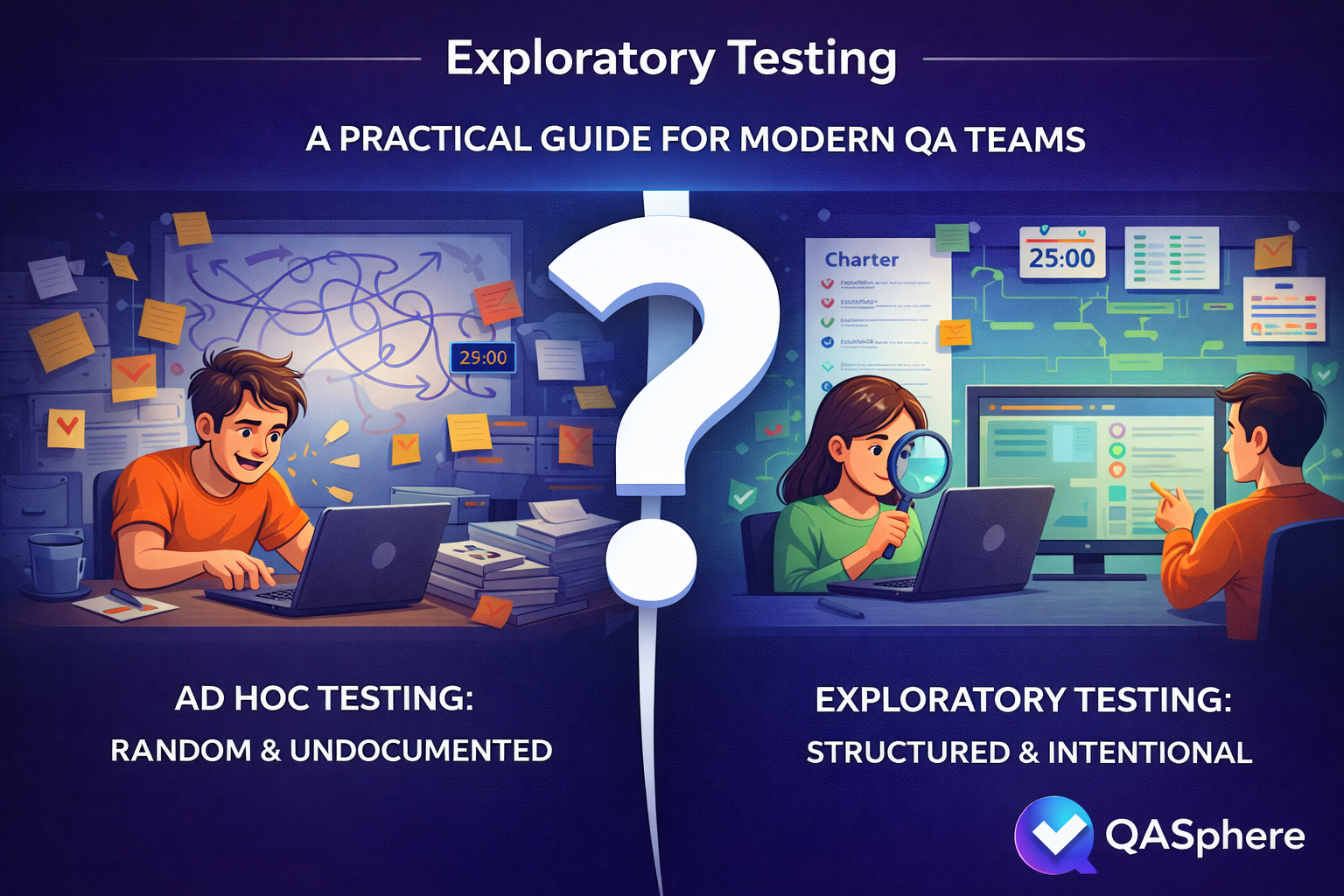
Why Structure Matters: Exploratory vs. Ad Hoc Testing
Before we start, it is worth being precise about what separates a session from simply poking around. Teams often use "exploratory testing" and "ad hoc testing" interchangeably. They are not the same thing, and the difference is exactly what the four stages below are for.
| Ad hoc testing | Exploratory testing | |
|---|---|---|
| Goal | None defined | Clear objective tied to a risk or feature |
| Scope | Whatever catches attention | Focused area, defined in a charter |
| Time | Open-ended | Time-boxed sessions |
| Evidence | Rarely captured | Notes, observations, linked defects |
| Follow-up | Usually none | Debrief, new test cases, regression candidates |
| Repeatability | Hard to explain or reproduce | Session structure makes it reviewable |
The difference matters. Random clicking may find a bug. Exploratory testing builds knowledge.
Step 1: Write a Narrow Charter
Your charter is the mission for the session. Keep it specific.
Good charter:
- Explore password reset on mobile after link expiration and interrupted network conditions
Weak charter:
- Test authentication
The weak version is the single most common way a session fails before it starts. "Test authentication" sends a tester bouncing between login, signup, password reset, session expiry, and social auth for ninety minutes, producing a handful of vague observations and no real findings. A practical charter usually answers four questions:
- What area are we exploring?
- What setup or data do we need?
- What risks are we probing?
- What are we trying to learn?
Here is the charter for our example:
Charter: Explore password reset behavior for expired links on mobile
Setup: Staging environment, test inbox, slow network profile, existing user with known credentials
Focus: Error handling, redirect behavior, token expiration, repeated attempts
Goal: Discover broken state transitions, unclear messaging, and recovery gaps
Note how much is decided here and how much is deliberately left open. The area, the setup, and the risks are fixed. What we actually do inside that space is not.
Step 2: Set a Timebox
Exploratory testing works better when sessions are intentionally limited. James and Jonathan Bach formalized this idea with Session-Based Test Management (SBTM), where the core unit of work is a "session" — an uninterrupted block of chartered test effort. A useful session length is typically thirty to ninety minutes: long enough to investigate meaningfully, short enough to stay sharp.
For our password reset charter, we plan two 45-minute sessions. The first focuses on expired link handling and error messages. The second focuses on repeated reset attempts and what happens when the network drops mid-flow.
If a session needs several hours, the scope is probably too broad. Split it into smaller charters.
Step 3: Take Notes While You Test
Do not trust memory. As you work through the session, capture:
- What you tried
- What data or environment you used
- What seemed wrong or surprising
- What defect or question was created
- What deserves follow-up coverage later
Here is what notes from the first password reset session actually look like:
Session 1 — Expired link handling (45 min)

[0:00] Started on staging, iOS Safari. Requested reset for testuser@example.com.
[0:04] Clicked link immediately — works fine. New password accepted.
[0:08] Requested new link, waited 11 minutes for token to expire.
[0:09] Clicked expired link — got HTTP 200 with the reset form instead of an error.
       Form renders, accepts input, then fails silently on submit. No error shown.
       ** BUG: Expired token serves the form instead of rejecting at the redirect **
[0:18] Tried requesting 5 reset links in quick succession.
       All 5 arrive. Only the last one should be valid, but link #3 also worked.
       ** BUG: Previous tokens not invalidated when a new one is issued **
[0:30] Toggled airplane mode right after tapping submit on new password.
       Spinner runs forever. No timeout, no retry prompt, no offline message.
       ** OBSERVATION: No network error handling on the reset confirmation screen **
[0:40] Attempted reset with mixed-case email. Received "user not found."
       ** QUESTION: Is email matching case-sensitive? Check with dev. **
[0:45] End of session.

Summary: 2 bugs, 1 UX gap, 1 question for the team.
Two things are worth noticing about these notes. First, they are rough — timestamps, fragments, shorthand markers. The point is not perfect documentation; it is preserving the learning so the debrief has something concrete to work with. Second, the markers do real work: ** BUG **, ** OBSERVATION **, and ** QUESTION ** sort the findings into three different follow-up paths before the session even ends.
Notice also how the session drifted productively. The charter said "expired links," but the tester followed a hunch into token invalidation and then into offline behavior. Both were in scope under "broken state transitions" and both produced findings. That adaptive movement is the whole point.
Step 4: Debrief and Decide
A good session should produce something useful even if it finds no bugs. Debrief the session and decide:
- Did we learn enough, or do we need another session?
- Should any findings become formal test cases?
- Should any path be added to regression coverage?
- Are there requirements or assumptions that need clarification?
For our password reset example, the debrief produced three outcomes. The expired-token bug was filed immediately as a high-priority defect. The token-invalidation bug was linked to the authentication epic. And "test reset flow under poor network conditions" was added as a permanent regression case, because no one had thought to cover it before.
One caution about how you judge a session at this stage: do not measure success by bug count alone. A careful session that finds zero bugs but confirms the hardest workflow path works correctly across three user roles and two data configurations has given the team real confidence before release. Bugs are one output. Clarified behavior, exposed weak requirements, confirmed stability in risky areas, and new regression candidates all count too.
This is where exploratory testing stops being individual intuition and becomes team knowledge.
Keeping Exploratory Work Traceable
The biggest risk with exploratory testing is not the testing itself — it is what happens afterward. Findings scatter across sticky notes, screenshots, Slack threads, and disconnected bug tickets. Within a week, half the context is gone.
A test management system solves this by giving exploratory sessions the same operational structure as scripted testing: charters stored as test cases, sessions organized into runs, findings linked to issues, and results tied back to requirements. If your team uses QA Sphere, the workflow looks like this:
- Write charters as test cases. Use the description for the mission, preconditions for setup, and steps for focus areas. Link the relevant requirement if the charter is tied to a user story. Your exploratory charters live in the same test case library as your scripted cases.
- Create a dedicated test run. Group your charters into a focused run using the test run builder with a title, assignee, and milestone so every session has a clear owner and scope.
- Capture findings during execution. Update status (passed, failed, blocked), log time spent, and save observations as result comments while the context is fresh.
- Link defects without leaving the session. Create or attach Jira, GitHub, or Linear issues directly from the test result through the issue tracker integration. Developers get full context, and QA keeps a clean trail between the test and the bug.
- Review in debrief and promote coverage. After the session, decide what becomes a permanent regression case, what needs a follow-up charter, and which requirement gaps need team discussion. Because results are linked to requirements and issues, stakeholders can later ask which risky areas were explored, which failures are blocking release, and which exploratory findings turned into linked defects.
This is where exploratory testing stops looking informal and starts looking operationally mature. The testing finds the unknowns. The system makes sure they stay found.
Further Reading
If you want to go deeper into exploratory testing, these are worth your time:
- James Whittaker, Exploratory Software Testing (Addison-Wesley, 2009) — a practical book organized around "tours," a metaphor for systematically exploring different dimensions of an application.
- James and Jonathan Bach, Session-Based Test Management — the original paper on SBTM, which formalizes how to structure, track, and debrief exploratory sessions.
- Michael Bolton, DevelopSense blog — Bolton writes extensively on the distinction between testing and checking, and on how exploratory and scripted approaches relate to each other.
- Maaret Pyhäjärvi, Exploratory Testing Index — an organized index of hundreds of posts on exploratory testing from a practitioner with over 25 years of experience.
Final Thoughts
One session. One charter, one timebox, one page of notes, one debrief. That structure took a vague sense that password reset "felt fragile" and turned it into two filed defects, one documented UX gap, one requirements question, and one new permanent regression case — in 45 minutes.
That is what the four stages buy you. Not ceremony, and not a script: just enough structure that the investigation stays focused while you test, and enough evidence that the findings survive after you stop.
If your exploratory sessions are still spread across notebooks, screenshots, and disconnected bug tickets, consider giving them the same structure you give scripted tests: charters, runs, linked issues, and traceable results. For the wider set of techniques to explore with — tours, heuristics, pairwise, error guessing — see our exploratory testing techniques and tools guide.

Written by
QA Sphere TeamThe QA Sphere team shares insights on software testing, quality assurance best practices, and test management strategies drawn from years of industry experience.