
The Allure TestOps alternative for teams who test more than they automate
Allure TestOps is a strong home for CI pipelines and automated results. QA Sphere is manual-first test management with built-in AI at $12/user/month — a third of Allure’s entry price, with a permanent free tier and a 30-day trial.
- $12/user/month vs $39/user/month entry — plus a free tier Allure TestOps doesn’t offer
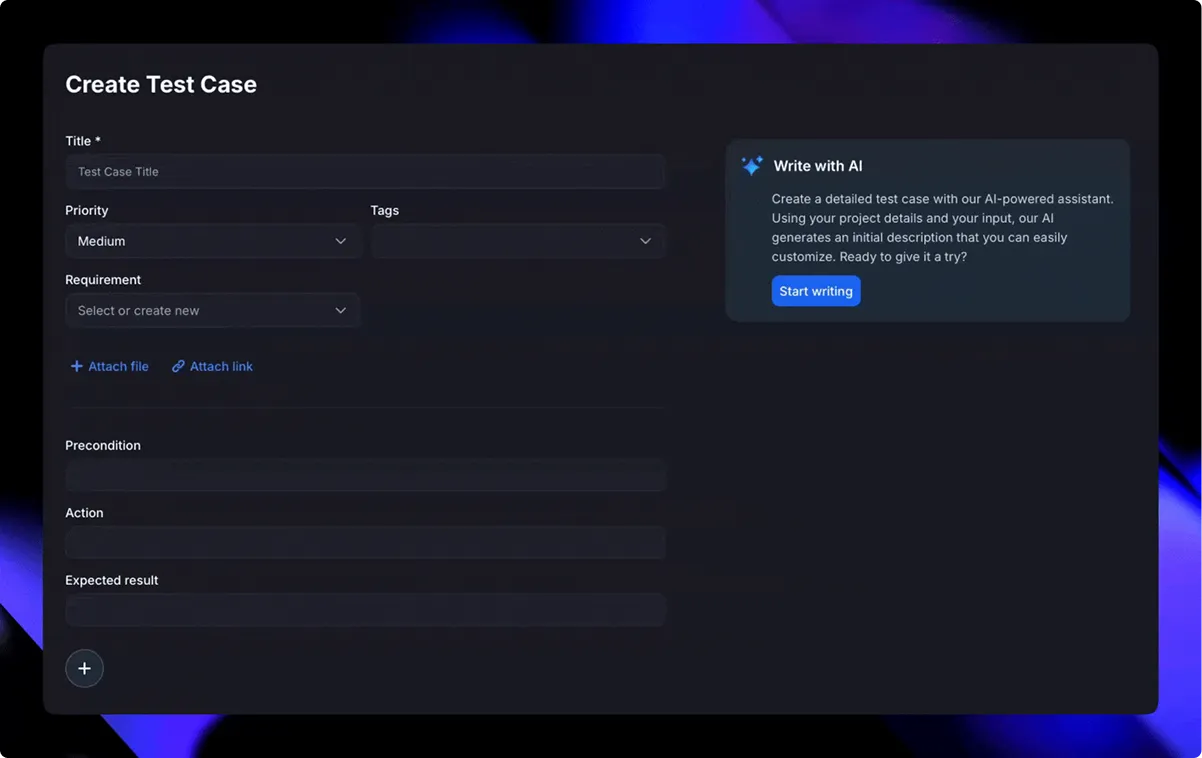
- AI test writing, bulk generation, and screenshot conversion on every plan — Allure has no AI authoring
- 2FA and Google sign-in built in — no self-hosted SSO configuration required
Integrated with your favorite tools including:





Compare QA Sphere vs Allure TestOps
Allure TestOps data last verified July 2026
Feature comparison: QA Sphere vs Allure TestOps
- Pricing1
- Write test cases with AI2
- Bulk AI test case generation3
- AI test cases from screenshots3
- AI-assisted issue reporting4
- API & rate limits5
- Storage6
- Sign up with Google7
- 2FA7
- Read-only seats8
- Official MCP server9
- Test case setup & cloning3
- Issue tracker integration4
- Built-in reporting & analytics10
- Automation support / CI integration11
- Parameterized test support12
- Customization options13
- User roles & permissions14

- Pricing:Starts at $12/user/month, free tier for up to 3 users
- Write test cases with AI:Yes
- Bulk AI test case generation:Yes – bulk import and creation
- AI test cases from screenshots:Yes – screenshot to test case conversion
- AI-assisted issue reporting:Yes – AI-powered issue detection
- API & rate limits:REST API, 300 requests/minute in all plans
- Storage:200 GB Standard plan, 1000 GB Business plan
- Sign up with Google:Yes
- 2FA:Yes
- Read-only seats:Free – unlimited read-only users
- Official MCP server:Yes
- Test case setup & cloning:Yes – flexible folder & tags system
- Issue tracker integration:GitHub, Jira + custom integrations
- Built-in reporting & analytics:Yes – automated coverage, traceability
- Automation support / CI integration:Via API/CLI
- Parameterized test support:Yes – variables
- Customization options:Yes – filters, views, reports
- User roles & permissions:5 roles
- Allure TestOps
- Pricing:$39/user/month (Cloud, 1–30 users), volume discounts from 31 usersAnnual billing saves 10%; self-hosted requires 5 users and a 3-month minimum term
- Write test cases with AI:No – “Smart Test Cases” generate docs from code annotations, not AI
- Bulk AI test case generation:No – bulk creation via API onlyCSV import removed from the UI in v25.3.4
- AI test cases from screenshots:Not documented
- AI-assisted issue reporting:No – defects filed manually via tracker integrations
- API & rate limits:Full REST API with Swagger UI; no rate limits documentedDirect result uploads unsupported — must go through allurectl or CI plugins
- Storage:Cloud: up to 60 GB; self-hosted uses your own infrastructureCloud figure from the 2022 Cloud GA announcement; not restated on current pricing
- Sign up with Google:No turnkey Google sign-in – SAML/LDAP/OIDC documented for self-hosted only
- 2FA:No native 2FA documented – MFA only via external IdP on self-hosted
- Read-only seats:Free – Guest role consumes no license
- Official MCP server:Yes – built-in MCP server since 26.1.1 (public beta, 13 tools)Docs note it may be subject to additional fees in future releases
- Test case setup & cloning:Yes – steps, shared steps, preconditions, tags, cloning
- Issue tracker integration:Yes – Jira, GitHub Issues, GitLab Issues, YouTrack, Bitbucket, and more
- Built-in reporting & analytics:Yes – widget dashboards and AQL query languageWidgets default to the last 14 days of data
- Automation support / CI integration:Yes – allurectl CLI, native Jenkins/GitHub Actions/GitLab CI, 100+ frameworks
- Parameterized test support:Yes – automated and manual parameters
- Customization options:Custom fields limited to select lists, defined by global adminsNo custom workflow or status engine documented
- User roles & permissions:Fixed global and project roles – no custom role builder
Sources
- https://qameta.io/cloud-pricing — verified 2026-07-09
- https://qameta.io/blog/smart-test-cases/ — verified 2026-07-09
- https://docs.qameta.io/allure-testops/briefly/test-cases/ — verified 2026-07-09
- https://docs.qameta.io/allure-testops/integrations/ — verified 2026-07-09
- https://docs.qameta.io/allure-testops/advanced/api/ — verified 2026-07-09
- https://qameta.io/blog/allure-testops-cloud-is-generally-available-to-all-dev-teams/ — verified 2026-07-09
- https://docs.qameta.io/allure-testops/configuration/authentication/ — verified 2026-07-09
- https://help.qameta.io/support/solutions/articles/101000435988-how-to-understand-what-is-the-number-of-licenses-we-need — verified 2026-07-09
- https://docs.qameta.io/allure-testops/howto/mcp/ — verified 2026-07-09
- https://docs.qameta.io/allure-testops/briefly/dashboards/ — verified 2026-07-09
- https://docs.qameta.io/allure-testops/integrations/jenkins/ — verified 2026-07-09
- https://docs.qameta.io/allure-testops/briefly/test-cases/manual-parameters/ — verified 2026-07-09
- https://docs.qameta.io/allure-testops/briefly/test-cases/custom-fields/ — verified 2026-07-09
- https://docs.qameta.io/allure-testops/briefly/members/ — verified 2026-07-09
Why teams switch from Allure TestOps
If your team lives in CI pipelines and Allure Report, TestOps is a genuinely strong fit. But teams whose day-to-day is manual test management tell us these are the reasons they switch.
$39 per user, with no free tier to fall back on
Allure TestOps Cloud starts at $39/user/month, discounts only kick in past 30 users, and annual billing saves just 10%. Self-hosting still costs $39/user with a 5-user minimum and a 3-month term. There is no permanent free plan — only a 14-day trial. QA Sphere’s Standard plan is $12/user/month, and the free tier covers teams of up to 3.
No AI helps you write tests
Allure’s “Smart Test Cases” generate documentation deterministically from code annotations — useful for automation, but not AI authoring. QA Sphere builds AI test writing, bulk generation from requirements, and screenshot-to-test-case conversion into every plan, with no credit metering.
Manual testing rides in the back seat
Allure TestOps is designed around ingesting automated results — allurectl, CI jobs, 100+ frameworks. Manual test management exists but is secondary to that pipeline. QA Sphere puts manual test authoring, runs, and review first, with automation results ingested via API and CLI.
Turnkey authentication is missing
SAML, LDAP, and OpenID Connect are documented for self-hosted Allure TestOps only, and you configure them yourself. There is no turnkey Google sign-in and no native 2FA documented. QA Sphere ships Google sign-in and 2FA on every plan, with nothing to configure.
Getting data in and out has friction
Allure removed CSV import from its UI in v25.3.4, pointing teams to an external migration script instead, and direct result uploads through custom API clients are unsupported — you must go through allurectl or CI plugins. Self-hosting adds Docker or Kubernetes operations on top. QA Sphere is a managed service with CSV import and a straightforward REST API.
Want to switch from Allure TestOps?
Migrating from Allure TestOps to QA Sphere
- 1
Export your Allure TestOps data
Export test cases to CSV or PDF from the Allure TestOps UI, or pull them through its full REST API — or send us a sample export and we’ll analyze it with you on a quick call.
- 2
We map and import your data
Our import tooling handles CSVs and API exports. We map your Allure projects and trees to QA Sphere folders and tags, validate the test cases, and perform a secure import.
- 3
Review and go live
You verify everything in QA Sphere, point your CI result uploads at our API, run a smoke suite, and you’re live — with onboarding support at every step.
Teams have migrated libraries of 100,000+ test cases — onboarding support is included at every step.
What comes over
- Test cases with steps and expected results
- Project and tree structure, mapped to folders and tags
- Tags, priorities, and custom fields, mapped together with our team
- CSVs and API exports — we handle them all
“Migrating over 100,000 test cases sounded daunting, but with QA Sphere, it was surprisingly smooth. … Since switching, we’ve seen a real impact: costs are down, team efficiency is up, and test coverage velocity has improved by 10–12%.”
Product Reviews
See what people from different companies say about QA Sphere

Migrating over 100,000 test cases sounded daunting, but with QA Sphere, it was surprisingly smooth. Their onboarding support was solid, and the platform itself is intuitive - our team was up and running in no time. Since switching, we've seen a real impact: costs are down, team efficiency is up, and test coverage velocity has improved by 10–12%. AI test case creation and bug reporting help us move faster without sacrificing quality.
Artur Shevchenko
Director of Engineering @Yalantis

QA Sphere helped us bring structure to our test library and streamline daily QA routines. What stood out was how receptive the team was - some of our feature suggestions are already live and saving us hours of manual work. It's rare to see that kind of collaboration translate so quickly into real improvements.
Dr. Iryna Strubytska
QA Lead @ScanTrust

Using QA Sphere has been a smooth and productive experience. It keeps our test cases organized and makes running tests a lot easier. I appreciate how simple it is to set up and track progress.
Maria C.
QA Teamlead @Fluix

From my experience with QA Sphere, I've found it to be a real booster in test management. Loved the sleek design and efficient feature set. The organized test libraries and scheduling capabilities have helped us maintain a seamless workflow without unnecessary clutter. Definitely a valuable addition to our toolkit!
Dima Panchuk
Co-Founder @Opsenic

Great solution for process that is often overlooked! Nice and intuitive design is what differentiate QA Sphere from other tools on the market.
Oleksandr Buratynskyi
Founder @tTravel and Certified QA Manager

I like clean, minimalistic UI, even being Software Engineer I can see the state of the software clean. Most tools I've user has just unpleasant 90s interface so I avoid them – thus gap between QA and Dev departments. This is high quality product for quality assurance – I wish more such tools for the QA and Dev Engineers!
Dmytro Khainas
CTO @Customsrates

Simple, fast and exactly what we needed for QA. Helps us keep test cases structured and easy to find, reducing time spent on organizing them.
Ivan K.
Co-Founder @GNGR

A good tool for keeping our test runs structured. QA Sphere eliminates the chaos of managing test cases in spreadsheets, improving team collaboration
Lisa B.
Marketing Manager @SimpliDepo

QA Sphere is user-friendly and quite usable at a competitive price.
Maik Nogens
Test Management Expert @Diconium
Deep Dive into QA Sphere Features

Smart Test Case Management
Organize, tag, prioritize—and filter across projects in seconds.

AI‑Powered Workflow
Generate tests and draft bugs automatically. Bulk-create cases from requirements or specs.

Flexible Test Runs
Choose live updates, fixed folder structure, or locked versions—and run parameterized tests to cover diverse scenarios.

Real‑Time Reporting & Traceability
Dashboards show coverage, execution status, team performance, and full traceability.

Seamless Integrations
Link test results to Jira issues, GitHub PRs, or tasks in Asana, Trello, Azure DevOps, Monday.com, ClickUp… you name it.

Fast Import & Scaling
Bulk import via CSV, ideal for migrating from spreadsheets or other tools.
Explore each feature in detail
Frequently asked questions
Export your test cases from Allure TestOps — the UI exports CSV and PDF, and the full REST API gives you access to everything else — then import them with our tooling, or book a migration call and our team will analyze your export, map your project structure with you, and perform a validated import. Teams have moved libraries of over 100,000 test cases this way.
Yes, substantially. Allure TestOps Cloud starts at $39/user/month with volume discounts only above 30 users and a 10% annual discount; self-hosting is also $39/user with a 5-user minimum and a 3-month term. QA Sphere is $12/user/month with a free tier for up to 3 users and unlimited free read-only seats.
No. Allure’s “Smart Test Cases” generate documentation from code annotations deterministically — there is no AI test authoring. QA Sphere includes AI test writing, bulk generation from requirements, screenshot-to-test-case conversion, and AI-assisted issue reporting on every plan, with no credit metering.
For deep CI pipelines, Allure TestOps is stronger — allurectl, native Jenkins, GitHub Actions, and GitLab CI integrations, and support for 100+ frameworks make it excellent at ingesting automated results. QA Sphere ingests automation results via its REST API and CLI, and focuses on being the best place to author, organize, and run tests — especially manual and mixed suites.
Yes. QA Sphere has an official MCP server included in its plans. Allure TestOps added a built-in MCP server in release 26.1.1 — it is in public beta with 13 tools, and Allure’s docs note it may be subject to additional fees in future releases.
No. Allure TestOps offers a 14-day trial but no permanent free tier. QA Sphere has a free plan for up to 3 users and a 30-day free trial with no credit card required — enough time to import a sample of your Allure export and see how your library looks.
QA Sphere includes 2FA and Google sign-in on all plans. Allure TestOps documents SAML, LDAP, and OpenID Connect for self-hosted deployments only, configured by your team, with no turnkey Google sign-in and no native 2FA documented — multi-factor login requires an external identity provider.
Choose the Right Plan
Free
$0 mo
What's included?
Core features, up to 3 users— onboard easily, zero risk.
No credit card required
Standard
$12 user/mo
What's included?
Unlock AI, advanced analytics, audit logs.
No credit card required
Enterprise
Custom
What's included?
Add SSO, compliance modules, SLA support.
Talk to salesTailored to your organization
Ready to Switch?
Start your QA Sphere trial—no card needed.