
How to Write Effective Test Cases + Templates

Standard Test Case Format Template
Most teams follow a similar test cases format template. While fields may vary, the core structure stays the same.
Field | Description |
|---|---|
Test Case ID | Unique identifier |
Title | What is being tested |
Preconditions | Required setup |
Test Steps | Step-by-step actions |
Test Data | Input values |
Expected Result | Expected behavior |
Actual Result | Observed behavior |
Status | Pass or Fail |
Sample Test Case Template Example
Below is a sample test case template example for a login feature.
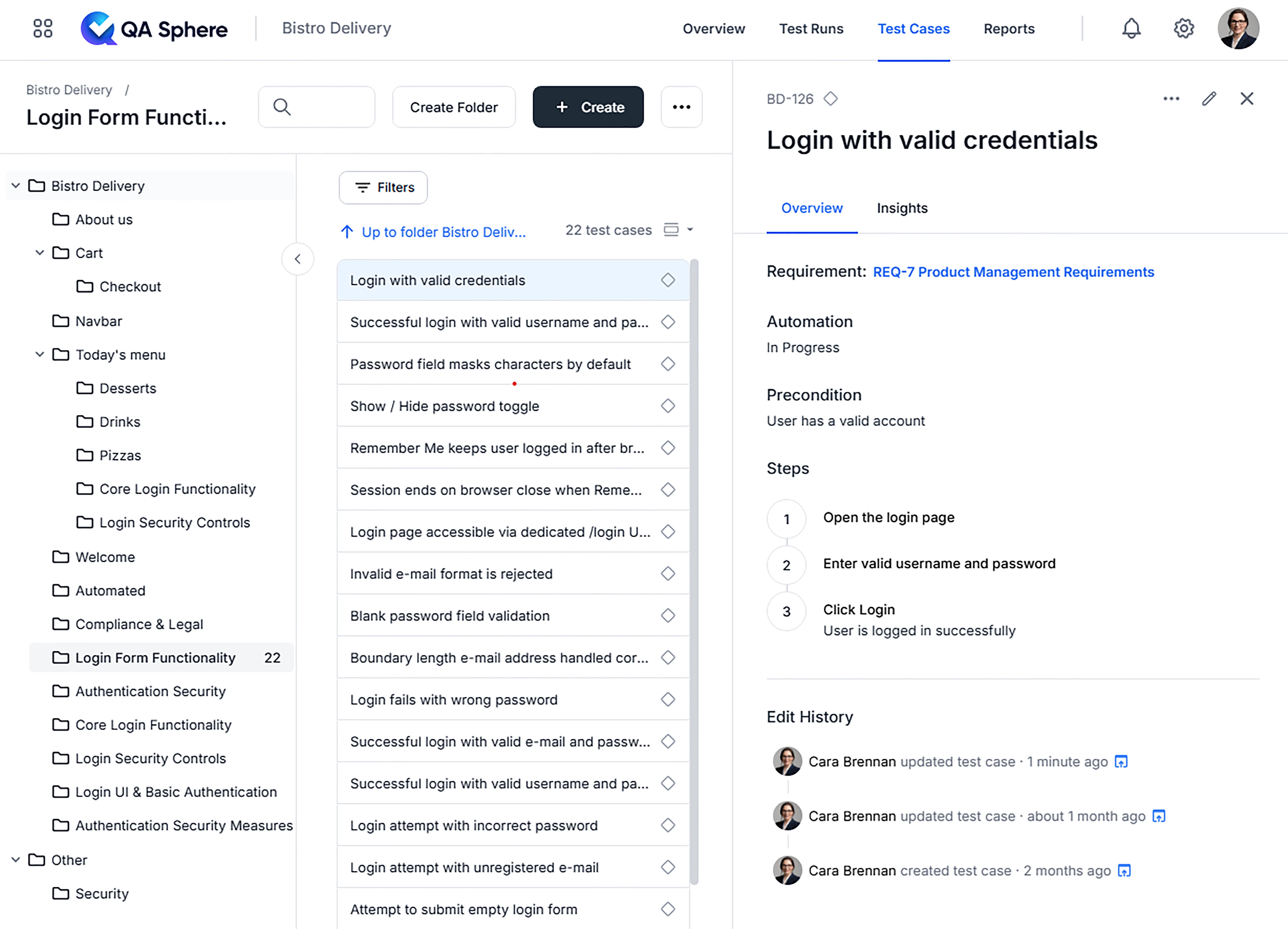
Test Case ID: TC_LOGIN_001
Title: Login with valid credentials
Preconditions: User has a valid account
Steps:
1. Open the login page
2. Enter valid username and password
3. Click Login
Expected Result: User is logged in successfully
And this is how a similar test case looks in a test management system:
Test Case Template Excel (XLS)
The test case template Excel format is one of the most widely used approaches due to its simplicity and flexibility. Teams typically organize multiple test cases in a single spreadsheet, with each row representing one test case and columns for fields like ID, title, steps, expected results, and status.
Download Excel Test Case Template (.xlsx)
While Excel works well for small projects, it becomes harder to manage as your test suite grows. Version control, collaboration, and tracking test execution history across releases can quickly become challenging with spreadsheet-based approaches.

Written by
QA Sphere TeamThe QA Sphere team shares insights on software testing, quality assurance best practices, and test management strategies drawn from years of industry experience.