
10 Best Test Management Tools in 2026. Pros, Cons, Pricing

5. Qase - Best User Experience
Qase is a standalone test management platform that consistently wins praise for its clean, intuitive interface. If you've been frustrated by clunky legacy tools, Qase feels like a breath of fresh air.
Key Features
- Modern, polished UI with minimal learning curve
- AI-powered features via AIDEN credits (test generation and optimization)
- 35+ integrations including Jira, GitHub, Redmine, Trello
- Requirements management and traceability
- REST API and webhooks
- Affordable read-only seats ($2–5/month)
Pricing
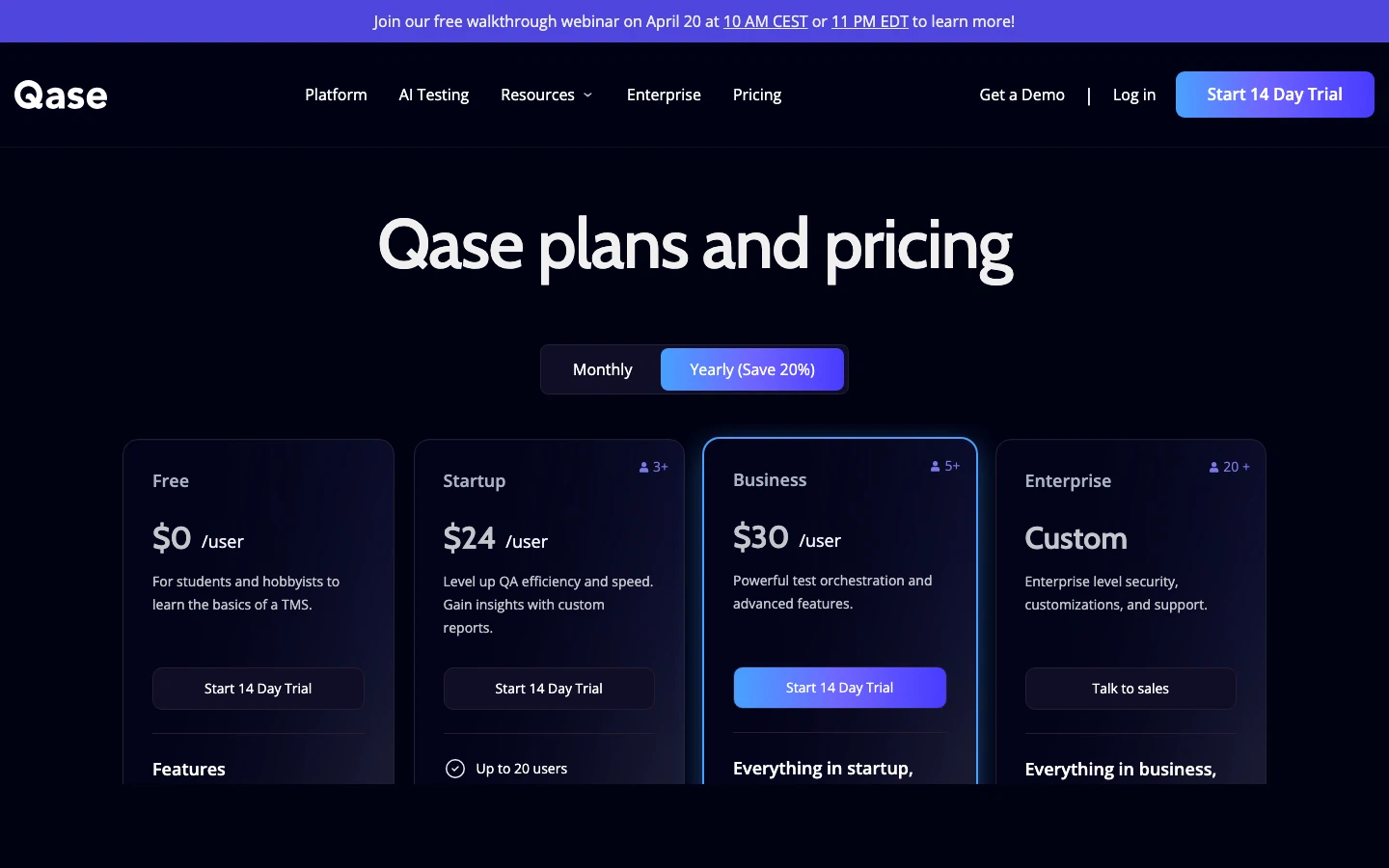
Free: $0 (3 users, 2 projects). Startup: $24/user/month. Business: $30/user/month. Enterprise: custom.
Pros
- One of the best UIs in the test management category
- AI features via AIDEN credits
- Responsive customer support
- Good API and webhook ecosystem
Cons
- Free tier very limited (2 projects only)
- Mid-to-high pricing ($24–30/user/month)
- AI credits are consumed per action and limited by plan
- History retention limited on lower tiers
Bottom line: If user experience is your #1 priority and you want a standalone tool with AI capabilities, Qase is a strong pick. The pricing is higher than QA Sphere, but the polish is undeniable.
6. PractiTest - Best for Enterprise ALM
PractiTest is more than a test management tool - it's a full application lifecycle management (ALM) platform. If your organization needs requirements management, test management, and issue tracking unified under one roof, PractiTest is purpose-built for that.
Key Features
- Five integrated modules: requirements, test library, test sets/runs, issues, reports
- SmartFox AI for test generation, duplicate detection, and execution strategy
- Multi-bug-tracker support (Jira + ClickUp + Azure DevOps simultaneously)
- Automated report generation with external sharing
- Full end-to-end traceability and compliance support
Pricing
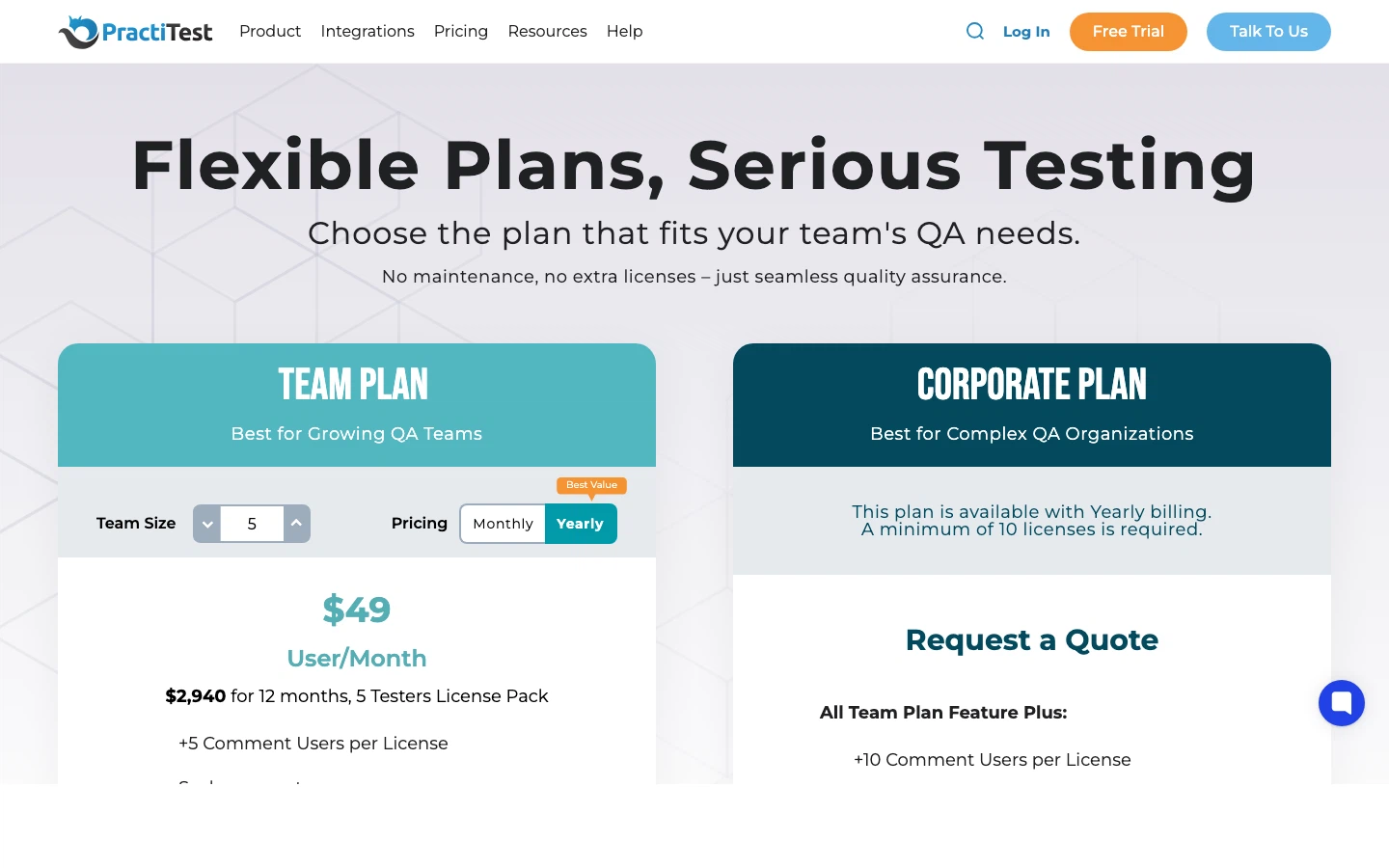
Team: ~$49/user/month. Corporate: custom. Free trial available.
Pros
- Comprehensive ALM: requirements through deployment
- Strong AI features via SmartFox
- Connects to multiple bug trackers simultaneously
- Excellent for compliance-heavy industries
Cons
- Expensive at ~$49/user/month
- Steeper learning curve - complexity comes with coverage
- Can feel heavyweight for smaller teams
Bottom line: The right choice for mid-to-large enterprises that need full lifecycle management, not just test cases. Particularly strong in regulated industries where traceability is mandatory.
7. Testmo - Best for Unified Manual + Exploratory Testing
Testmo takes a unified approach: manual testing, exploratory testing, and automated testing all live in one platform. Its session-based exploratory testing feature is one of the best implementations in the market.
Key Features
- Unified manual, exploratory, and automated testing
- Session-based exploratory testing with structured capture
- Very fast, responsive UI
- Integrations with Jira, GitHub, GitLab, CI/CD tools
- Customizable workflows, folders, tags, and custom fields
Pricing
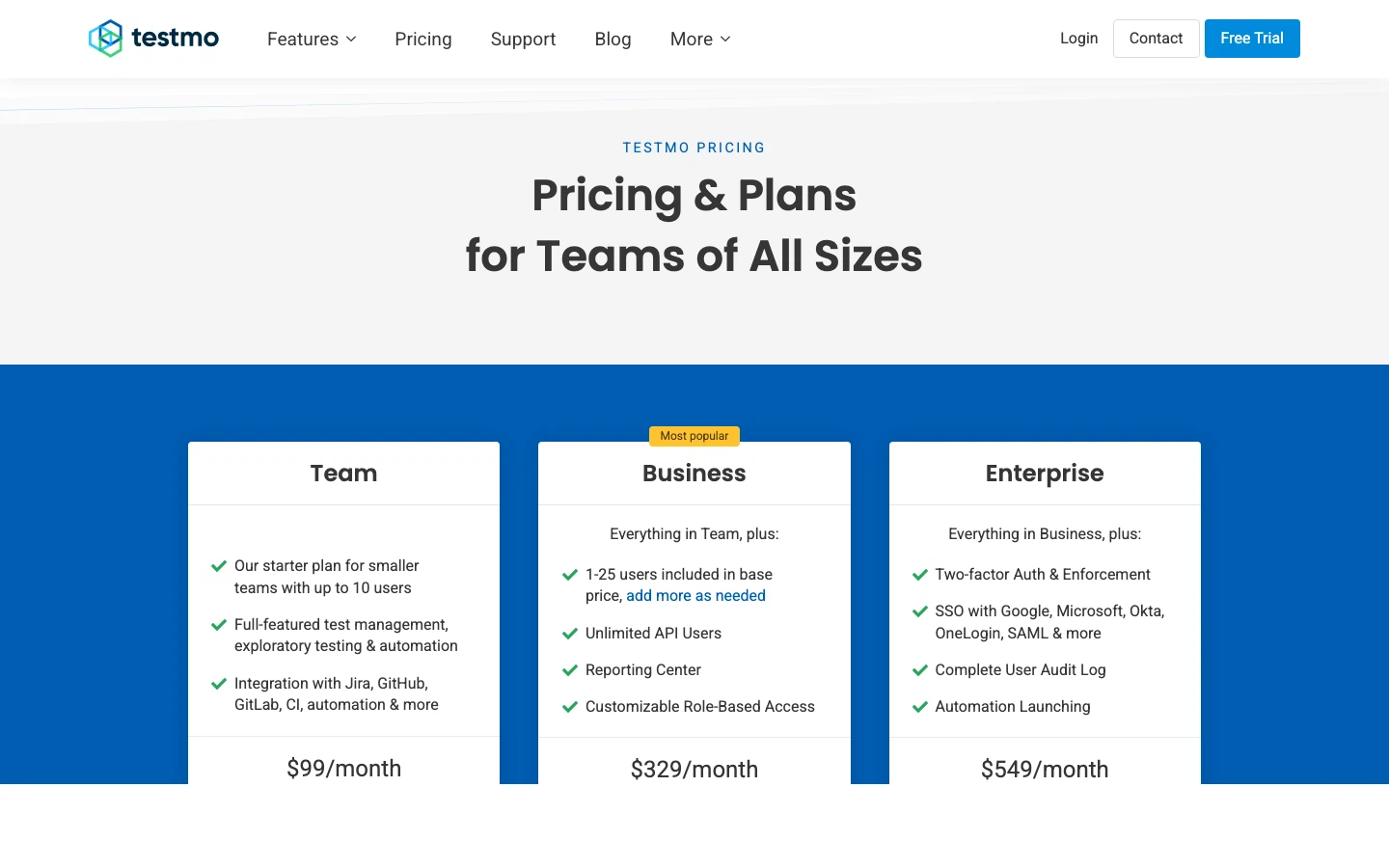
Team: $99/month (10 users). Business: $329/month (25 users). Enterprise: $549/month (25 users + SSO).
Pros
- Best-in-class exploratory testing support
- Lightning-fast UI
- Good per-user value at the Team tier (~$9.90/user)
- Clean, unified approach to all testing types
Cons
- No free tier
- No on-premise option
- Limited AI capabilities compared to newer tools
- Smaller ecosystem and community
Bottom line: If your team does a significant amount of exploratory testing alongside scripted tests, Testmo's unified approach saves time and prevents tool sprawl.

Written by
QA Sphere TeamThe QA Sphere team shares insights on software testing, quality assurance best practices, and test management strategies drawn from years of industry experience.