

November '26: 26W46
Release Notes for QA Sphere 26W46 update
New Features
-
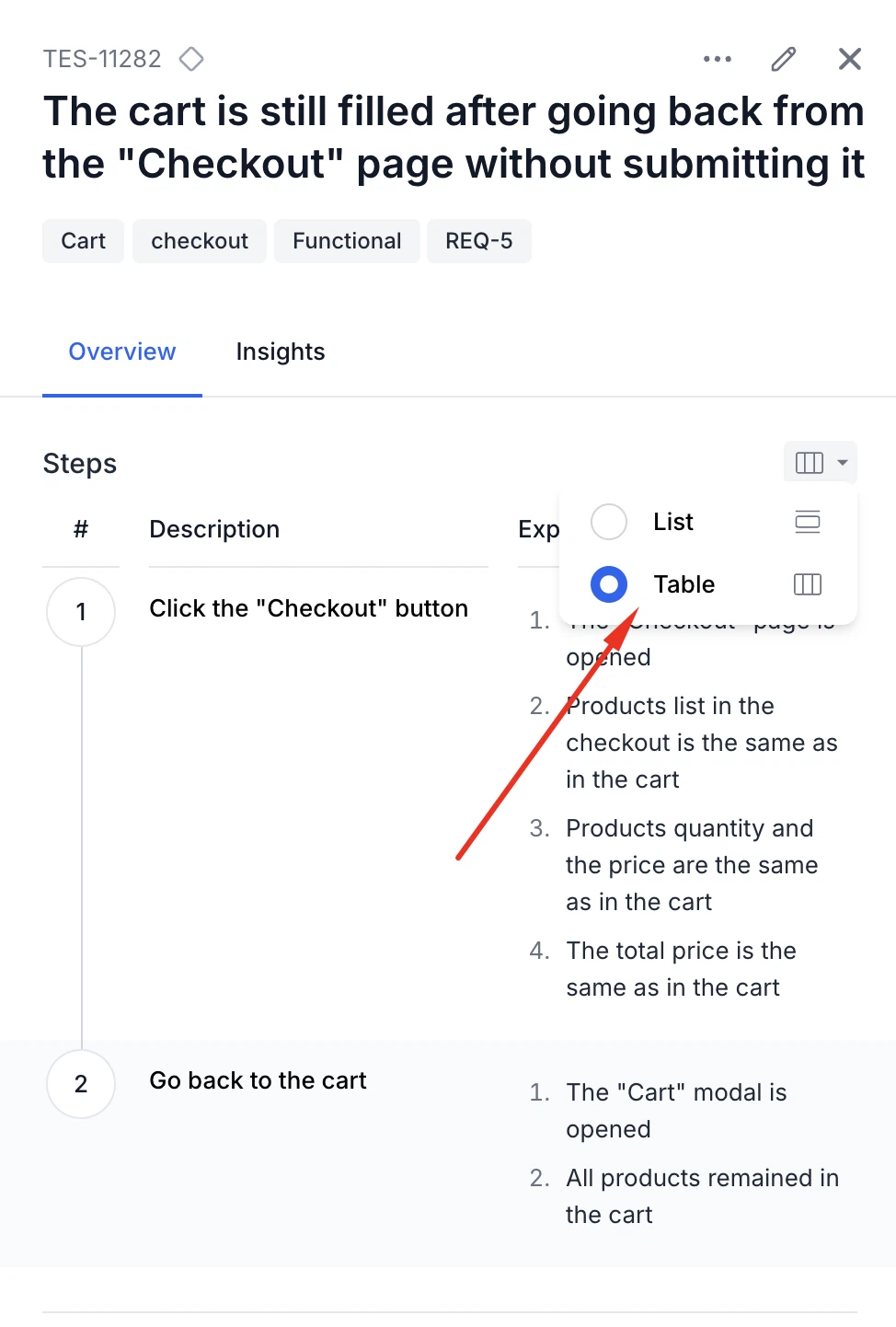
Table View for Test Case Steps
Added an alternative table layout for test case steps, displaying each step alongside its expected result in a separate column for easier reading.
-
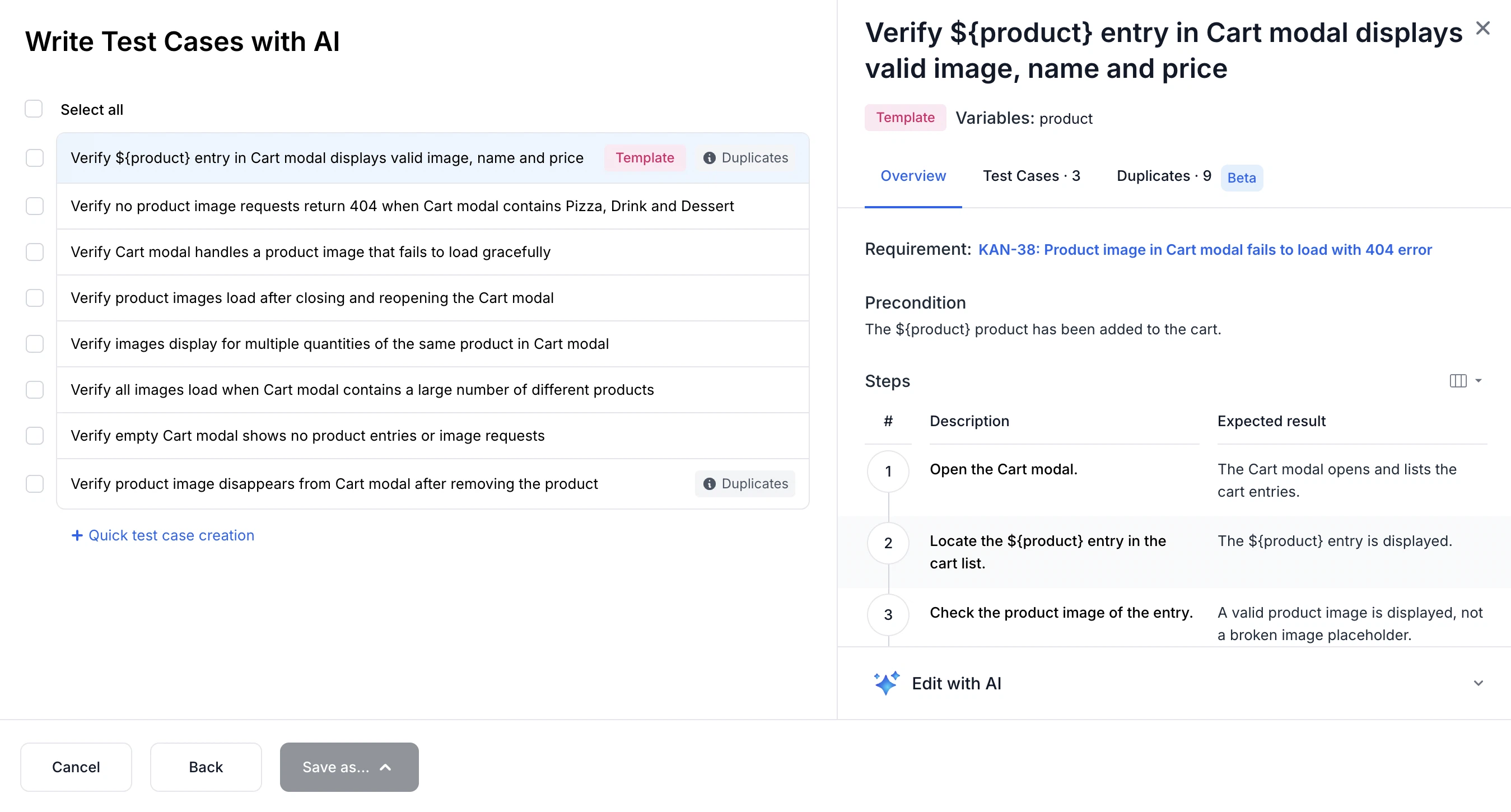
AI-Generated Template Test Cases
Bulk Write with AI now generates template test cases with variable placeholders and sets of values when the same scenario repeats with different data. You can disable template generation in Ask AI or through AI rules.
-
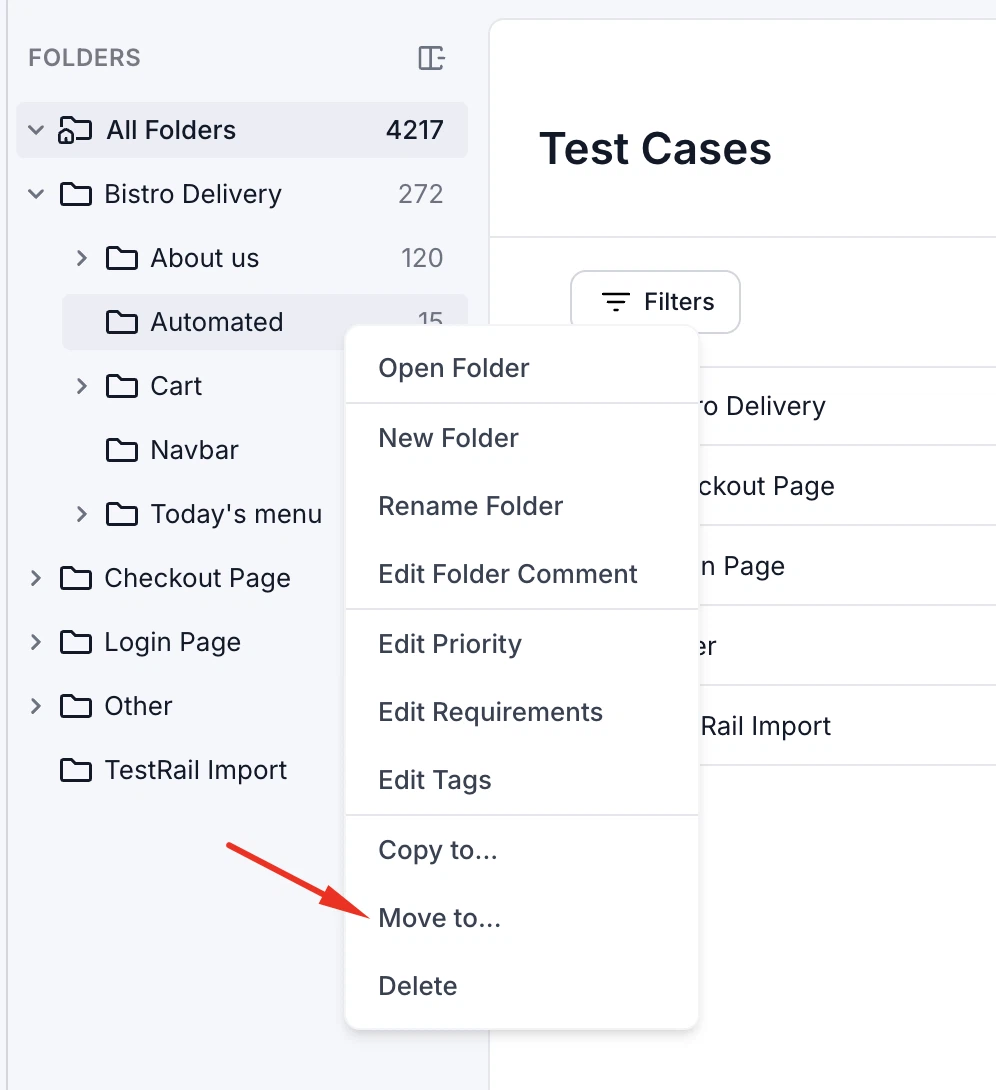
Move Folders Between Projects
You can now move folders to another project instead of copying them. The originals are moved to the source project's trash, so you can restore them if needed.
-
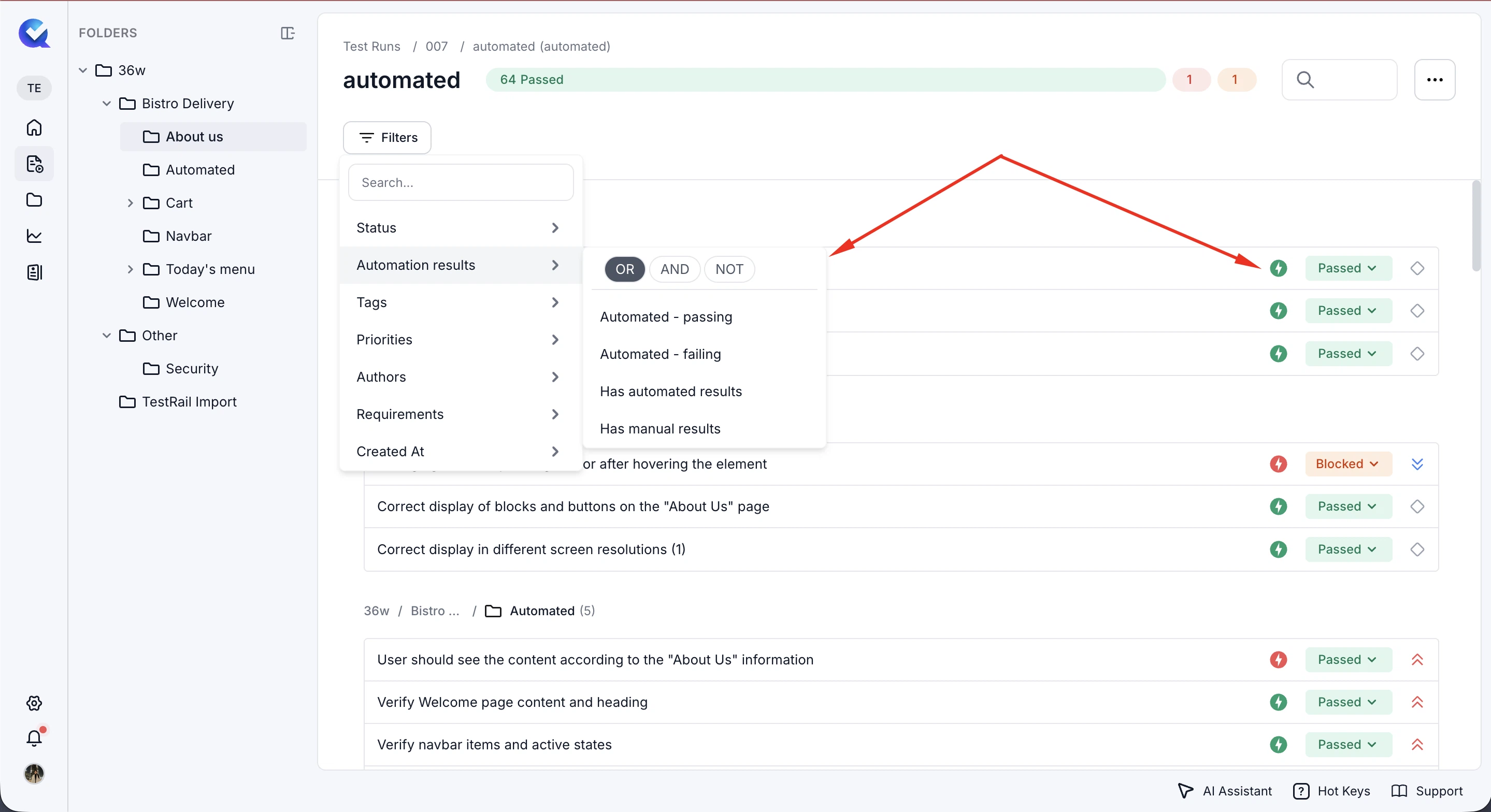
Automation Results Filter and Status
You can now filter test runs by automated results, including Passed, Failed, and whether test cases have automated or manual results. Automation icons now use different colors to indicate the latest automated result and remain visible even when a manual result is added afterward.
-
Improved Audit Logs for User Management
Audit logs now record admin actions performed on other users, including account deletion, suspension or reactivation, role changes, and project access updates. This provides better visibility into user management activities.
-
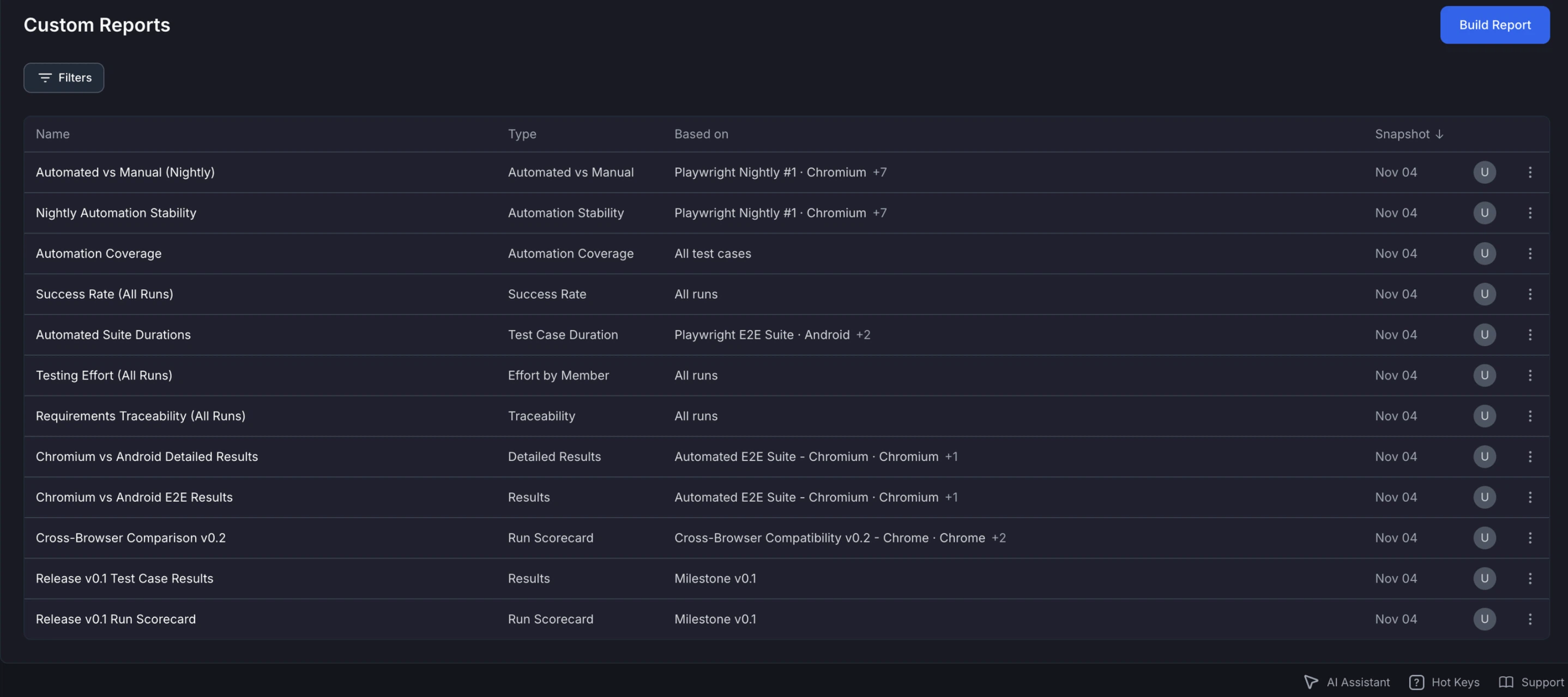
Improved Reports List
The Reports list now displays each report's type and the milestones, test runs, or date range it is based on. You can also sort reports by snapshot date and view more details about the data behind each report without opening it.
-
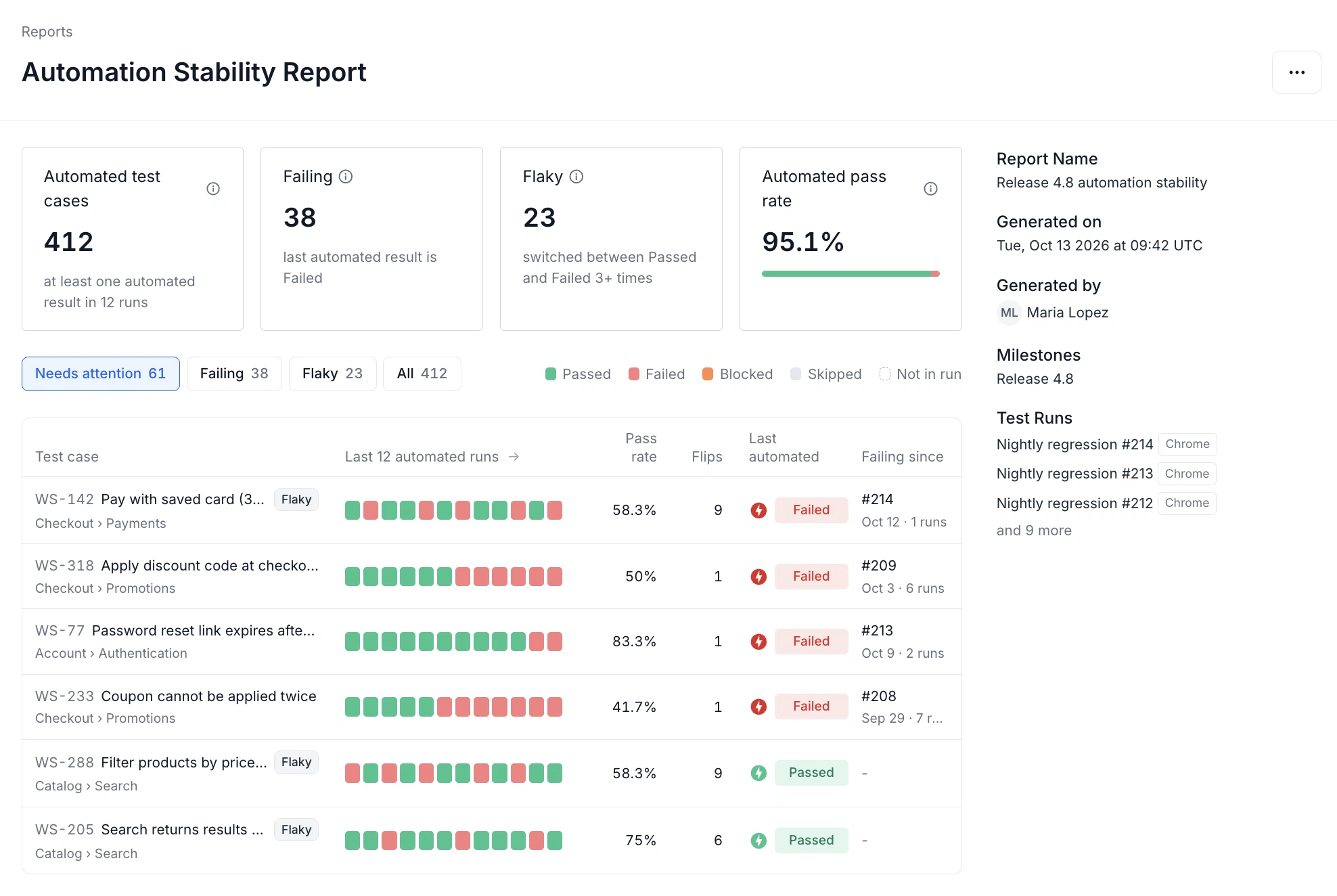
Automation Stability Report
Added a new report that helps identify flaky automated tests. It shows the last 15 automated results for each test case, pass rate, status changes between Passed and Failed, and when a test started failing. Tests with three or more status changes are marked as flaky.
-
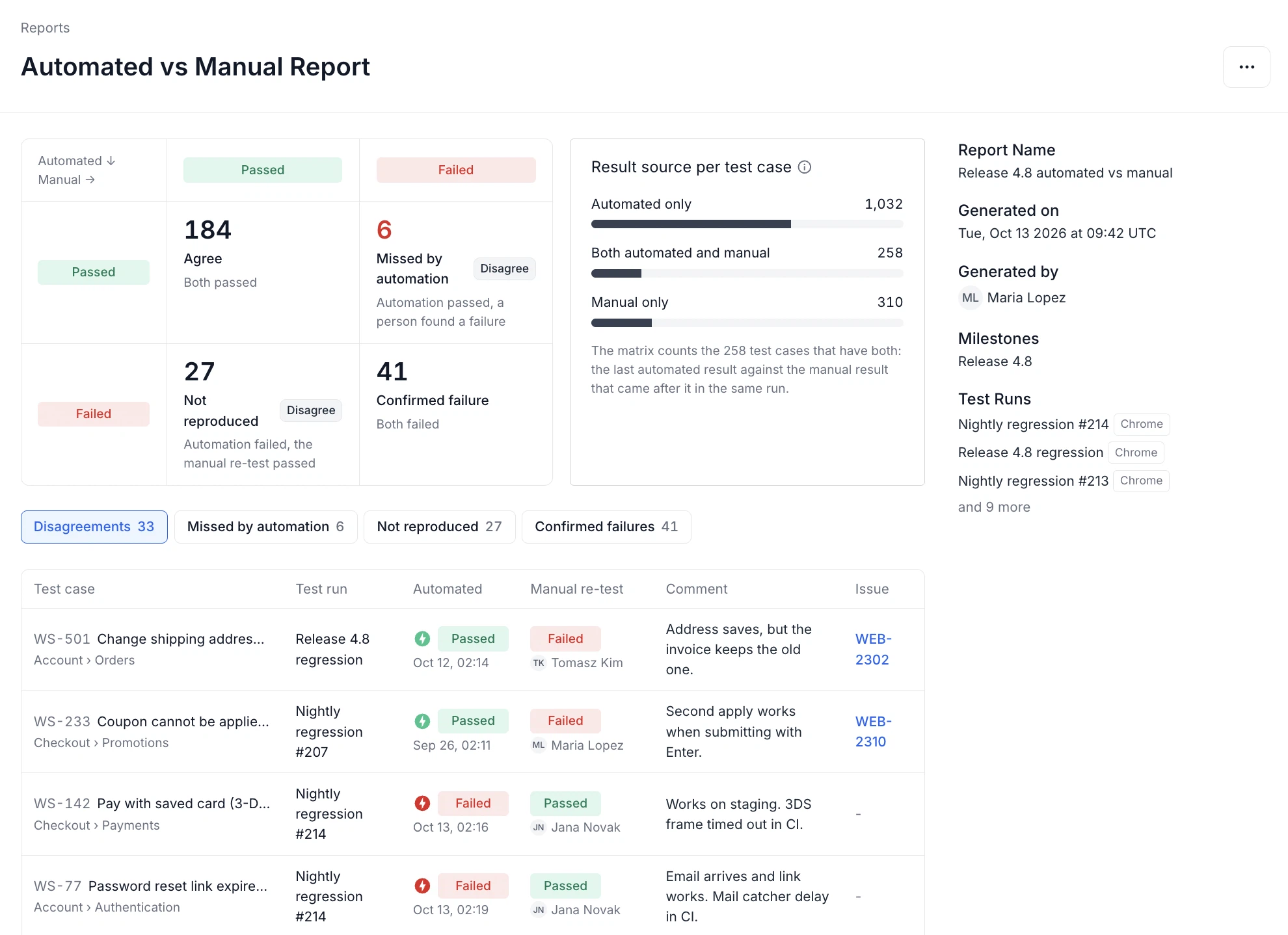
Automated vs Manual Report
Added a new report that compares manual test results with the automated results recorded before them. It highlights where both results agree, where automation missed a failure, and where an automated failure could not be reproduced manually.
-
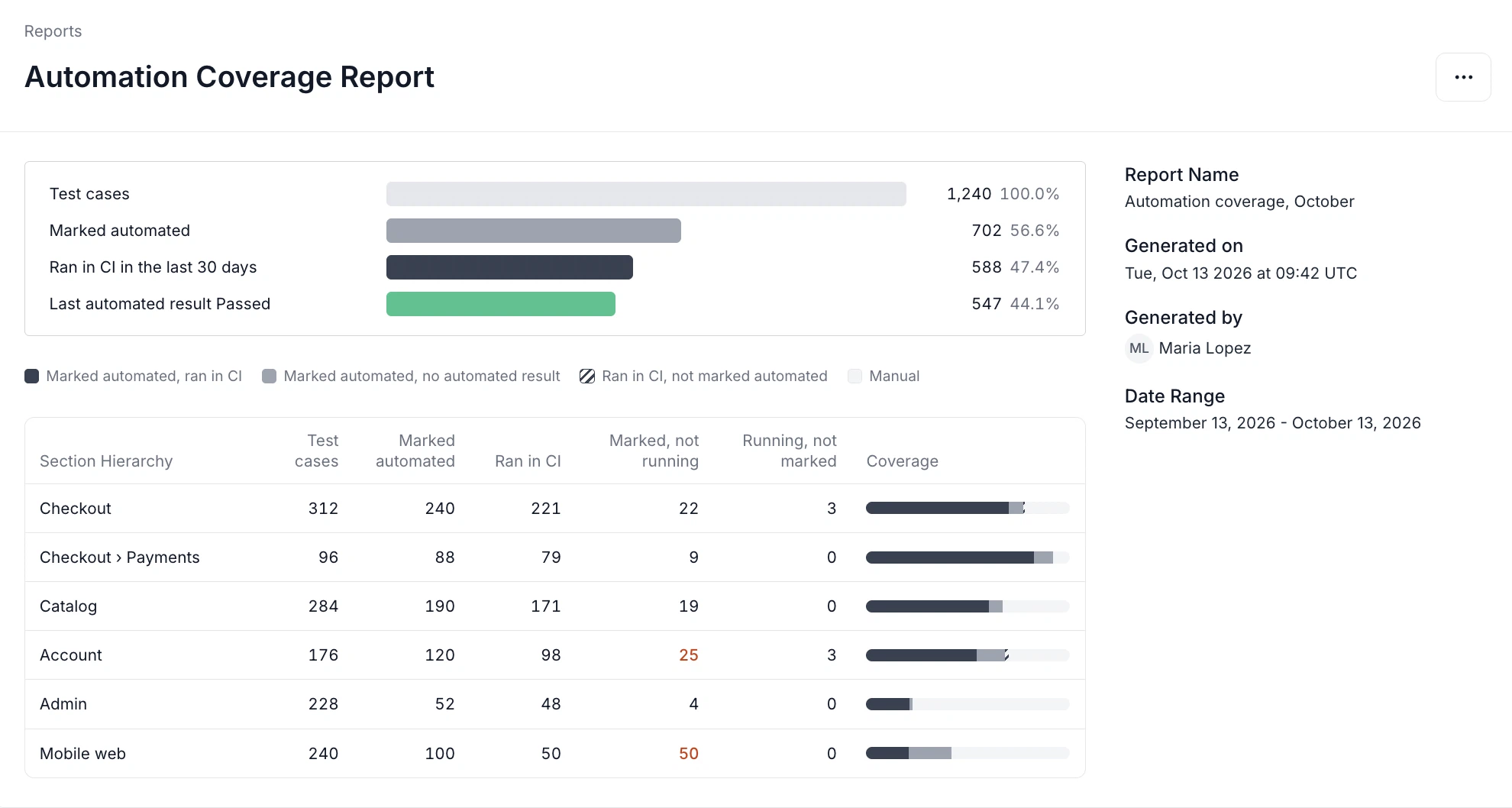
Automation Coverage Report
The updated Automation Coverage report compares planned and actual automation per folder: tests that ran in CI, tests marked as automated but not running, and tests running but not marked.
-
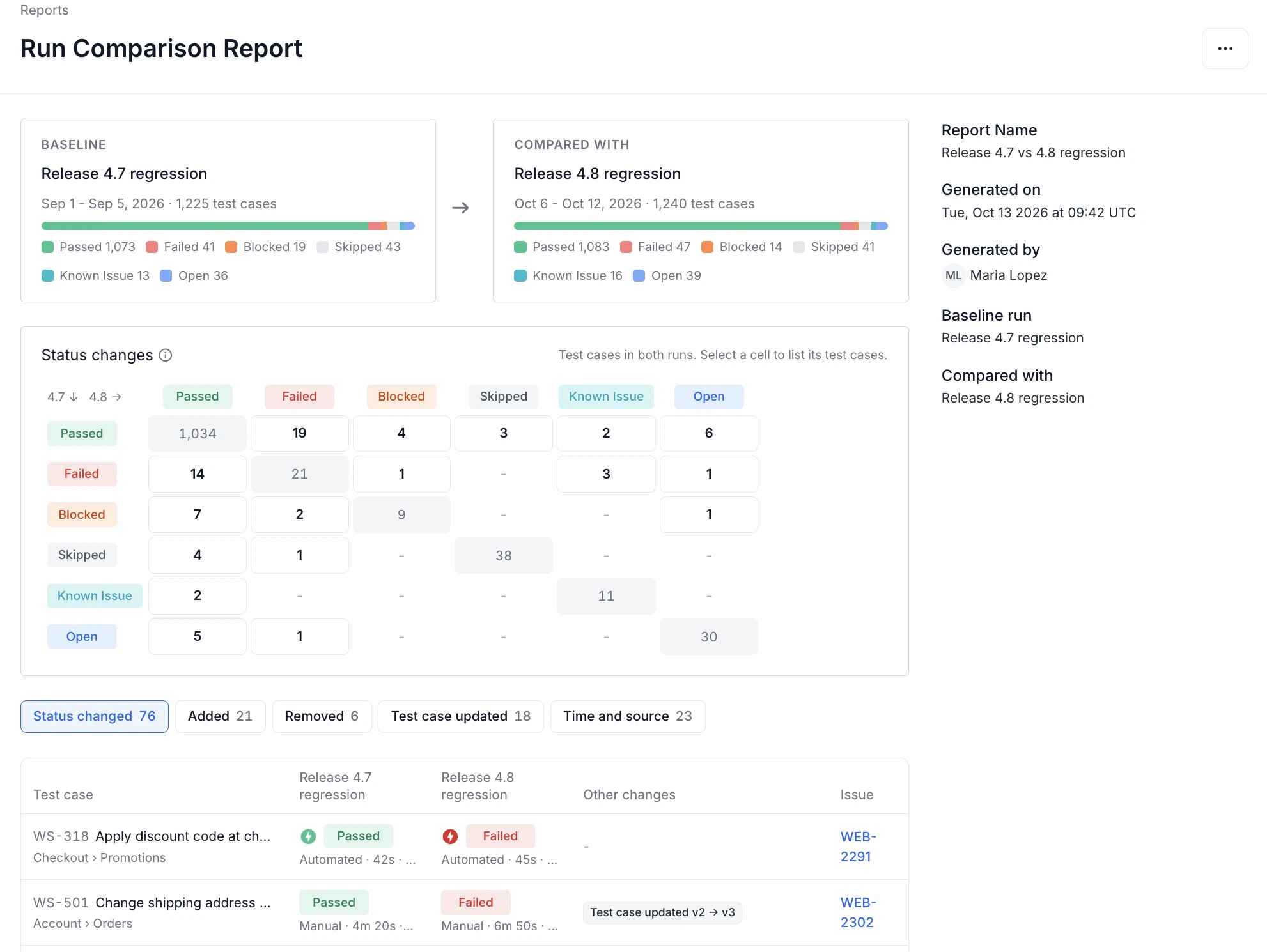
Run Comparison Report
Added a new report that lets you compare any two runs test case by test case. You can see status changes for each test case and quickly filter test cases that were changed, added, removed, or updated.
-
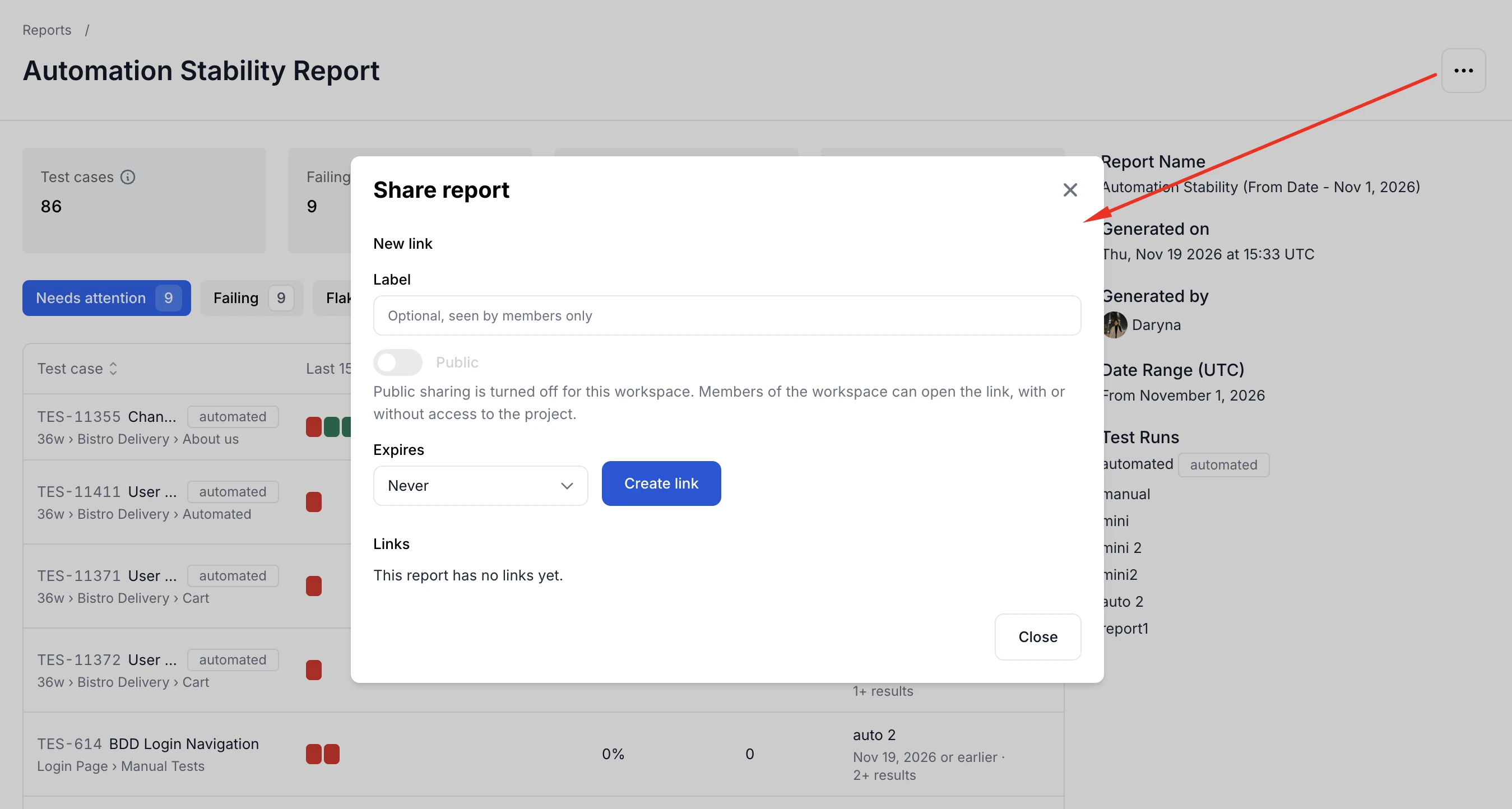
Share Reports with Secure Links
You can now share reports using secure links with workspace members or anyone who has the link. Links can be set to expire, revoked, and managed, with PDF and XLSX export available. Admins can also enable or disable public links.
-
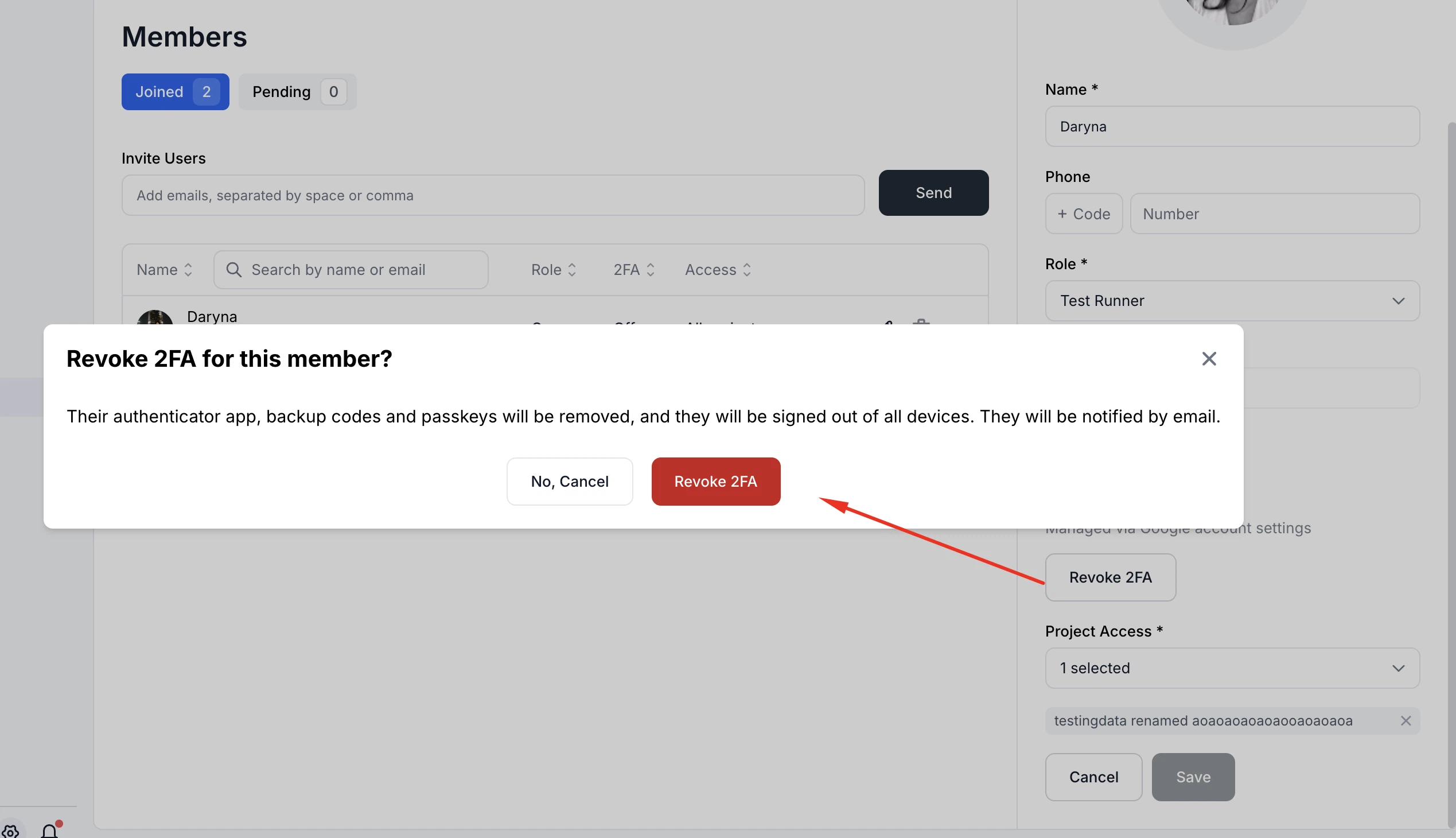
Two-Factor Authentication Management
Owners and admins can now disable two-factor authentication for other users from Settings → Members, allowing users who have lost access to their authenticator and backup codes to regain access to their accounts.
-
Password Setup for Google Sign-In Users
Google Sign-In users can now set a password through the Forgot Password flow or the Authentication page, provided their workspace's authentication settings allow it.
-
Install QA Sphere as an App
You can now install QA Sphere as an app from Chromium-based browsers, with a window color that matches the sidebar and a maskable icon.
-
Improved Jira and Linear Integration
Jira and Linear links now provide more detailed testing information. Links to Test Runs and Test Plans display their current status and progress, including the number of completed test cases and Passed, Failed, and Skipped results. Result links in Jira now also show the test case name and associated Test Run next to the test case code, with one link per run test case displaying its latest result.
-
OAuth Support for Public API
The Public API now supports OAuth authorization-code tokens.
-
MCP Toolsets
MCP tools are now grouped into toolsets (Core, Repository, Execution, Reports, Integrations, and Admin), which can be selected for each connection using the
?toolsets=parameter. Connections without this parameter continue to use the original set of 27 tools. -
Expanded Public API and MCP
The Public API and MCP now support more QA Sphere functionality, including managing folders, test cases, tags, requirements, project settings, test runs, results, test plans, milestones, reports, and integrations with Jira, GitHub, and Linear. The Public API also supports reading and controlling test case time tracking.
Fixes
This release also includes dozens of targeted improvements across the app.
- Fixed user access and run assignments after role or project access changes.
- Fixed an incorrect unsaved changes alert when navigating back from the template editor.
- Fixed Jira issue selection when pressing Enter in autocomplete fields.
- Fixed report validation for required fields and data selection.
We're building QA Sphere to stay fast, reliable, and modern—without the bloat. Have questions or feedback? Drop us a note at sorted@qasphere.com.