

October '26: 26W40
Release Notes for QA Sphere 26W40 update
New Features
-
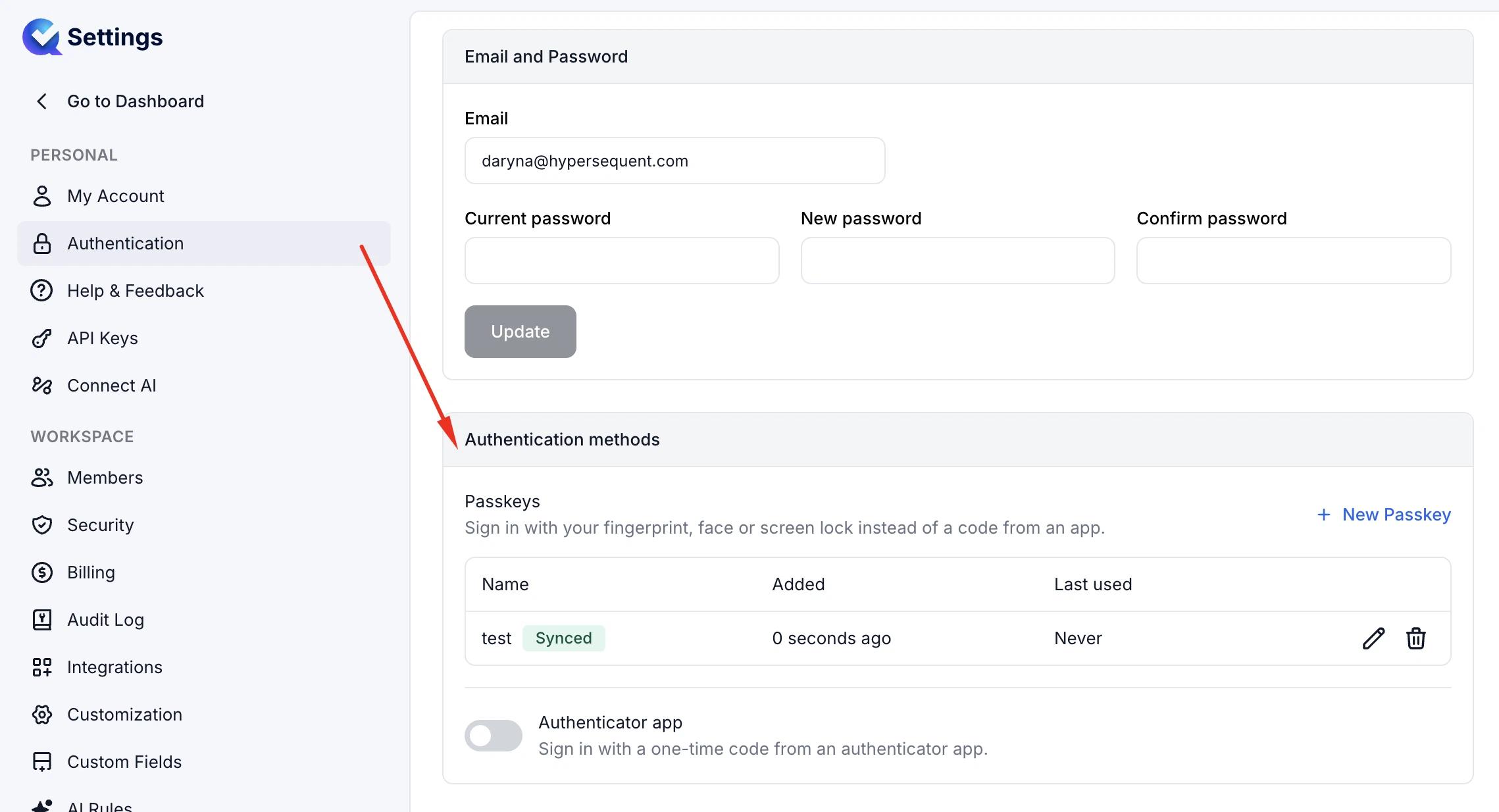
Passkey Authentication
You can now use passkeys as a second authentication factor alongside an authenticator app. Passkeys can be added, renamed, and removed in Settings → Authentication, and users can choose their preferred verification method when signing in. Changes to passkeys are recorded in the audit log. The Authentication settings page has also been fully redesigned to make room for more security features as they are added.
-
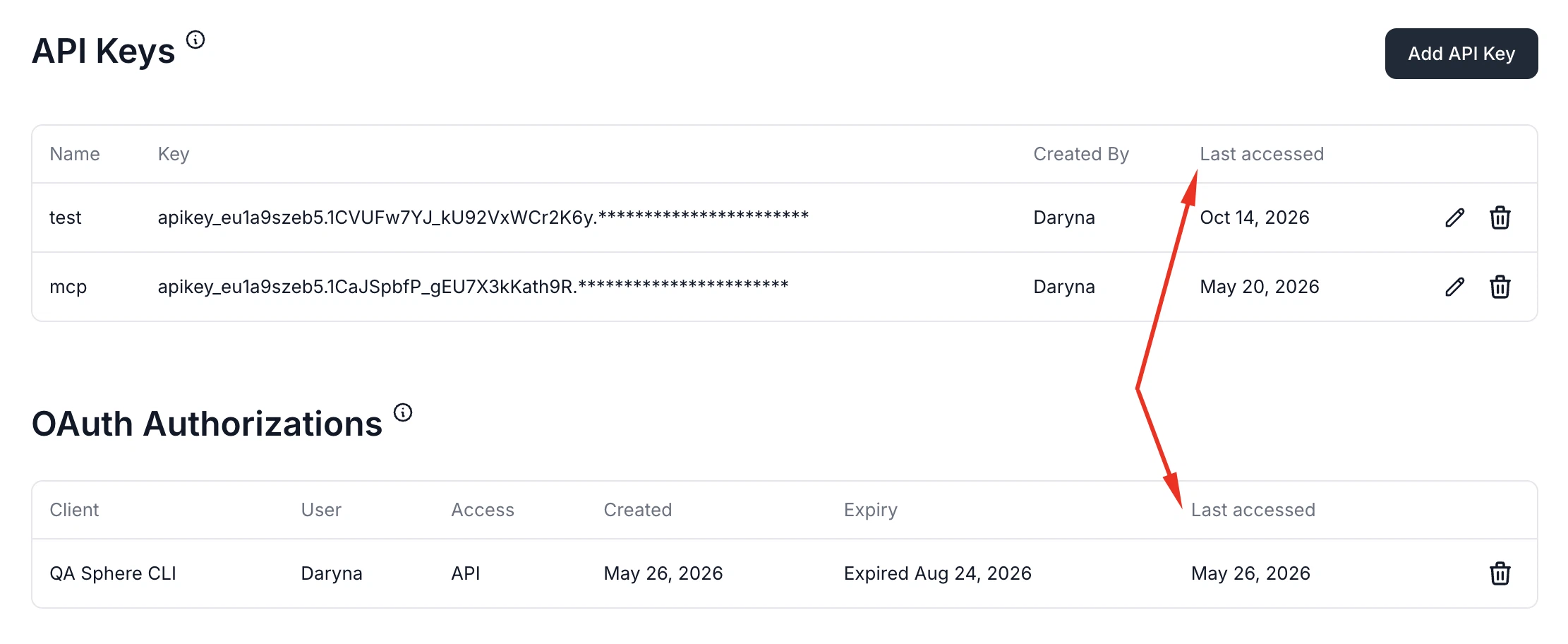
Last Access Time for API Keys and OAuth Authorizations
You can now see when API keys and OAuth authorizations were last used, making it easier to identify inactive credentials and clean up those that are no longer needed.
-
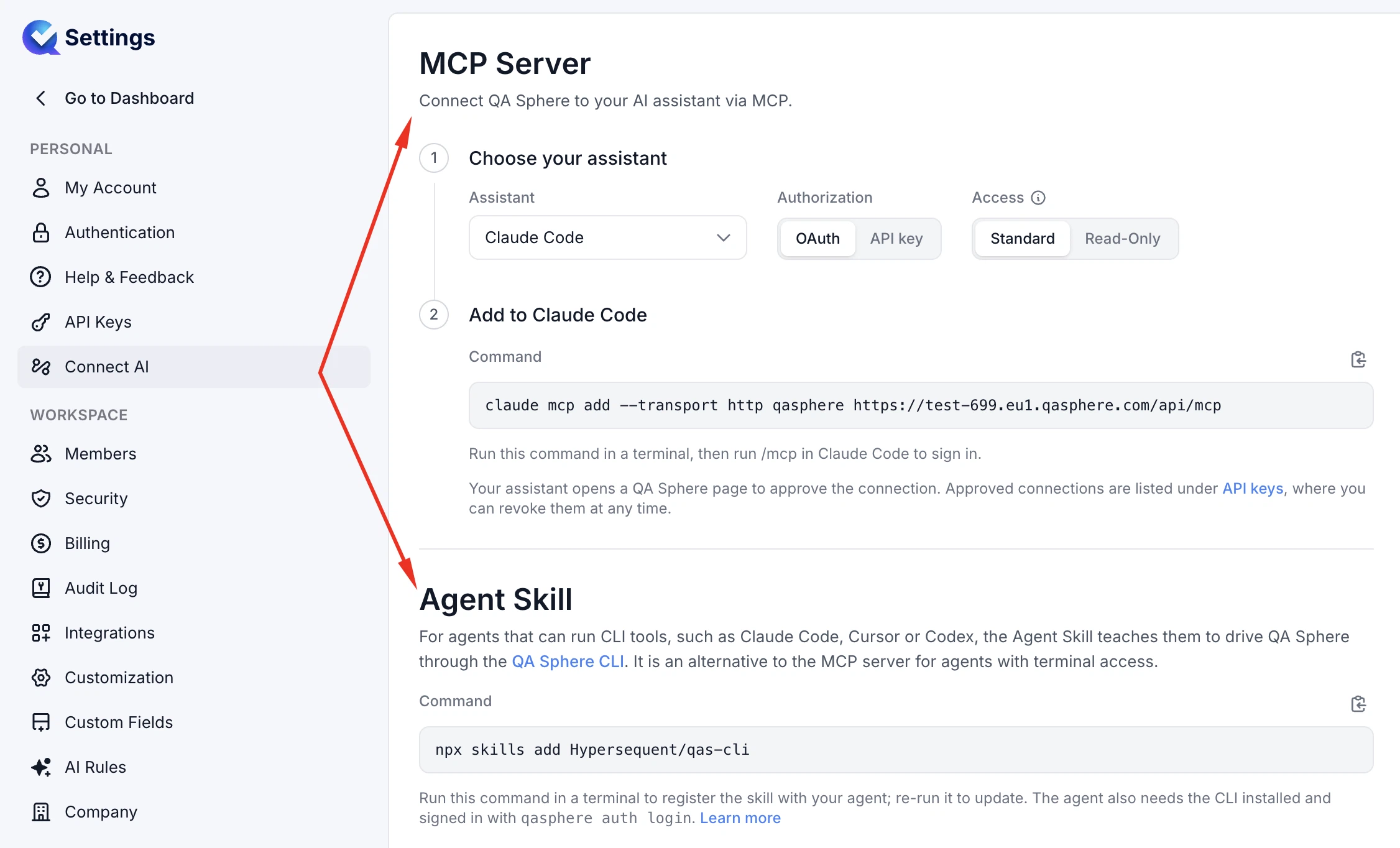
Connect AI Settings
Renamed the MCP Server settings page to Connect AI and added an Agent Skill section with installation instructions to help you connect AI agents to QA Sphere. Existing links continue to work.
-
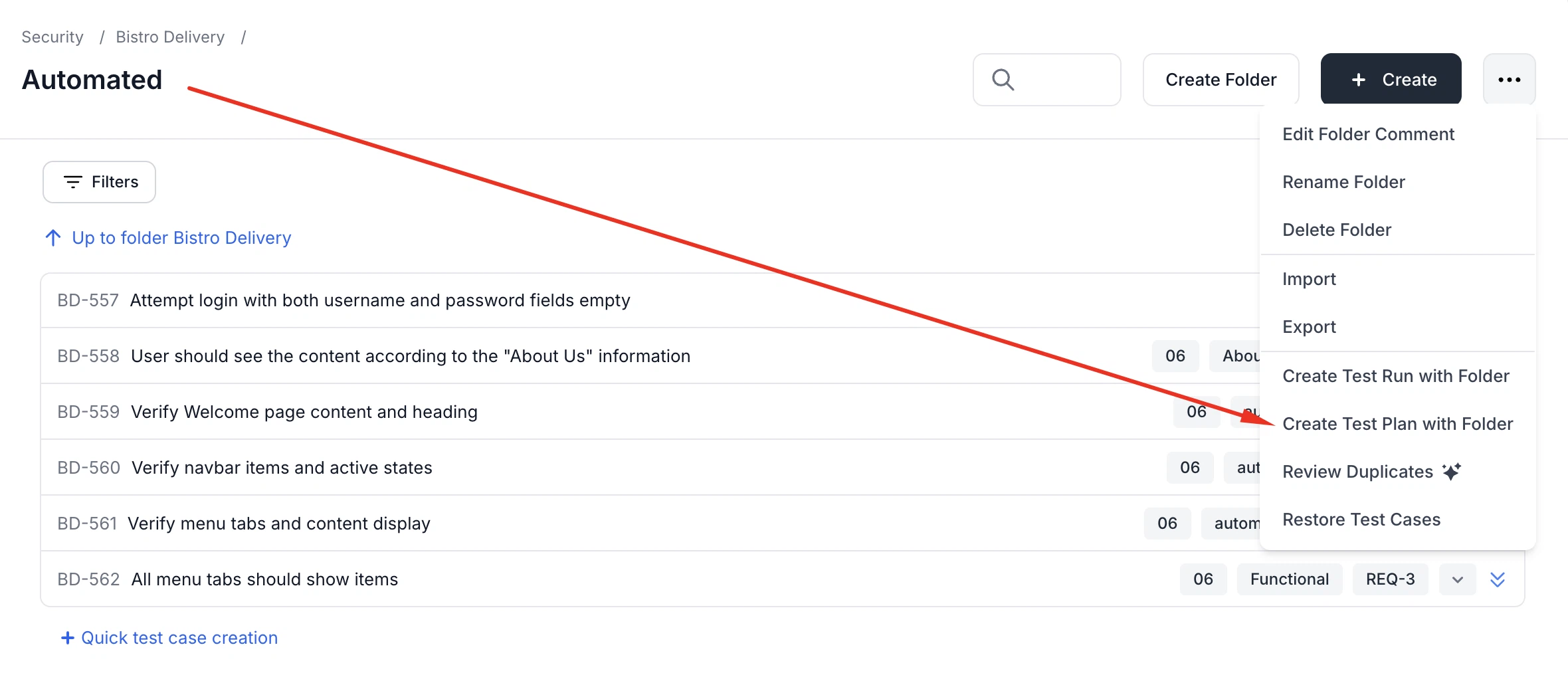
Test Plan Creation from Folders
You can now create a test plan directly from a folder.
-
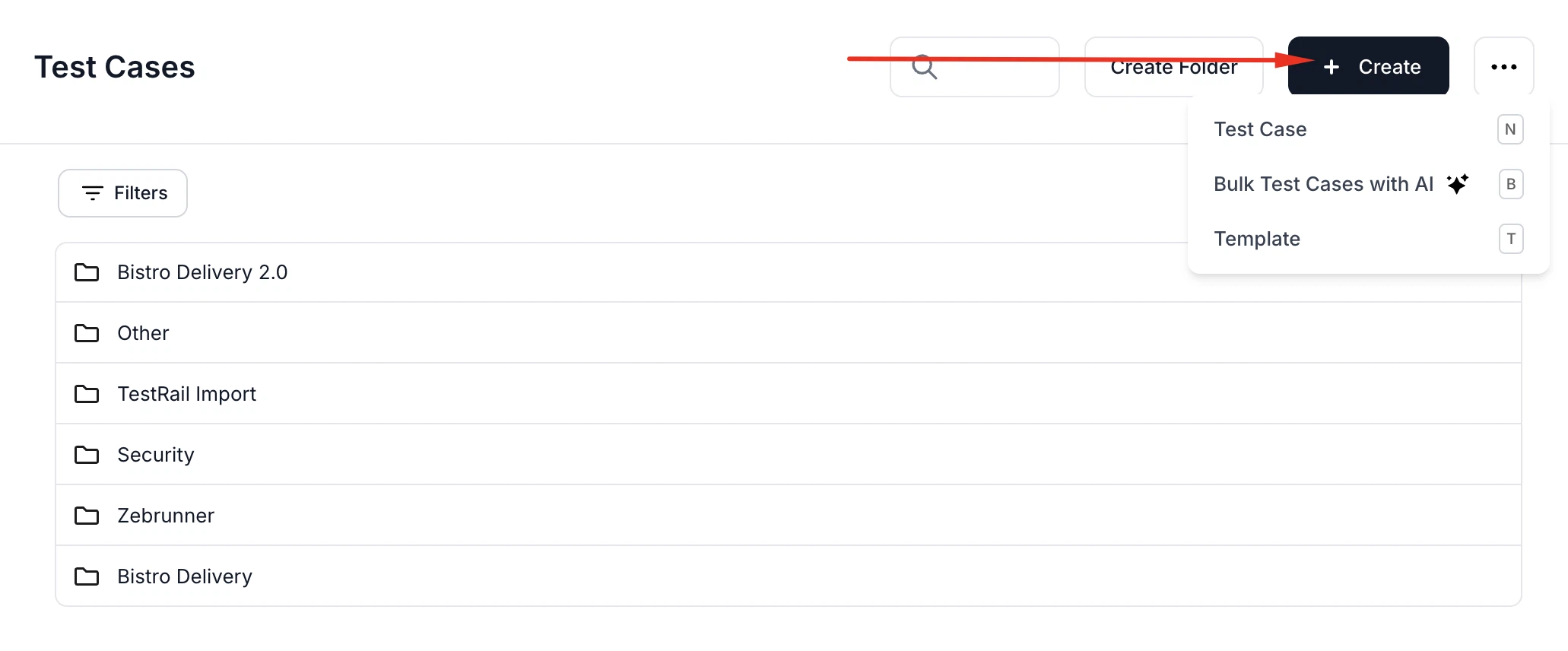
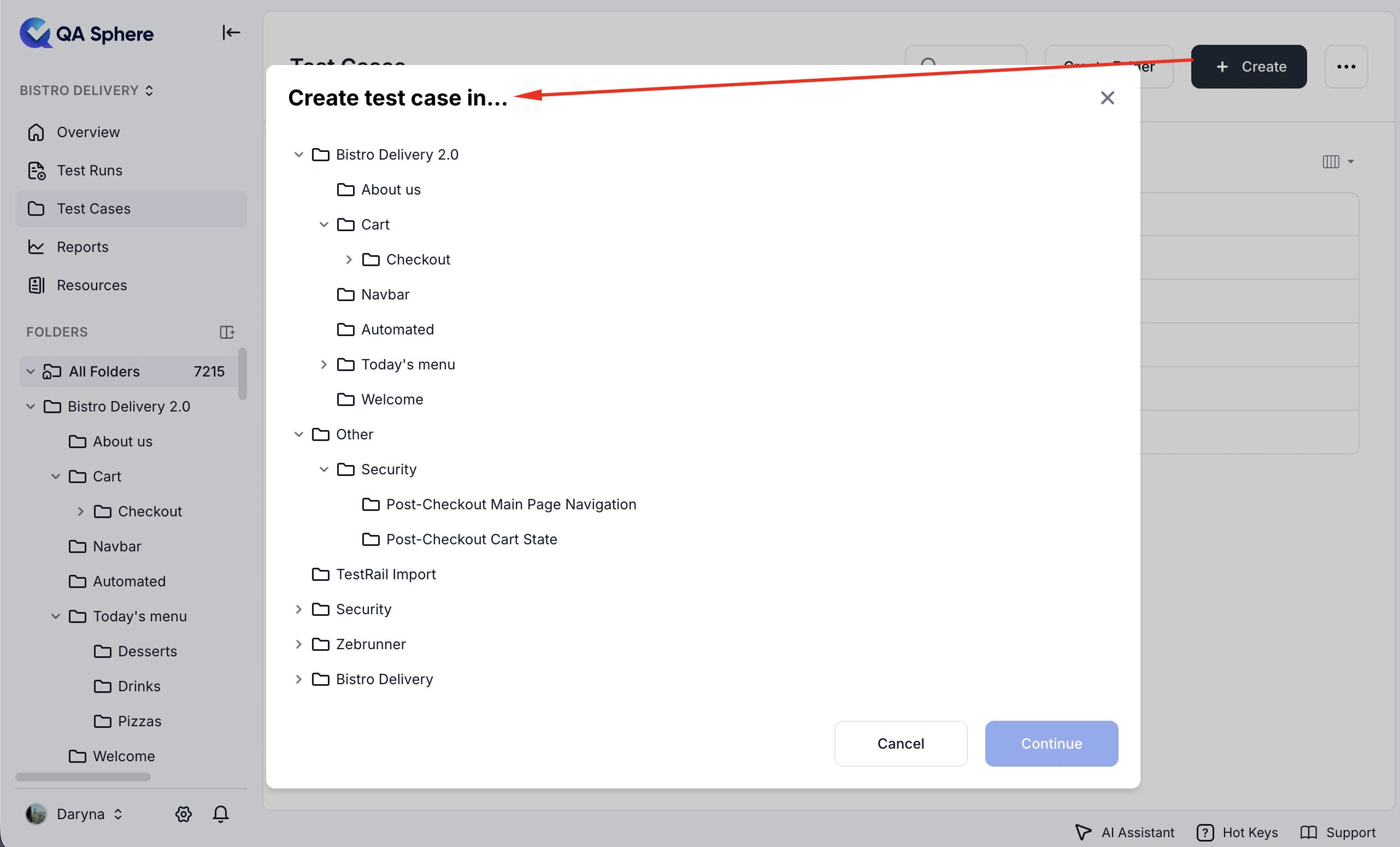
Test Case Creation from Root Folder View
You can now create test cases, AI-generated test cases, and templates directly from the root folder view by selecting a destination folder first.
-
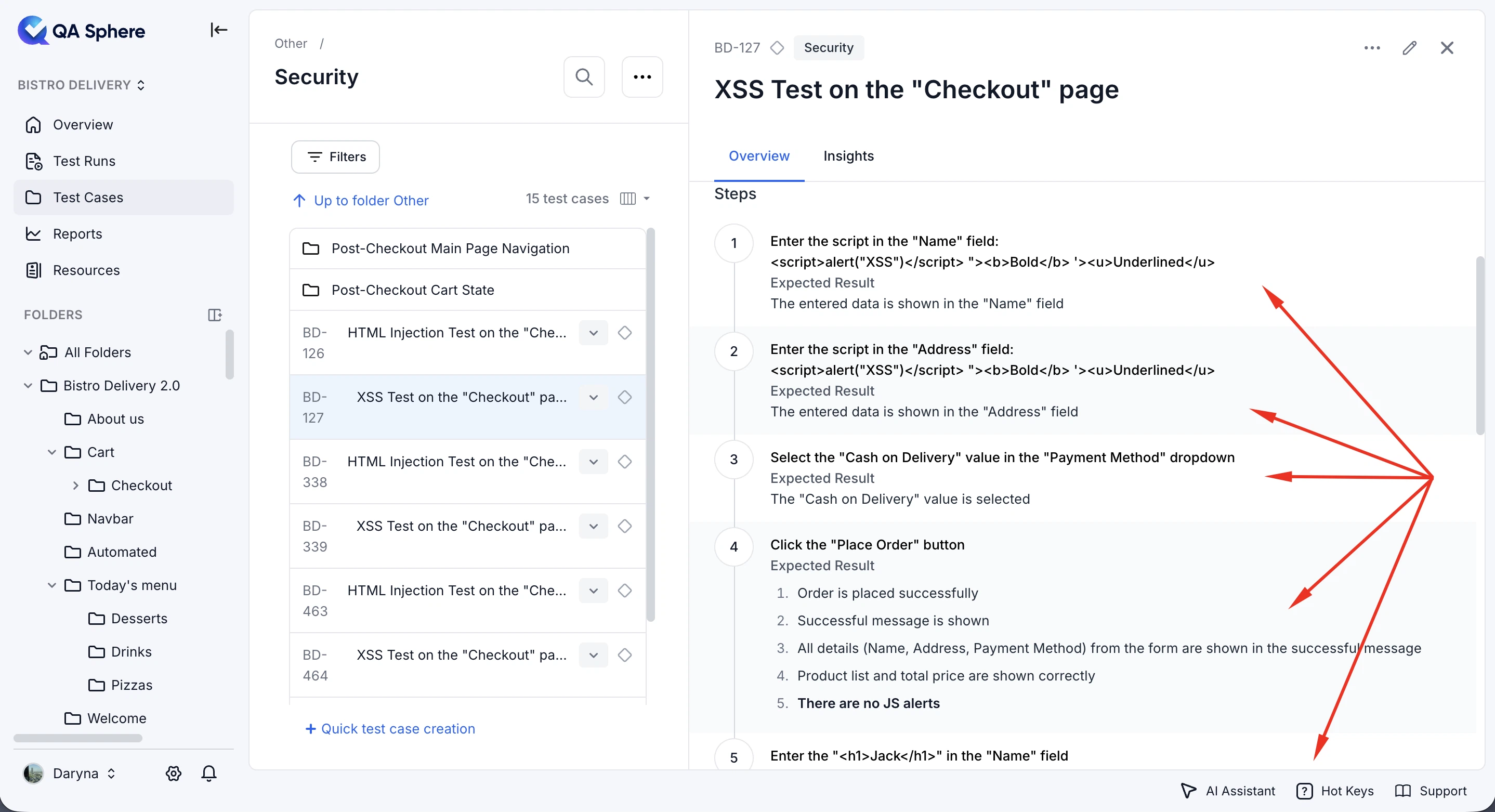
Improved Test Case Step Readability
Added alternating row backgrounds to test case steps in read-only views and history, making long step lists easier to follow.
-
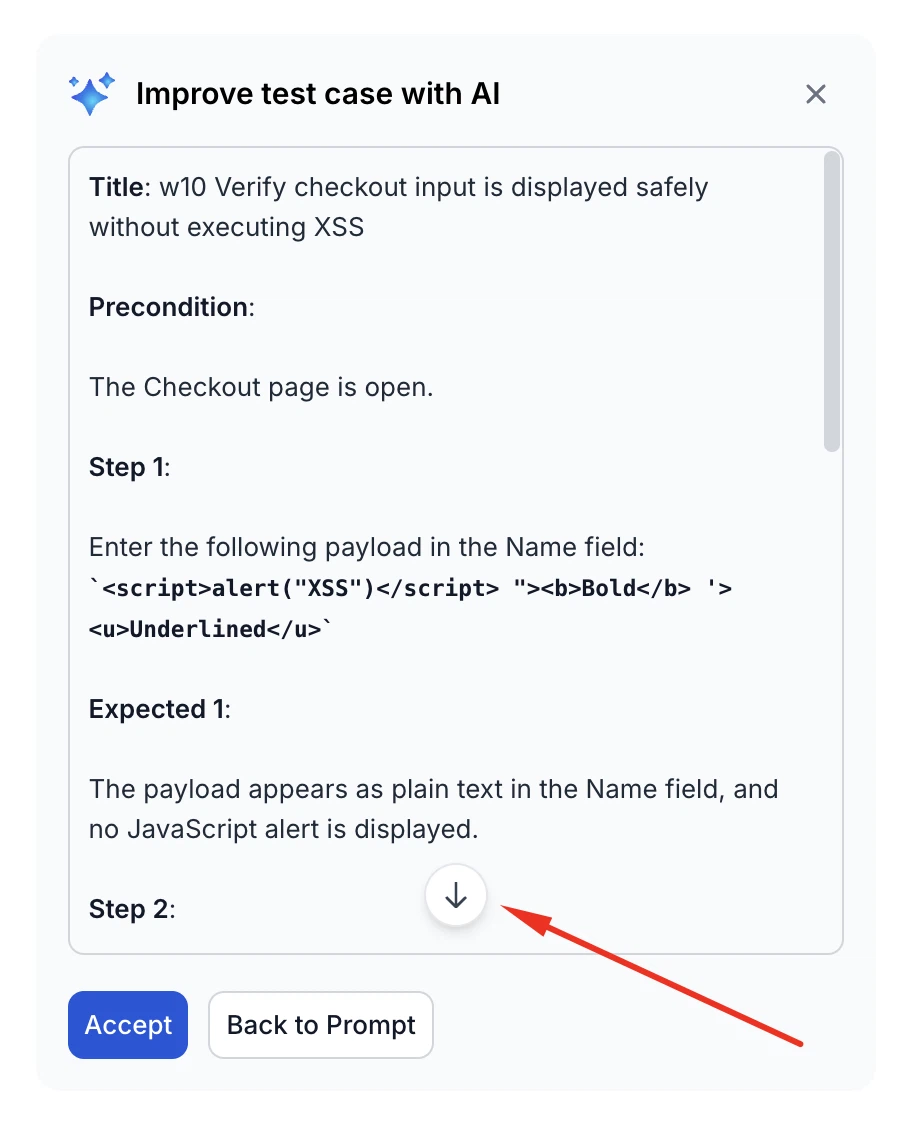
Improved AI Generation Scrolling
Improved the AI generation experience by removing automatic scrolling and adding a floating button to quickly jump to the bottom when generation is complete.
-
Improved Test Case Overview Panel Resizing
You can now resize the test case overview panel to take up more than half of the screen, making large test cases easier to read.
-
Improved Left Sidebar Navigation
Improved the left sidebar with simplified expand/collapse behavior, a project switcher in collapsed mode, and clearer navigation back to the dashboard from Settings.
-
Paginated Public API Endpoints
Added paginated versions of all public listing API endpoints, allowing you to retrieve large datasets in manageable pages.
Fixes
This release also includes dozens of targeted improvements across the app.
- Fixed an issue where Linear integrations with expired refresh tokens were not marked as expired, preventing users from seeing the prompt to reauthorize the integration.
- Fixed an issue that prevented users from selecting text while AI content was being generated.
- Fixed an issue where the test case overview panel could not be resized when the left navigation panel was pinned.
We're building QA Sphere to stay fast, reliable, and modern—without the bloat. Have questions or feedback? Drop us a note at sorted@qasphere.com.