

August '26: 26W32
Release Notes for QA Sphere 26W32 update
New Features
-
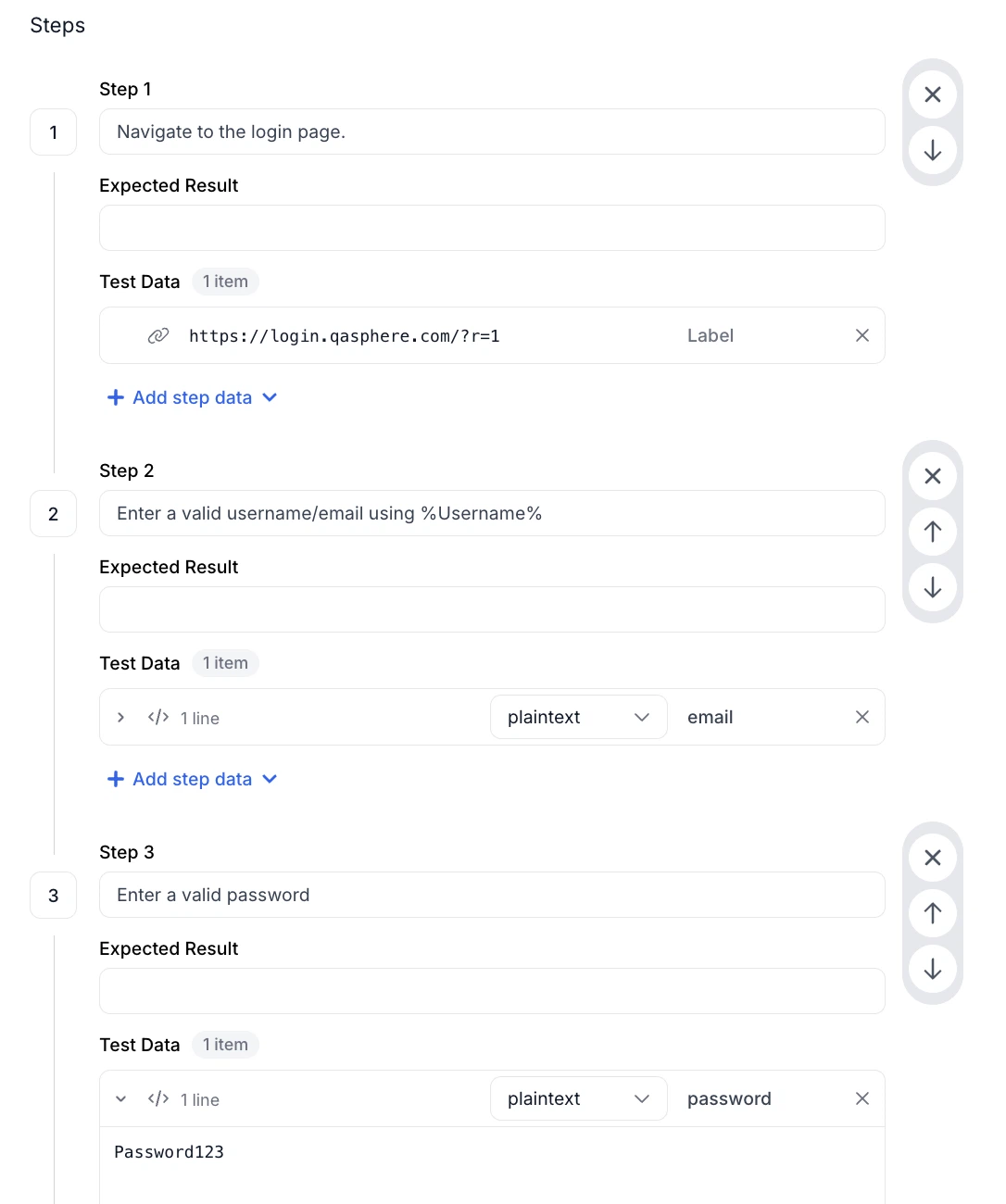
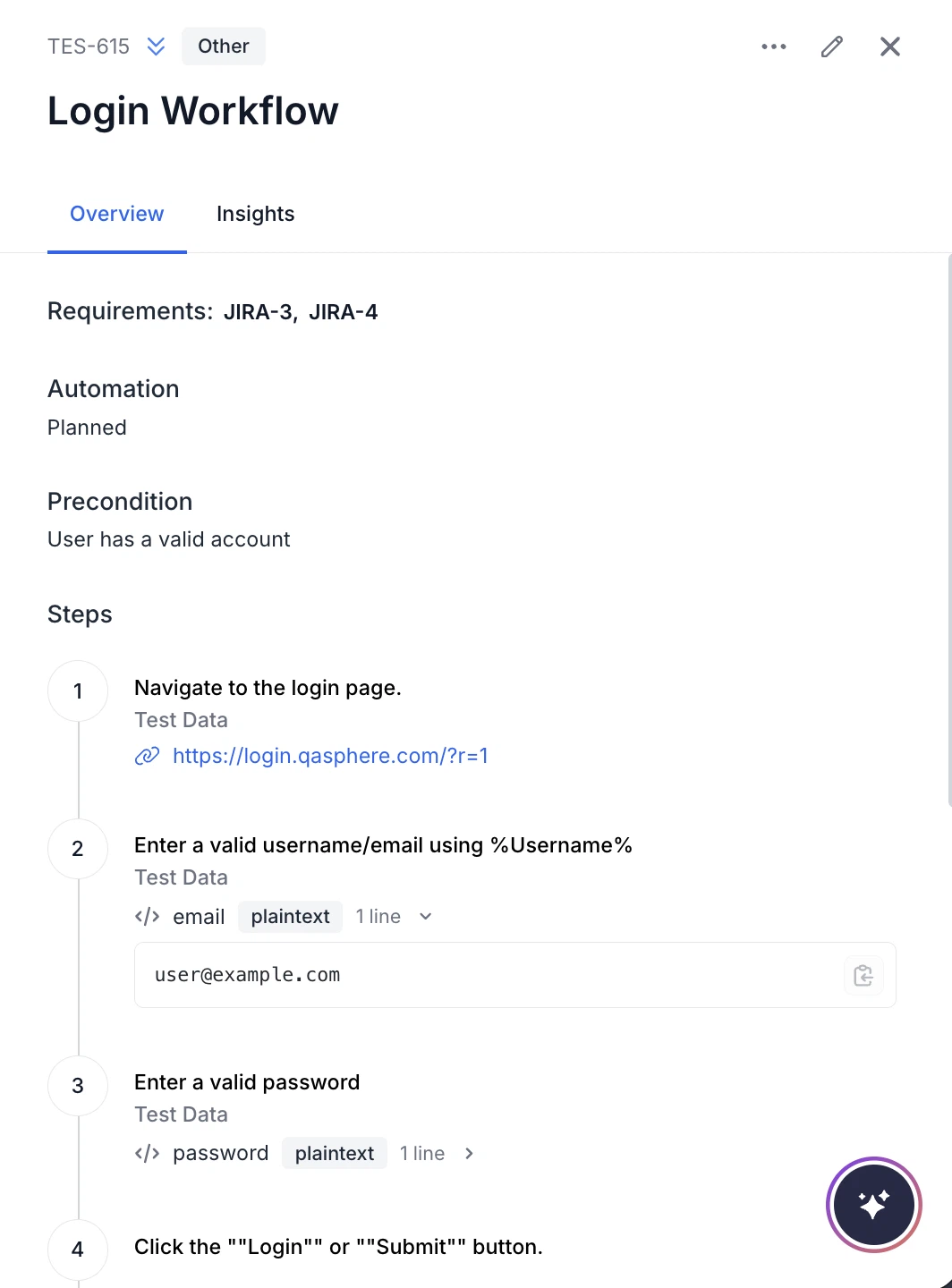
Data Field for Test Case Steps
You can now add step-specific test data, such as credentials, payloads, sample values, links, and file attachments, directly to test case steps. The Data field can be enabled or disabled in Settings.
-
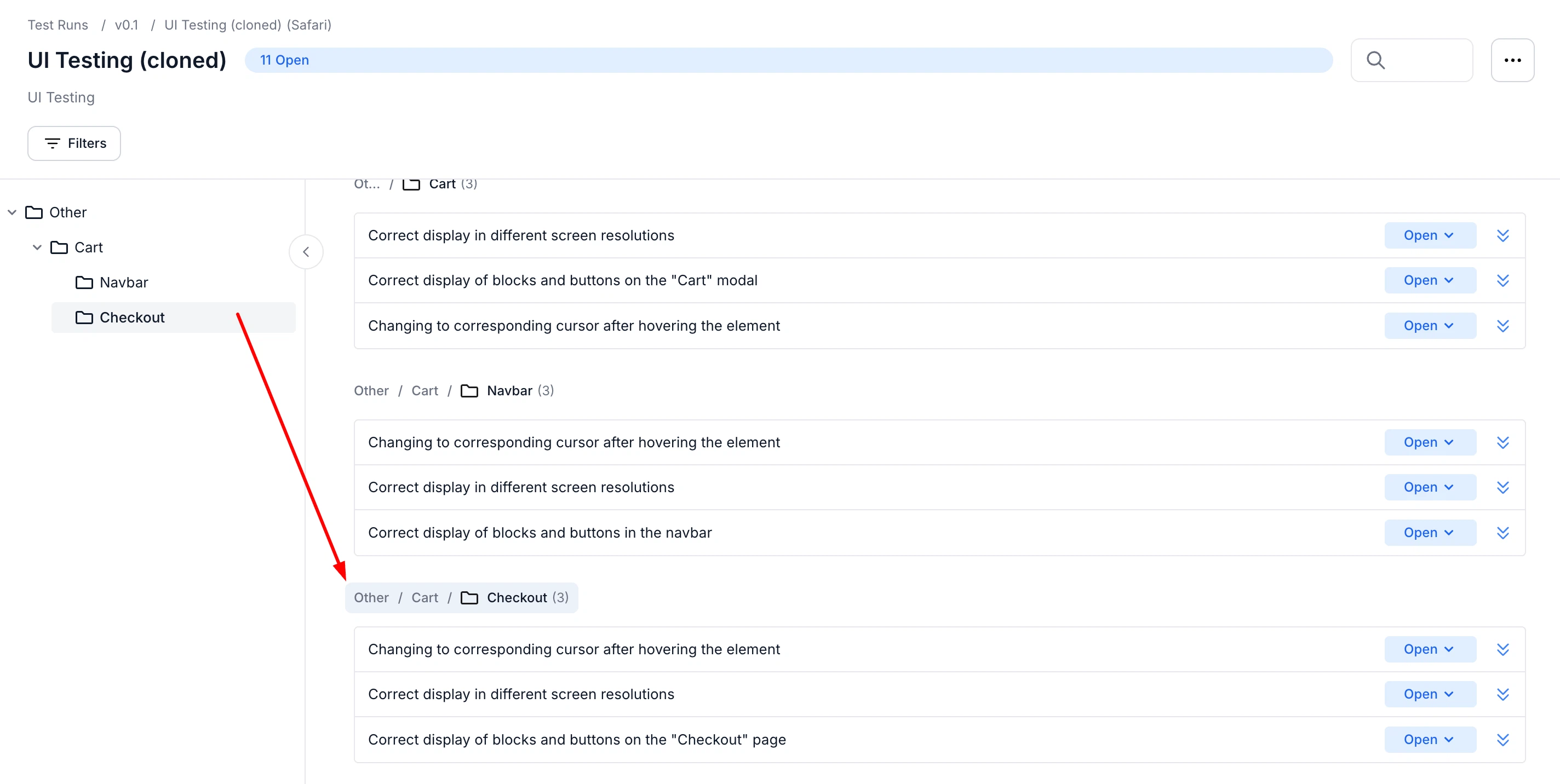
Visual Folder Highlight in Test Runs
Target folders are now easier to spot after navigating in Test Runs. The selected folder is automatically highlighted after navigation from the Drawer or Search modal.
-
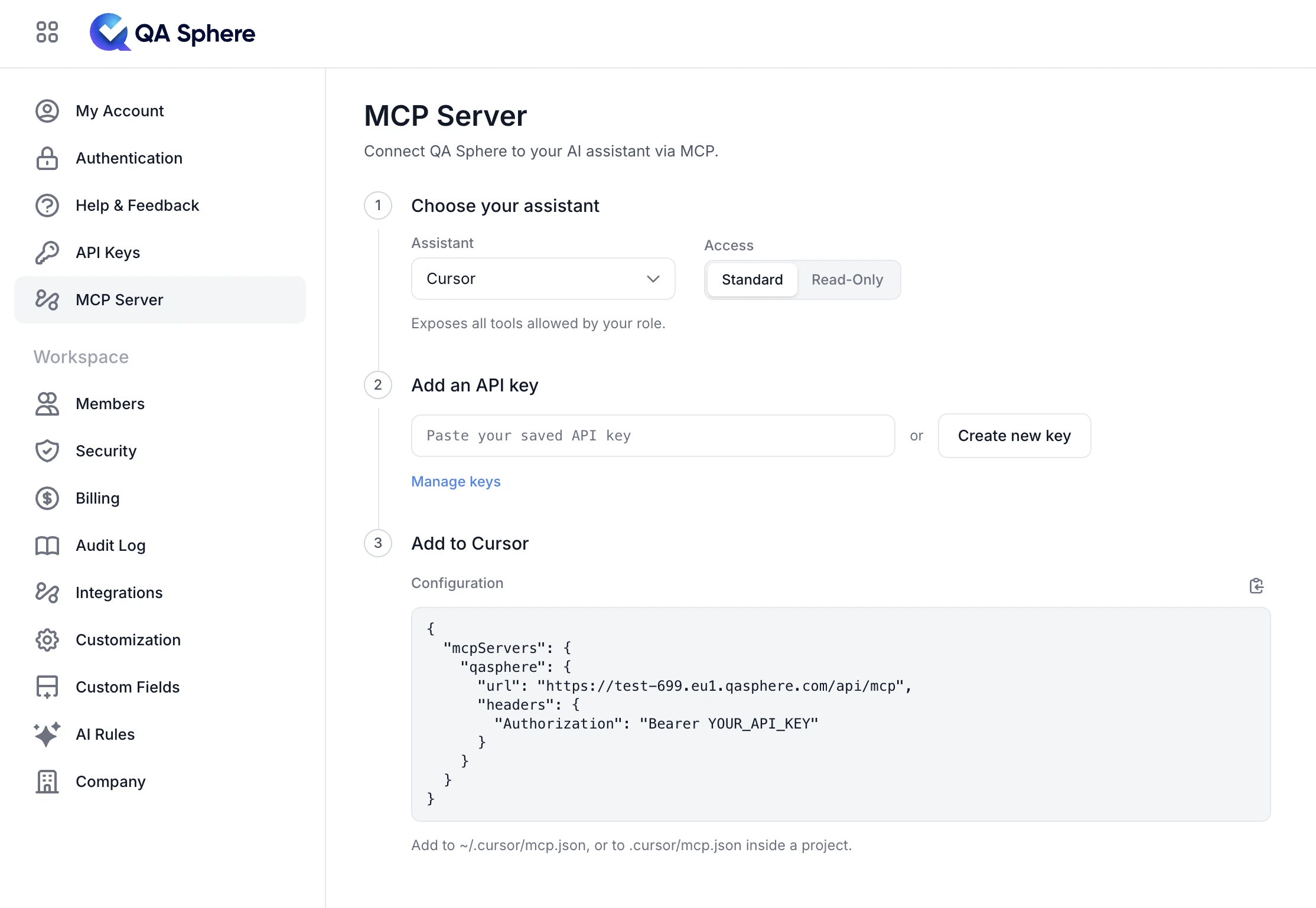
Added MCP Setup Page
Added an MCP setup page in Settings with API key instructions. You can now connect to QA Sphere through the native MCP server using API key authentication, with 27 tools, Standard and Read-Only access levels, and ready-to-use configurations for Claude Code, Codex, Gemini CLI, VS Code, and Cursor.
-
Improved Profile Avatar Interaction
The profile avatar now has a clear visual highlight when hovered or when the account dropdown is open.
-
Authentication Failure Audit Logs
You can now see rejected authentication attempts in audit logs and filter them for easier investigation.
-
Public API Support for Test Case Edit History
You can now access test case edit history through the Public API, including editor details, changes, timestamps, legacy or sequence ID lookup, and pagination.
-
SAML Documentation
SAML setup and usage information is now available in the documentation.
Fixes
This release also includes dozens of targeted improvements across the app.
- Fixed backend validation for shared precondition titles, including the 255-character limit and validation during imports and other workflows.
- Fixed password reset tokens to expire after 1 hour instead of remaining valid for an extended period.
- Fixed radio styling to match checkboxes in light and dark modes, including background and border appearance.
- Fixed inconsistent image and video sizing in the Test Case History modal.
We're building QA Sphere to stay fast, reliable, and modern—without the bloat. Have questions or feedback? Drop us a note at sorted@qasphere.com.