

December '24: 24W48
Release Notes for QA Sphere 24W48 update
QA Sphere 24W48 was released on Wednesday, December 10th 2024. It is available to all users of the platform.
New Features
-
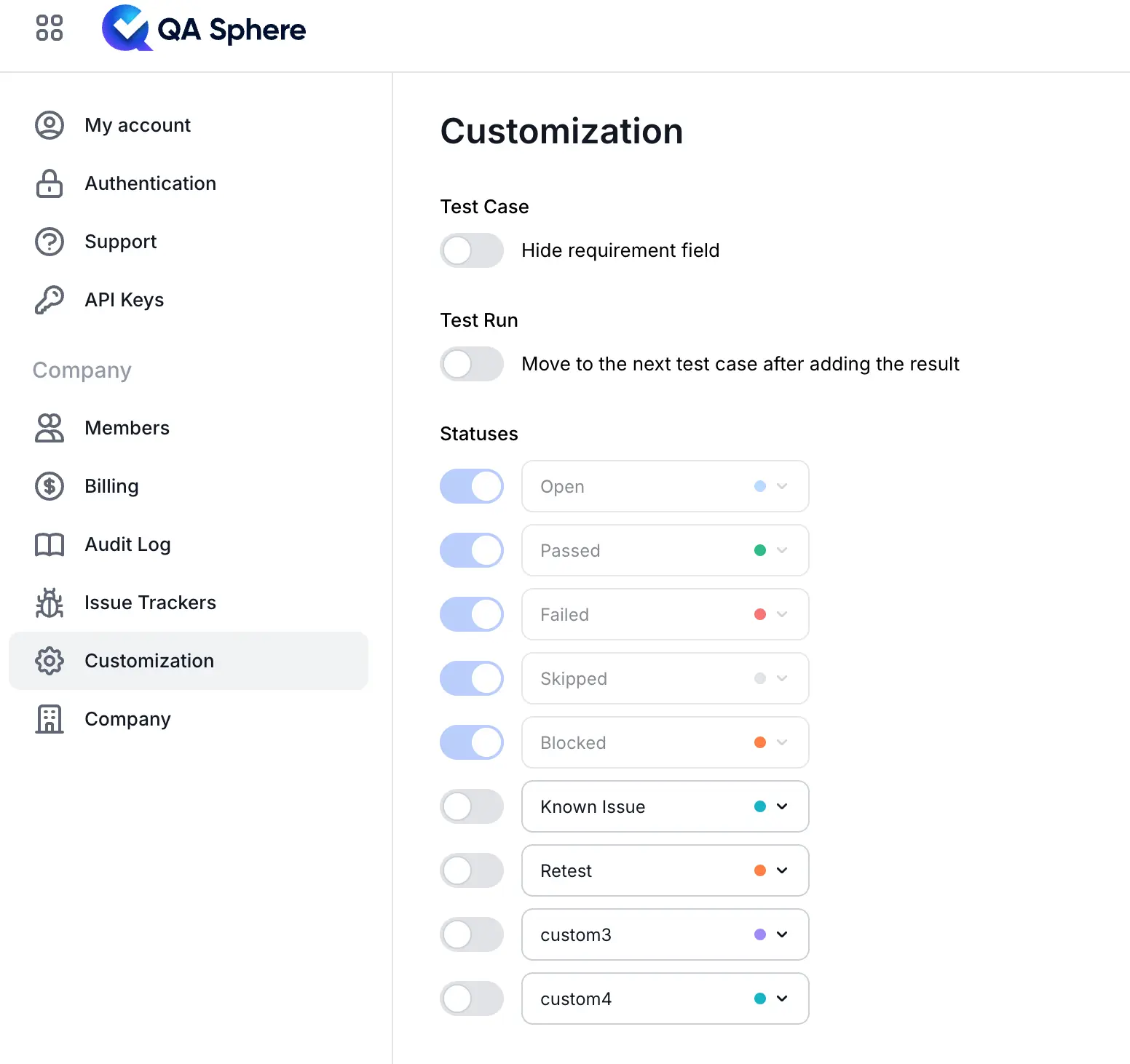
Custom Test Run Statuses: You can now add up to four custom statuses for test run results (e.g., "Known Issue," "Retest," or "Passed w/remarks") to fit your workflow. Custom statuses are currently defined at the account level. They are fully supported across the product, including API and Reports.
-
Test Run Results: A new setting, “Move to the next test case after adding the result,” simplifies filling out test runs by automatically advancing to the next test case.
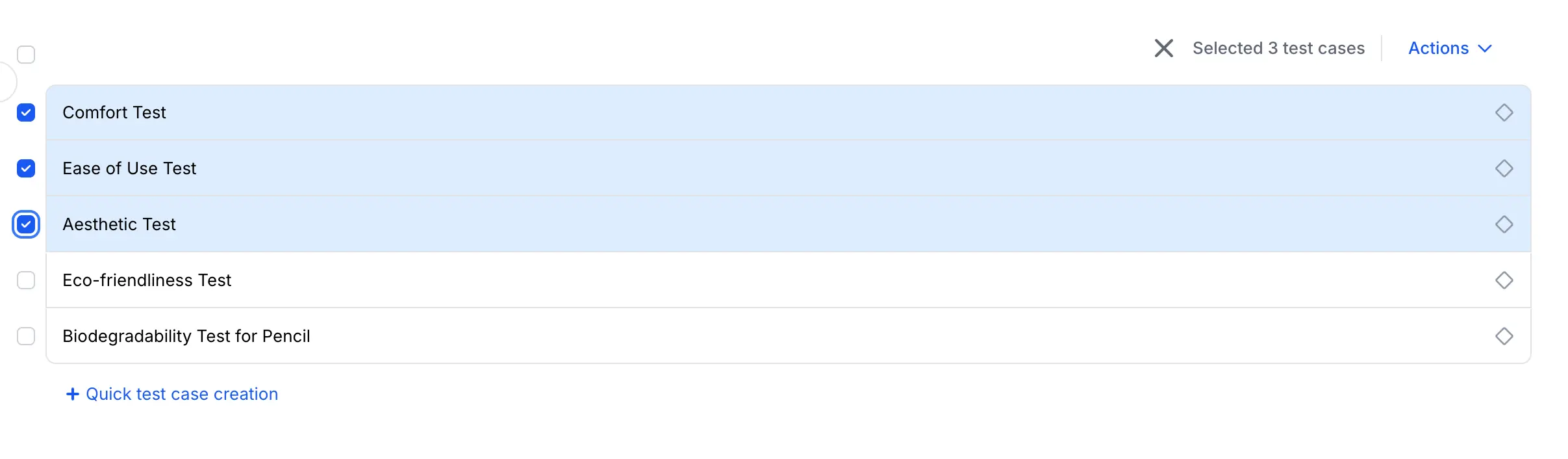
- Select Multiple Test Cases: Use checkboxes to select multiple test cases on the test cases tab. For the test runs tab, you can hold the [Shift] key to select multiple test cases. Checkboxes for this functionality will be added in the next release.
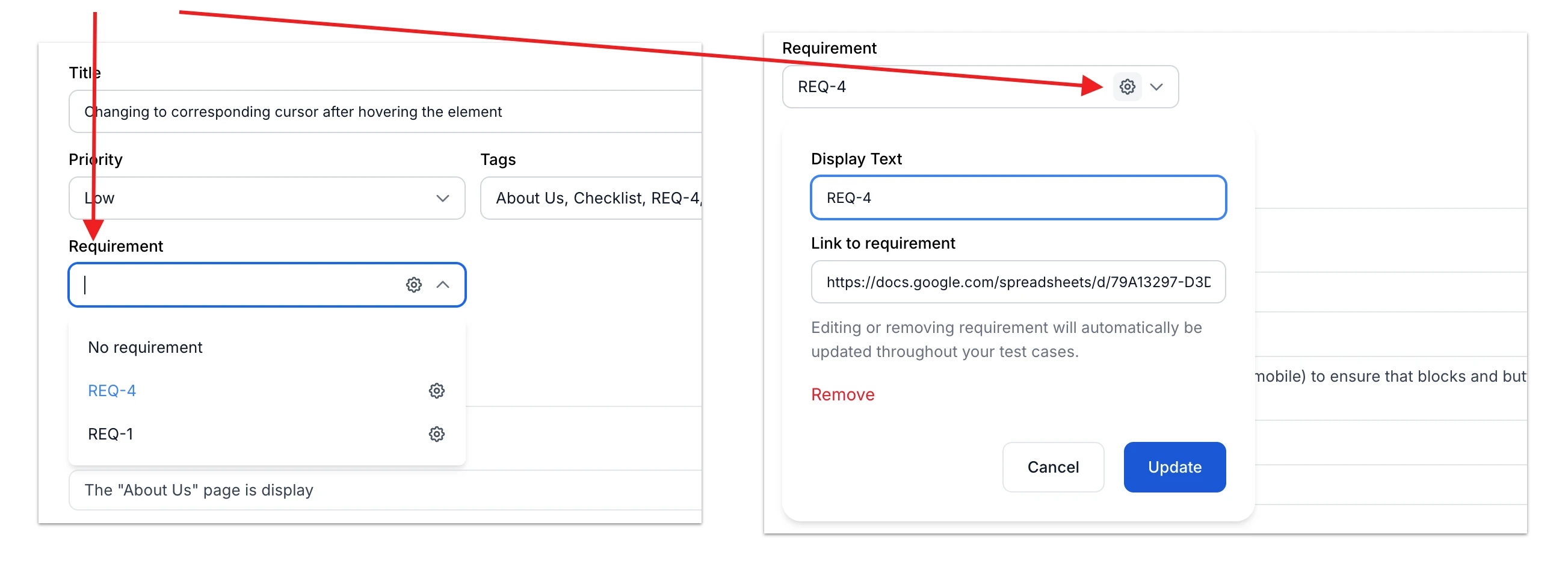
- Improved Requirements Management: You can now choose existing requirements from a dropdown list, making it easier to connect requirements with your test cases.
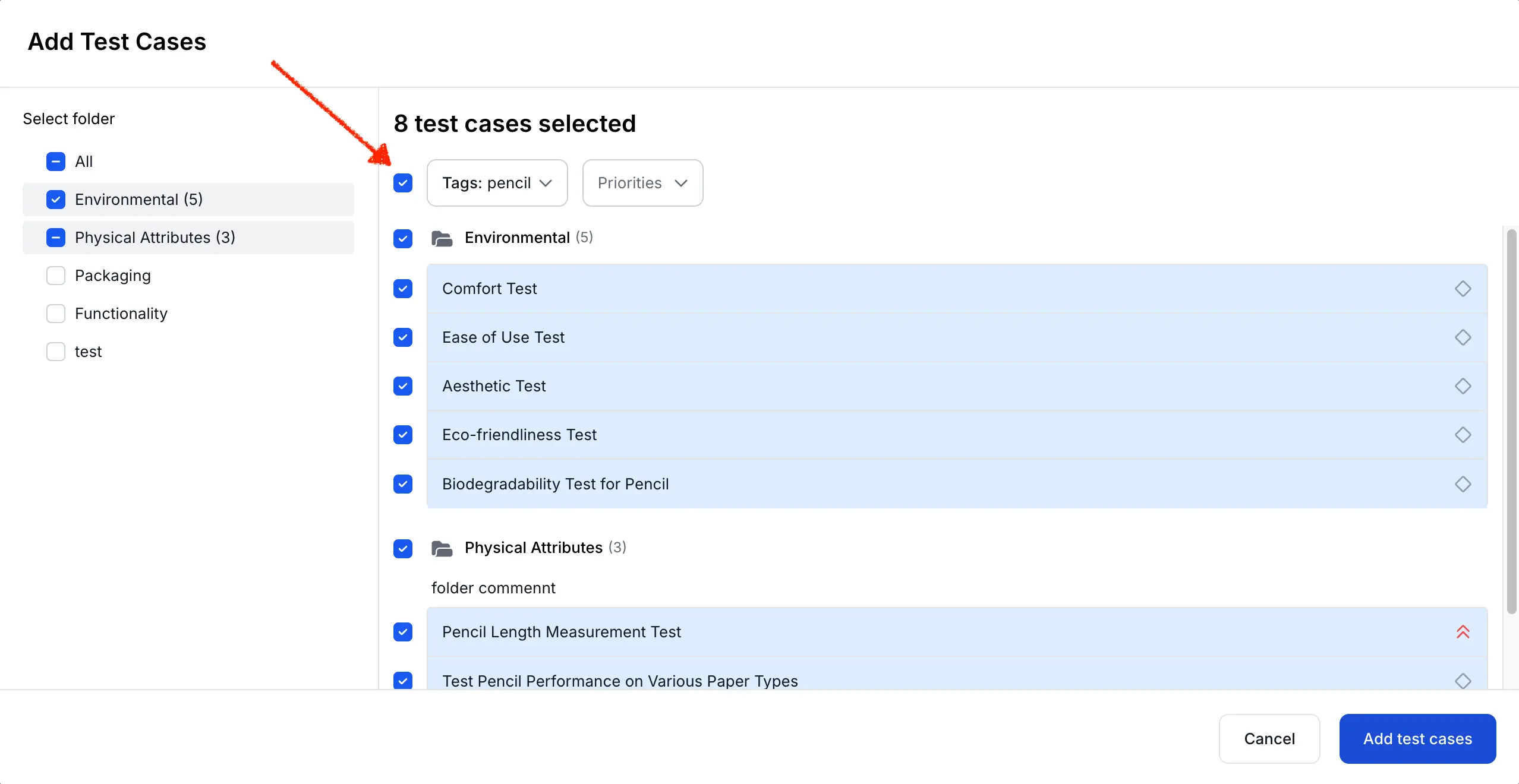
- Enhanced Test Run Dialog: A "Select/Deselect visible" checkbox is now available in the test run dialog, allowing you to include or exclude test cases based on tags or priorities.
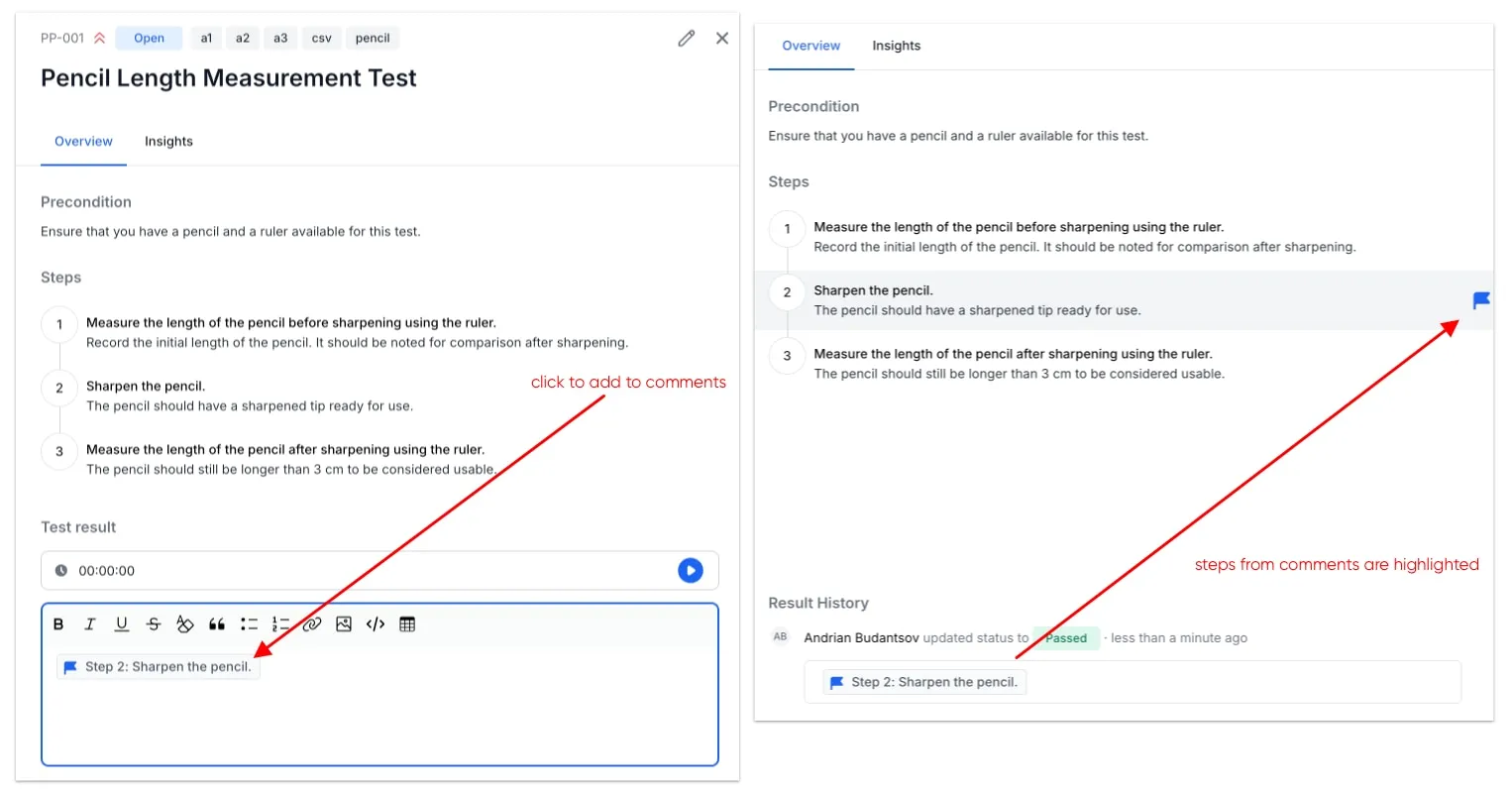
- Comment on Test Steps: Mention a specific test step in your comments on test case results. Mentioned test steps will be highlighted for better visibility.
-
Clone Test Runs: You can now clone a test run to create a similar test run without carrying over any results.
-
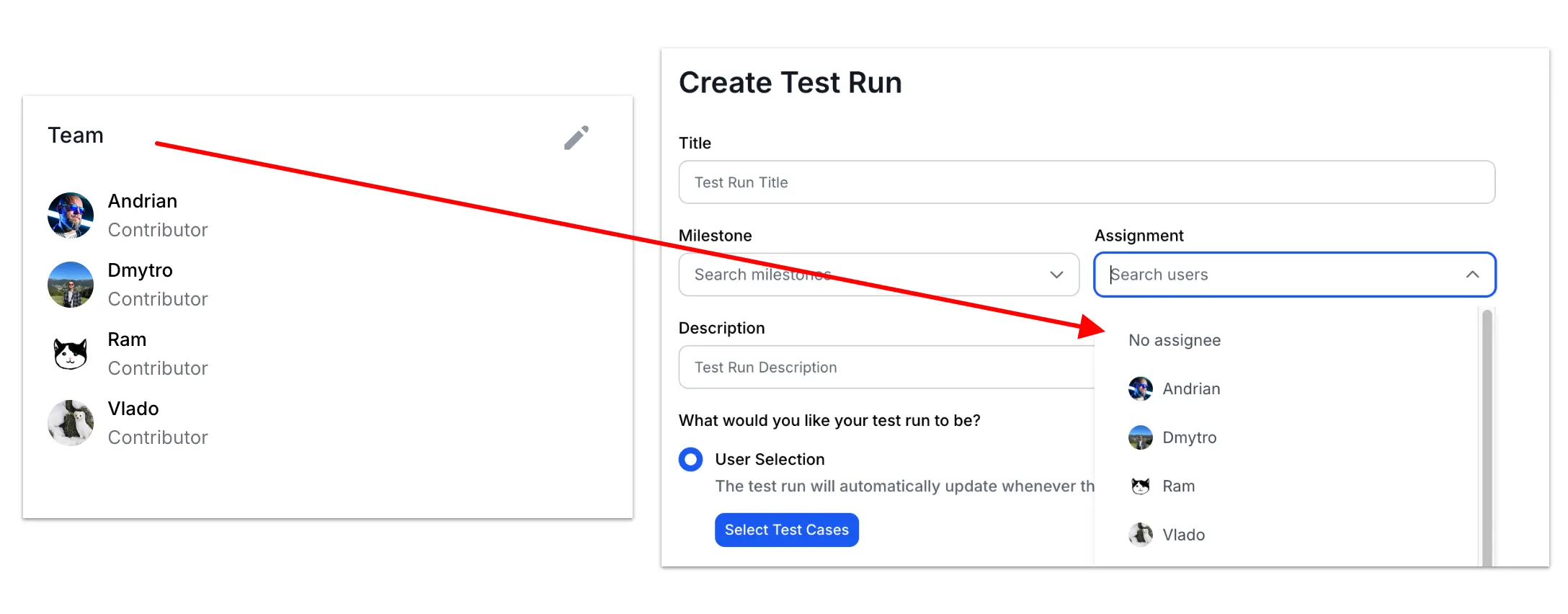
Improved Assignee Suggestions: Users listed in the Project Overview Team block are now displayed at the top of the assignee dropdown in the test run creation dialog.
-
New REST APIs:
- Retrieve user information: Users API Documentation
- Create non-live test runs with filters in addition to test case IDs: Runs API Documentation
-
Updated REST API Documentation: We have updated the formatting of the API documentation, transition to use TypeScript instead of JSON schemas, and added basic examples.
-
Email in User List: In the Team tab under Settings, user emails are now displayed below their names for better clarity.
Fixes
This release also includes several important fixes:
- Improved PDF report rendering.
- Better page layout for smaller screens and browser windows.
- Refined text in UI message dialogs.
- General performance improvements.
- Fixes related to Filters and behavior related to certain UI components
We hope you enjoy the new features and enhancements in QA Sphere! Thank you for your continued support.